
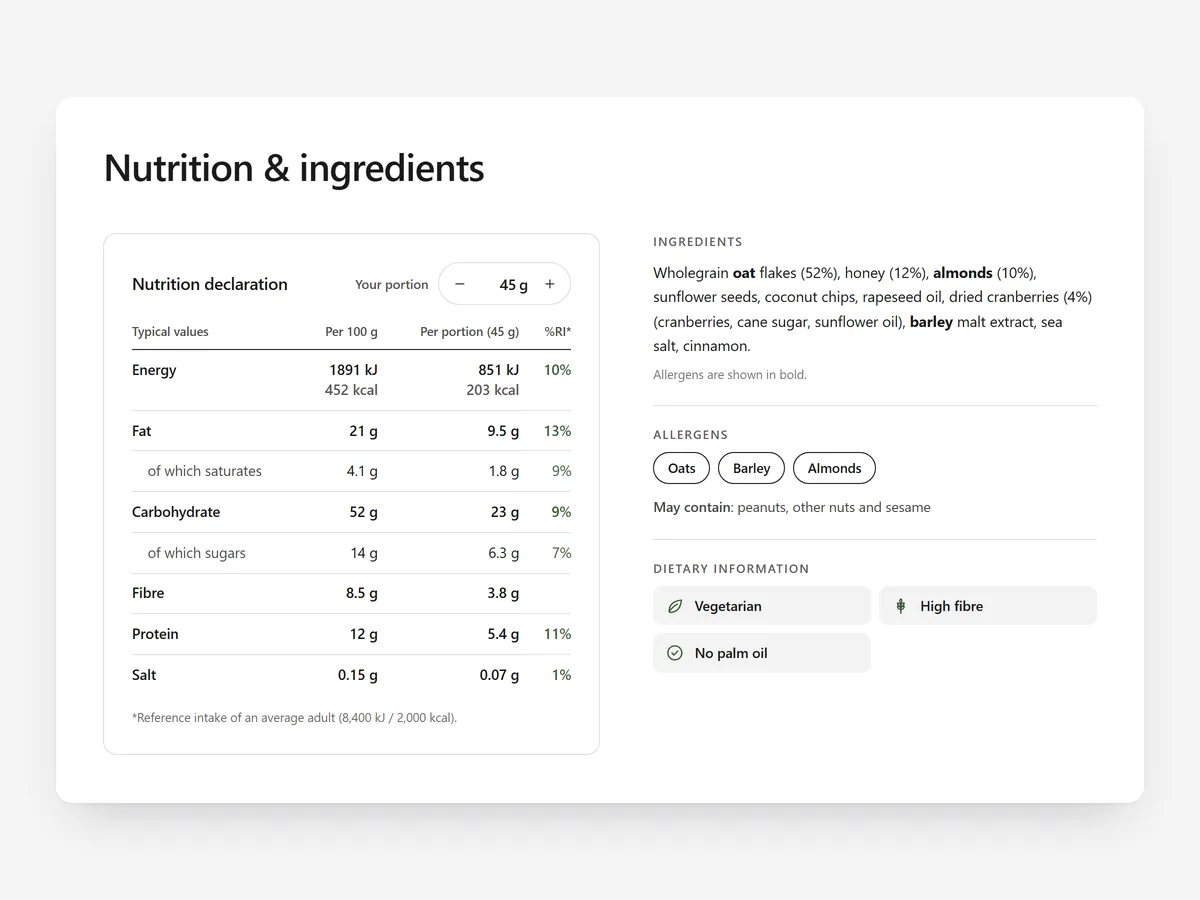
In a shop, food buyers turn the pack over before they buy; online they look for the same panel. Shoppers with allergies or diet goals who cannot find it simply leave.
Why it matters
Many food stores upload a photo of the back of the pack. On a phone it is unreadable, search engines cannot read it, and it hides allergen information some shoppers must check every time.
Selling in both the EU and the US doubles the problem: EU shoppers expect values per 100 g, US shoppers expect the familiar Nutrition Facts box. The wrong format makes a product feel unfamiliar.
What the section does
Nutrition Facts renders the label as real text in the format your market expects. It is built for product pages of food, drinks and supplements.
- 01The EU table shows values per 100 g, per portion and as reference intake (RI), the layout European shoppers know.
- 02The US Nutrition Facts label applies FDA rounding, so numbers look the way American shoppers expect.
- 03A portion calculator and macro tiles show what one serving contains without mental maths.
- 04Allergens are highlighted, and content sets per product let one setup cover your whole range.
Where to place it and what to write
Place the section below the product description and above reviews. If you use collapsible tabs, a nutrition tab works, but keep allergens visible.
- 01Use the heading people look for, "Nutrition facts", not a brand phrase.
- 02Set the default portion to the serving size printed on the pack.
- 03Add only dietary badges you can back up, and no more than three or four.
- 04Copy values from your current label specification, not an old photo.
Set it up in three steps
Afterwards, check the mobile preview: the table should read without zooming. Confirm the theme font and compare a few products with their packs. Speed is unaffected, because the block renders plain HTML and CSS.
- 01Open Nutrition Facts in Section Store, choose EU or US format and enter values and allergens in the visual builder.
- 02Click Theme blocks, then Add to theme; the theme editor opens the product template with the block placed.
- 03Assign content sets to products and save.
Conclusion
A readable label in the right market format lets food shoppers check a product and buy with confidence. The Nutrition Facts section is a one-time purchase of $12.99 in Section Store, or part of the Enterprise Plan.
Key takeaways
- 01Show nutrition values as text, not as a photo of the pack.
- 02Use the EU table for Europe and the US label for America.
- 03Highlight allergens and keep content sets in line with the recipe.
Explore more




