
Skincare and wellness shoppers read the ingredient list before they buy. A wall of INCI names tells them little; a few explained hero ingredients tell them why the product works.
Why it matters
The full INCI list is necessary but hard to read, and it hides the ingredients you chose on purpose. Shoppers comparing two serums cannot tell from Latin names which one has more of what they want.
Claims like vegan or fragrance-free are deciding factors for many buyers, yet they often appear only in the description. Showing them clearly next to the ingredients answers the question at once.
What the section does
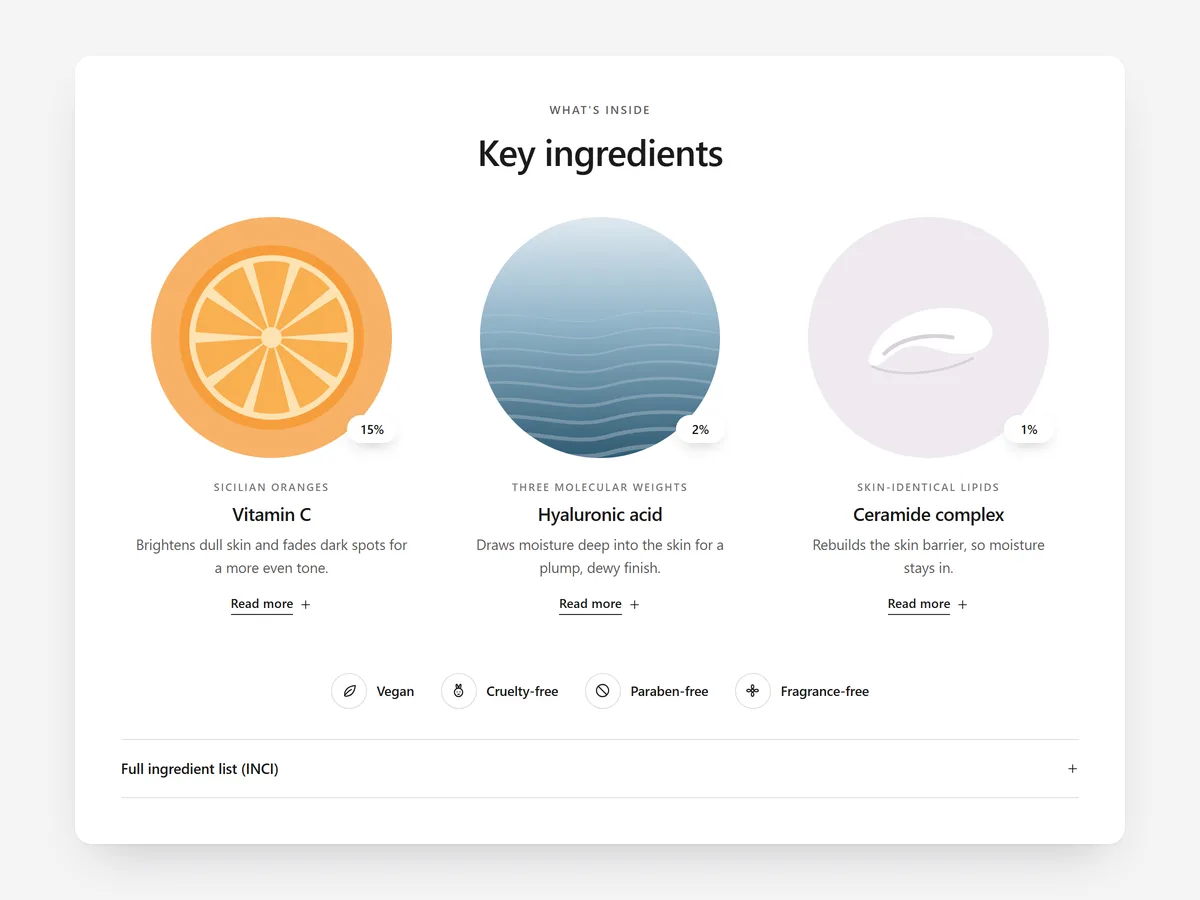
Key Ingredients presents the hero ingredients with their benefits and keeps the full list one tap away. It is made for product pages of cosmetics, care and wellness products; for food, use Nutrition Facts.
- 01Choose cards, a spotlight or an image with a list to fit how many hero ingredients you have.
- 02A share badge and "Read more" details show how much of an ingredient is in the product and what it does.
- 03Claim badges such as vegan or fragrance-free make deciding factors visible at a glance.
- 04The full ingredient list (INCI) sits in an accordion, complete but out of the way.
Where to place it and what to write
Place it below the product description, before reviews. Use the spotlight on single-hero products and cards when you have three or four actives.
- 01Feature three or four hero ingredients, not the whole formula.
- 02Describe each benefit in one plain sentence, without medical claims.
- 03Show a claim badge only when it applies to the whole product.
Set it up in three steps
Afterwards, check the cards in the mobile preview and open the INCI accordion. Confirm the theme font is used. Speed is unaffected, because the block renders plain HTML and CSS.
- 01Open Key Ingredients in Section Store, add hero ingredients, badges and the INCI list in the visual builder.
- 02Click Theme blocks, then Add to theme; the theme editor opens the product template with the block placed.
- 03Position it below the description and save.
Conclusion
Explaining a few hero ingredients turns a list of names into a reason to buy. The Key Ingredients section is a one-time purchase of $12.99 in Section Store, or part of the Enterprise Plan.
Key takeaways
- 01Highlight a few hero ingredients with plain benefits.
- 02Show deciding claims as badges.
- 03Keep the full INCI list complete in an accordion.




