
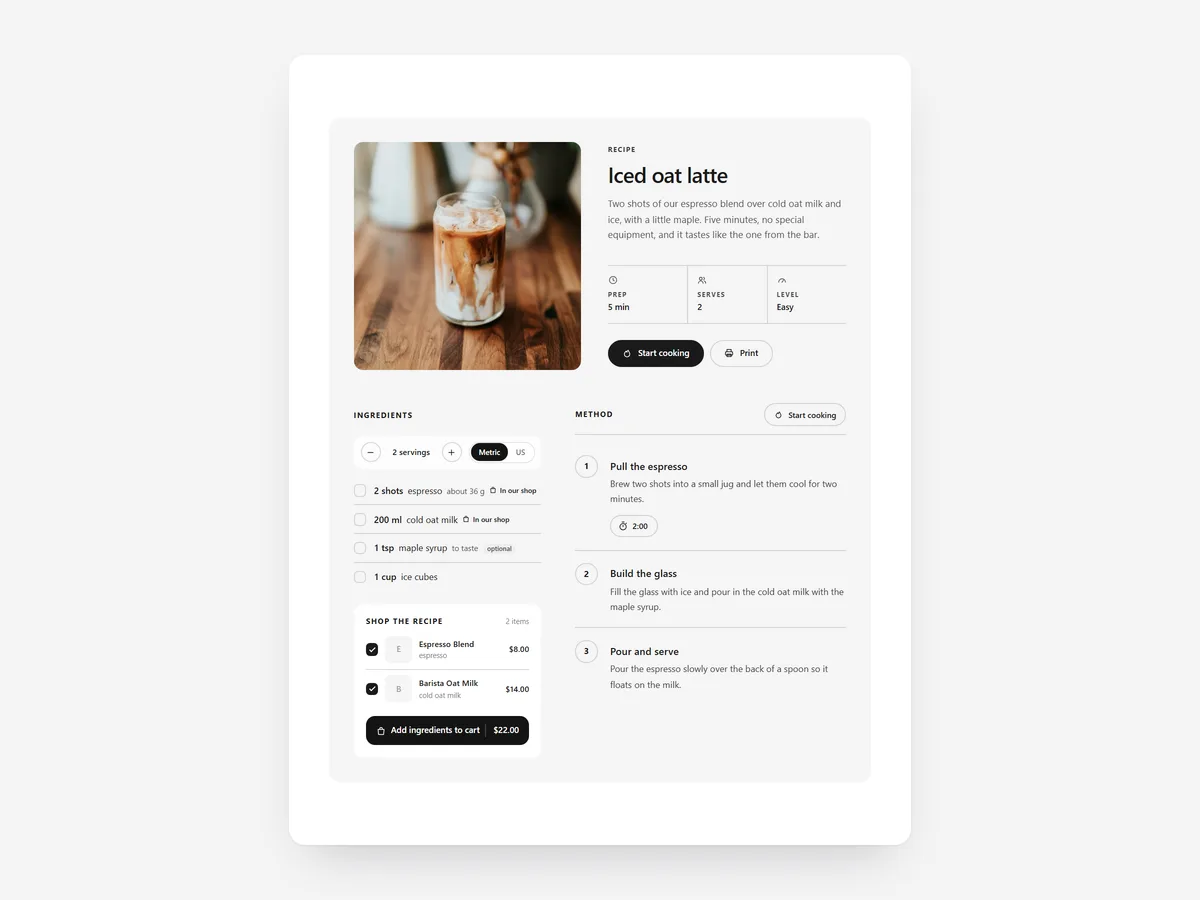
Food brands publish recipes to inspire, but the inspiration usually ends at a shopping list on paper. When the ingredients link straight to your products, the step from reading to buying disappears. A good recipe page also earns visitors from search who have not heard of you yet.
Why it matters
Recipes in blog posts are often plain text with product links buried in the steps. Readers have to open each link, find the right size and add items one by one, so most never do.
A shoppable recipe keeps the cooking content useful and makes buying part of it. It is different from the How to Use section, which explains a single product in a few steps; Shoppable Recipe combines several products in a dish and sells all of them together.
What the section does
Shoppable Recipe presents a full recipe on blog posts, content pages or product pages, with your products as ingredients.
- 01Shoppers can add every linked ingredient to the cart in one click.
- 02A servings scaler adjusts amounts, and units switch between metric and US measures.
- 03Cook mode walks through the steps with timers and keeps the screen on while cooking.
- 04Recipe structured data is included so Google can understand the recipe.
Where to place it and what to write
Put it at the top of a blog post or recipe page, directly under the title, so readers do not scroll past a long story. On a product page, a single signature recipe below the description shows the product in use.
- 01Name the dish plainly, such as "Chilli oil noodles in 15 minutes", using the time you have actually tested.
- 02Link only ingredients you sell; leave common basics like salt as text.
- 03Write steps short enough to read from across a kitchen counter.
- 04Use a real photo of the finished dish as the image.
Set it up in three steps
After saving, scale the servings, switch units and run cook mode on your phone. Use the add-all button to check every product lands in the cart. Speed is unaffected because the block renders plain HTML and CSS.
- 01Open Shoppable Recipe in Section Store, enter ingredients, link your products, add steps and timers in the visual builder.
- 02Click Theme blocks, then Add to theme; the theme editor opens with the block on the page or template you chose.
- 03Position it under the title and save.
Conclusion
Shoppable Recipe connects your cooking content to your products in one click. The Shoppable Recipe section is a one-time purchase of $19.99 in Section Store, or part of the Enterprise Plan.
Key takeaways
- 01Linked ingredients can all be added to the cart at once.
- 02Servings scaler, unit switch and cook mode make the recipe usable in the kitchen.
- 03Structured data helps Google understand the recipe.




