All servicesService

AI agents that finish the task.Built for your processes, run where your data lives.

We build AI agents that take over tasks inside business processes – with tool access to your ERP, shop, inbox and calendar – and custom AI applications for the cases no product covers. Where data must not leave the company, the models run locally: on your own hardware or in your own environment. We run agents like this in our own operations every day.

  • Defined tools and permissions per agent
  • Local models where data stays in-house
  • Human approval for critical actions
  • Code and accounts stay yours

Describe your use case

Tell us which task an agent or AI application should take over and which systems are involved. You get a written answer within one business day.

We use your details only to answer this inquiry. No newsletter, no sharing. Our privacy policy applies.

An agent works through a task with your tools

Example
Agent run

Task

Go through today's return requests and prepare the replies.

Runs locally · customer data stays in your environment

Plan

  1. Read the open return requests
  2. Look up each order and its stock
  3. Check the return policy
  4. Draft a reply for each customer

Activity

Working

  • shop.returns.list3 open requests
  • erp.orders.get · erp.stock.get2 exchanges possible, 1 refund
  • docs.searchwithin the return window
  • mail.draft3 drafts written

3 replies ready for review

Nothing is sent until a person approves it.

Tool access
ERP, shop, inbox, calendar
Cloud or local
Where the model runs
Human approval
For actions with consequences
In daily use
In our own operations

Is this you?

A chat window is not a process.

Most companies have tried an AI assistant. Few have one that completes a task in their own systems. These are the situations we hear about most often:

AI that answers but does not act

The assistant writes a good text, then someone copies it into the ERP, the shop or the mail client. The work between the systems is still done by hand.

Data you may not send out

Customer records, contracts, internal figures. Using them with a public AI service is not an option, so the most useful cases never get started.

A use case no product covers

Your process has its own rules, its own data and its own exceptions. Off-the-shelf tools get close and then stop.

No control over what the AI does

Nobody can say which data an agent saw, which action it took and why. Without logs and approvals it cannot go into production.

What we build

Agents, applications and the environment they run in.

We develop the agent or application, connect it to your systems and operate it if you want. Six areas we work in:

Agents in business processes

Agents that take a defined task from start to finish: read the request, look up the data, carry out the steps in your systems and report back. Each agent has a clear job, clear limits and a log of what it did.

Tool access to your systems

We connect agents to ERP and warehouse management, shop, inbox, calendar and databases through defined tools – with read and write permissions per tool, not blanket access.

Local AI

Models that run on your own hardware or in your own environment, so prompts and documents do not leave the company. We choose the model for the task, set up the runtime and connect it to your data.

Custom AI applications

AI built into your own software: classification, extraction from documents, search over internal knowledge, drafting, checks against rules. Delivered as an application or API your team uses, not as a collection of prompts.

Voice and chat assistants

Assistants your team talks or writes to, which create tasks, schedule appointments and pull evaluations from live data. We use one of these ourselves, with voice and tools.

Evaluation, approvals and monitoring

Test cases that check an agent before a change goes live, approval steps for actions with consequences and a log of tool calls. You know what the agent does – and notice when it stops doing it well.

How it works

From one task to an agent in production.

We start with a single task, prove it on real cases and extend from there. Every step ends with something you can check.

  1. Step 01

    Use-case workshop

    We go through the process with the people who do the work today and pick the task where an agent pays off first. You get a written scope: what the agent does, what it may touch and what it must not do.

  2. Step 02

    Data and tool design

    Which systems the agent needs, which tools it gets, which permissions each tool has and where the model runs – cloud or local. Agreed before we build.

  3. Step 03

    Prototype on real cases

    A working agent against your real data in a test setup, measured on a set of cases from your daily work – not on a demo script.

  4. Step 04

    Rollout with approval

    The agent starts with a person approving its actions. Approvals are removed step by step, where the results hold up.

  5. Step 05

    Operate and improve

    Monitoring, test cases for every change, model updates and new tools as the process grows. Or a hand-over to your team.

Proof

AI we ship and run ourselves.

Two of our own products with AI at the core. Beyond these, an internal assistant with voice and tools handles tasks, appointments and evaluations in our own operations.
All case studies
Index AI – Case study

Shopify App

Index AI

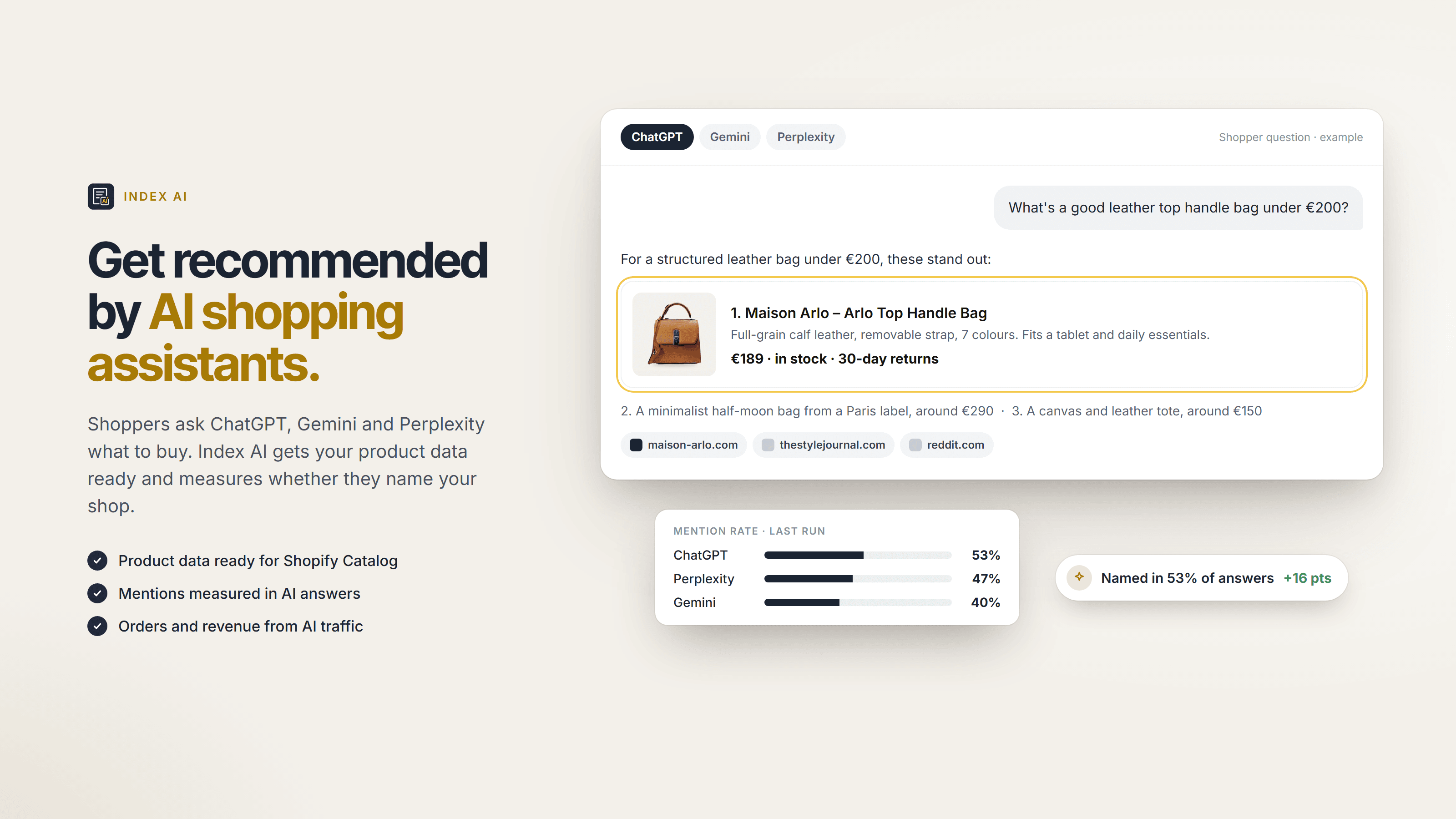
Index AI: our Shopify app for AI shopping. It gets product data ready for AI assistants, measures whether they name the shop and shows the orders AI sends.
Type
Shopify App
Assistants
3 measured
Starter
Free
Case study
Section Store – Case study

Shopify App

Section Store

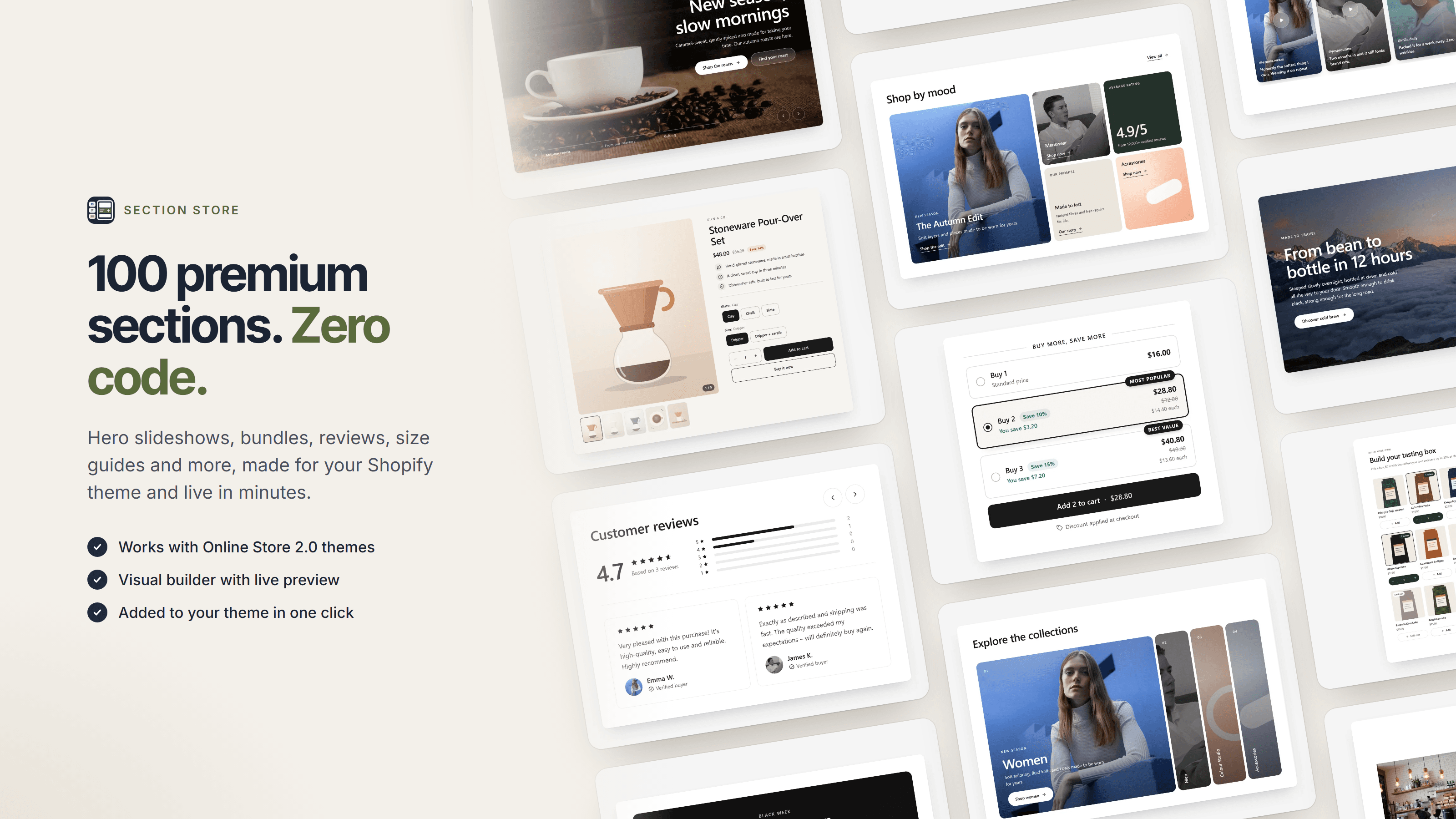
Section Store: our Shopify app for theme sections. Its AI connector lets AI assistants connect to the app and work with it through defined tools.

Type
Shopify App
Install
One click
Free
14 sections
Case study

Working together

Start small. Extend what proves itself.

An agent earns trust in production, not in a presentation. So we start with one task, measure it on real cases and extend from there. Scope and price are agreed in writing before we build.

Getting started

Workshop and prototype

One process, one agent, tested on real cases from your daily work.

  • Written scope before the build
  • Prototype against your real data
  • Clear recommendation: extend, change or stop

Into production

Agent or AI application

The agent or application built for production – tools, permissions, approvals, logging and monitoring included.

  • Permissions per tool
  • Cloud or local model, decided per use case
  • Rollout with human approval first

Data stays in-house

Local AI setup

Models on your own hardware or in your own environment, connected to your data and your tools.

  • Model chosen for the task
  • Runtime, access control and updates
  • No prompts or documents sent to external AI services

What we commit to

  • Code, repositories and accounts belong to you
  • Every agent has defined tools, permissions and a log
  • Human approval for actions with consequences, until you decide otherwise
  • A written record of which data goes to which model
  • A straight answer when rule-based automation does the job better
  • Scope and price agreed in writing before the build

FAQ

Questions companies ask before they build an agent.

What is the difference between an AI agent and a chatbot?
A chatbot answers. An agent acts: it has tools – for example to read an order in the ERP, create a task or draft an email – and uses them to complete a task in several steps. What it may do is defined by the tools and permissions it gets.
What does local AI mean?
The model runs on hardware you control – a machine in your office, your own server or your own cloud environment – instead of at an external AI service. Prompts, documents and results stay inside your environment. Local models are smaller than the largest cloud models, so we check per use case whether a local model is good enough for the task, and tell you if it is not.
Which systems can an agent work with?
Any system with an interface: REST or GraphQL APIs, databases, mailboxes, calendars, file storage. In our own operations, our assistant works with tasks, appointments and evaluations on data from Shopify and plentymarkets. If a system has no interface, we say so in the workshop.
How do you keep an agent from doing the wrong thing?
With limits. Each tool has its own permissions, actions with consequences – sending, ordering, deleting – require human approval, and tool calls are logged. In our own lead process, for example, research and drafting are automated, while sending stays a human click. Before a change goes live, the agent runs through a set of test cases.
Which models do you use?
The one that fits the task. For some jobs that is a large cloud model, for others a small local one, often a combination. We are not tied to one provider and build so that the model can be swapped later.
Do you develop AI yourselves or connect existing tools?
We develop it. The AI features in our Shopify apps Index AI and Green Claims Checker and the assistant we use internally are our own software – including tools, test cases and operation. We use existing models, cloud or local, and build the application, the tools and the evaluation around them.
Is this GDPR-compliant?
That depends on the data and on where the model runs, so we decide it per use case. We document which data goes to which model and which service, sign a data processing agreement and use local models where personal or confidential data should not leave your environment.
What does it cost?
It depends on the task, the systems involved and where the model runs. After the first call you get a written scope and price for the first step – usually a workshop and a prototype – before anything is built.

Which task would you hand to an agent first?

Tell us. We come back with a slot for a first call and a straight take on whether an agent, a custom application or plain automation fits best – no obligation.