
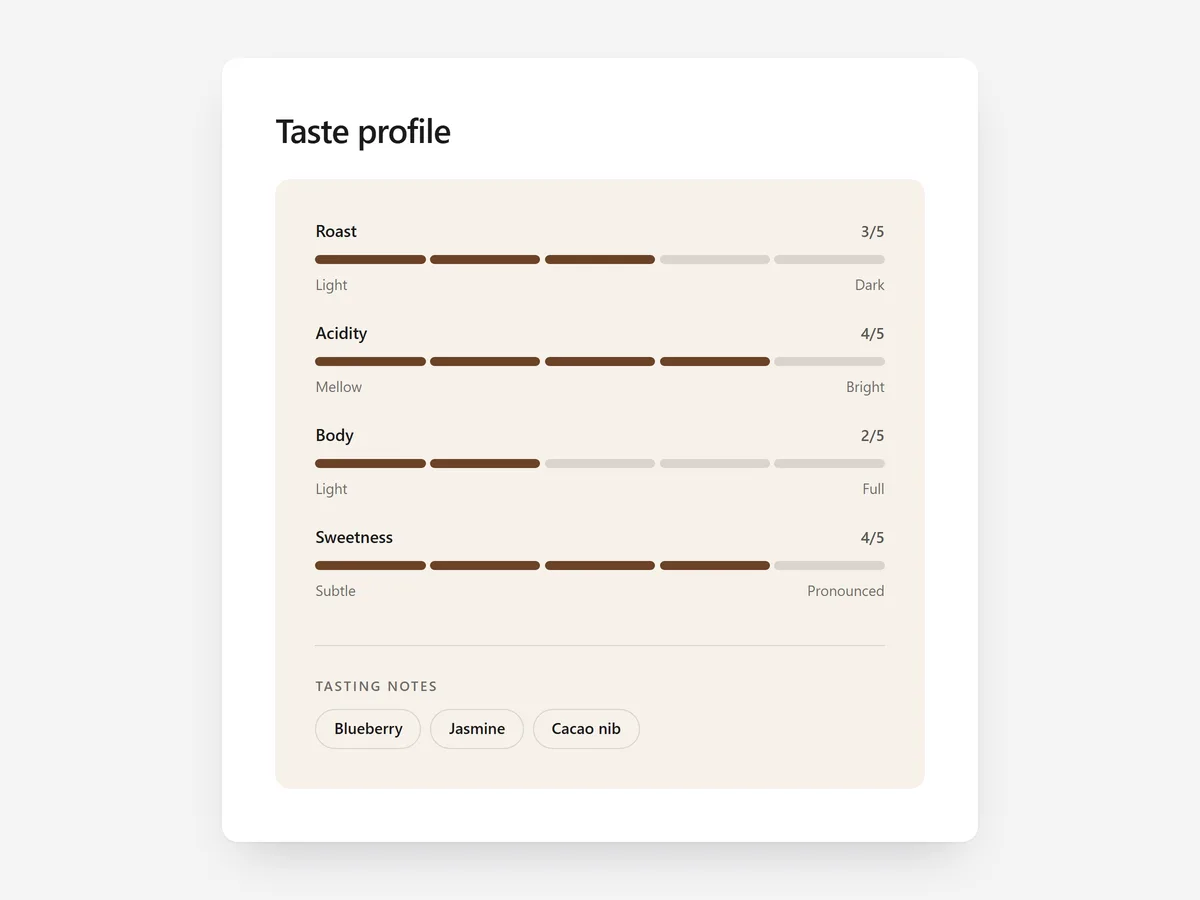
Coffee, wine, tea and denim share a problem: the quality that matters most cannot be seen in a photo. A shopper wondering whether a roast is too bitter or jeans too stiff needs a reference point, not adjectives.
Why it matters
Words like 'smooth', 'bold' or 'relaxed fit' mean different things to different people. When every product in a range is described with the same vague terms, shoppers cannot tell them apart and either pick at random or leave.
A scale fixes that by putting every product on the same axis. Once a customer knows they like a body of four out of five, they can find the next coffee in your range themselves, which is what makes repeat purchases easy.
What the section does
Taste & Fit Profile shows product attributes as visual scales with notes. It belongs on the product page and works for food, drink and apparel alike.
- 01Each attribute can appear as segmented bars, a marker on a line or dots, whichever suits your brand.
- 02Scales can run from 1-5, 1-7, 1-10 or 0-100, so you can match the system your industry already uses.
- 03Notes appear as chips, for example tasting notes like 'cherry' or 'cocoa', next to the scales.
- 04The meters are accessible to screen readers, and content sets give each product its own profile.
Where to place it and what to write
On the product page, place it right under the price or in the first fold, because it helps the decision itself. For apparel, put fit and stretch next to the size selector rather than further down.
- 01Use three to five attributes; more turns into noise.
- 02Keep the same scales across the whole range so products compare.
- 03Label both ends of each scale, e.g. 'light' and 'dark'.
- 04Limit tasting notes to three that a normal customer would recognise.
Set it up in three steps
After saving, compare two products on mobile to make sure the scales show different values and the chips wrap cleanly. Check that the theme font is used. Speed stays unaffected because the block renders plain HTML and CSS.
- 01Open Taste & Fit Profile in Section Store, define your scales, style and content sets in the visual builder.
- 02Click Theme blocks → Add to theme to open the theme editor with the block placed.
- 03Move it near the price or size selector and save.
Conclusion
A consistent profile turns vague adjectives into choices shoppers can repeat. The Taste & Fit Profile section is a one-time purchase of $9.99 in Section Store, or part of the Enterprise Plan.
Key takeaways
- 01Scales give sensory products a shared reference point that words cannot.
- 02Use the same few attributes across the range so products compare.
- 03Place the profile near the price or size selector, where the decision happens.
Explore more




