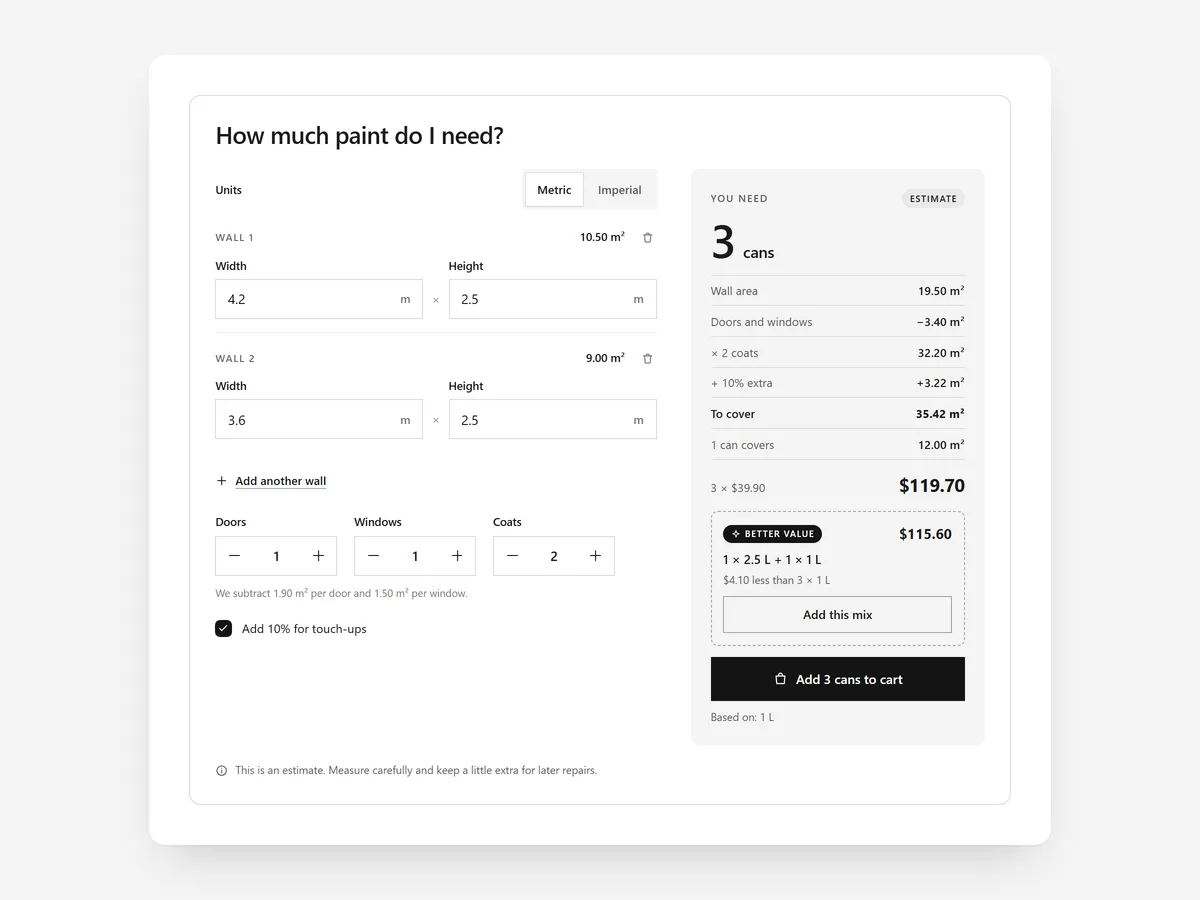
Flooring, paint, wallpaper and consumables share one question: how many do I need? Shoppers who cannot answer it either guess, order too little and come back annoyed, or leave to do the maths elsewhere. A calculator on the product page answers it on the spot.
Why it matters
Coverage information usually sits in the description as text such as "one pack covers a certain area". The shopper still has to measure, multiply, add a waste allowance and round up, and many give up halfway or order the wrong amount.
This section works out quantities. Its neighbour, the Savings Calculator, shows what switching to your product saves over time; use Coverage Calculator when the question is quantity, and Savings Calculator when it is money.
What the section does
Coverage Calculator sits on the product page next to the buy box and turns measurements into an order.
- 01It calculates floors, walls, wallpaper rolls, usage over time or your own formula.
- 02It works in metric and imperial, adds a waste allowance and rounds up to whole packs.
- 03The result shows the live price of the selected variant and can suggest a cheaper mix of pack sizes.
- 04The quantity goes straight into the cart or into your buy box.
Where to place it and what to write
Place it directly above or below the add-to-cart button on the product page, so the calculated quantity feeds the purchase. On collection pages it does not belong; the calculation depends on a specific product.
- 01Use the question as the headline: "How many packs do I need?"
- 02Explain the waste allowance in one sentence so the extra pack does not look like an upsell.
- 03Show a simple measuring hint, such as length times width for floors.
- 04Default to the unit system your market uses.
Set it up in three steps
After saving, run a calculation you have done by hand and compare the results. Check that the quantity reaches the cart and the layout works on mobile. Speed is unaffected because the block renders plain HTML and CSS.
- 01Open Coverage Calculator in Section Store, pick the calculation type, enter coverage per pack and the waste allowance.
- 02Click Theme blocks, then Add to theme; the theme editor opens with the block on your product template.
- 03Move it next to the buy box and save.
Conclusion
Coverage Calculator removes the guesswork that stops shoppers from ordering measured products. The Coverage Calculator section is a one-time purchase of $19.99 in Section Store, or part of the Enterprise Plan.
Key takeaways
- 01Measurements become whole packs with a waste allowance and a live price.
- 02The calculated quantity goes straight into the cart or the buy box.
- 03Use Savings Calculator instead when the question is money saved, not quantity.
Explore more