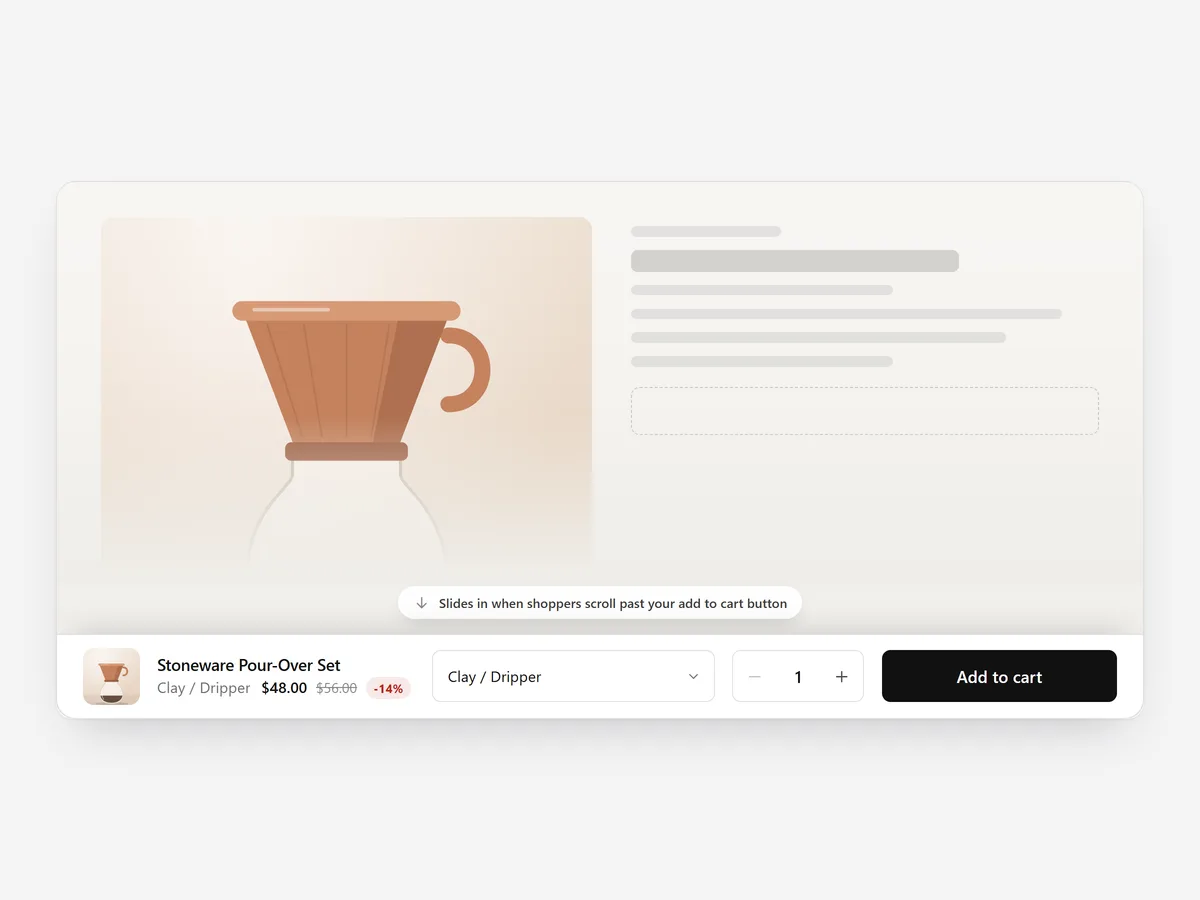
Shoppers who scroll down to reviews and specs are your most interested visitors. When they decide, the add-to-cart button is far above them, and scrolling back up is one step too many for some.
Why it matters
Long product pages are good for convincing people and bad for buying. On a phone, the buy box can be several screens away by the time someone reaches the reviews.
A sticky bar brings the button back only when it is needed. The tricky part is doing it without breaking things: a bar that adds the wrong variant, opens a different cart than the theme, or hides behind a chat bubble causes more harm than it solves.
What the section does
Sticky Add to Cart shows a slim bar once the main add-to-cart button scrolls out of view. It is made for product pages and works on long ones in particular.
- 01You choose a bottom bar, a floating pill or a top bar, depending on your theme's layout.
- 02The bar follows the theme's variant picker, so it always adds the size or colour the shopper chose.
- 03It uses the theme's own cart and cart drawer, so shoppers see the same cart experience as everywhere else.
- 04It is safe on phones: it respects the screen's safe area and lifts above chat widgets.
Where to place it and what to write
Add it to the product page template so it covers all products. Pick the bottom bar for most mobile-heavy stores and the top bar if your theme already has bottom navigation.
- 01Keep the button label the same as the main button, for example "Add to cart".
- 02Show the product name and price, nothing more; the bar is a shortcut, not a second buy box.
- 03Avoid stacking it with other fixed bars at the same edge of the screen.
Set it up in three steps
After saving, scroll a product page in the mobile preview, switch variants and add to cart from the bar to confirm the right variant lands in the drawer. Check the theme font is used. Speed is unaffected because the block renders plain HTML and CSS.
- 01Open Sticky Add to Cart in Section Store, choose bottom bar, floating pill or top bar and a preset in the visual builder.
- 02Click Theme blocks → Add to theme; the theme editor opens with the block already placed on the product template.
- 03Save the theme.
Conclusion
A sticky bar lets convinced shoppers buy from wherever they are on the page. The Sticky Add to Cart section is a one-time purchase of $14.99 in Section Store, or part of the Enterprise Plan.
Key takeaways
- 01The bar appears only once the main button scrolls out of view.
- 02It follows the chosen variant and uses the theme's own cart.
- 03Test it on phones with chat and cookie banners switched on.
Explore more