
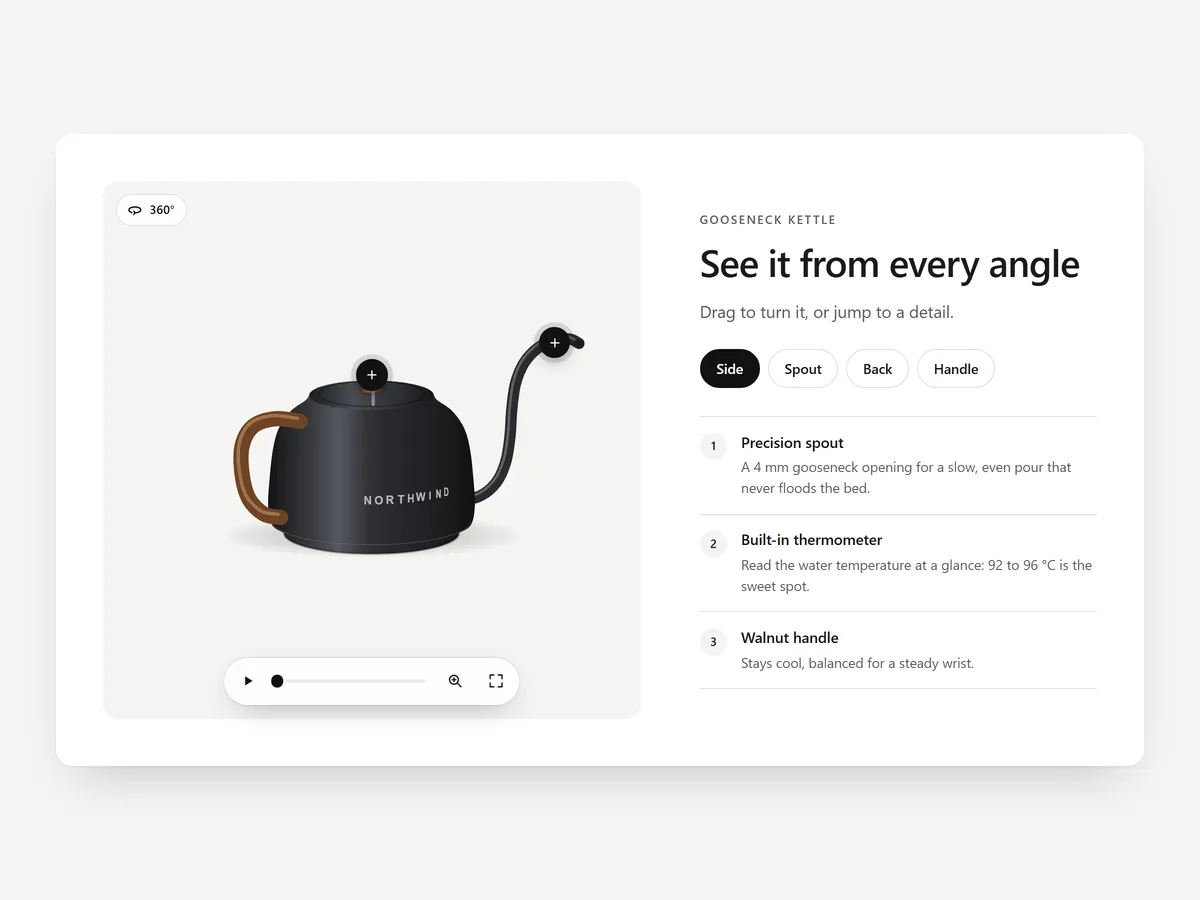
In a shop, people pick a product up and turn it over before buying. Online, they get a handful of photos from angles someone else chose. A 360 viewer gives back that moment of handling: the shopper turns the product themselves and looks at the side they care about.
Why it matters
Questions like "what does the back look like?" or "where are the ports?" are a common reason shoppers hesitate or send a message instead of buying. Each extra gallery photo answers one angle, but the shopper still has to piece them together.
A spin viewer answers them all at once. It works best for products where shape and details matter: shoes, bags, furniture, electronics, tools. Hotspots then point to the details you would mention in a shop, right on the frame where they are visible.
What the section does
360 Spin is meant for product pages and can also feature a hero product on the home page.
- 01Shoppers rotate the product by dragging, swiping or using the arrow keys, with inertia that makes it feel natural.
- 02Zoom, full screen and named views let them jump to angles like "Back" or "Sole" and inspect detail.
- 03Hotspots sit on the frames you choose and explain a feature exactly where it is visible.
- 04Frames come from Shopify Files, set per product, so each product gets its own spin.
Where to place it and what to write
On a product page, place it right below the main gallery, where shoppers look for more angles. To show what something does over time rather than how it looks, Before/After is the better fit.
- 01Shoot evenly spaced frames on a turntable with fixed light, so the rotation does not jump.
- 02Add two to four hotspots for features buyers ask about, not for every seam.
- 03Name views after what shoppers look for, such as "Ports" or "Inside".
- 04Add a short line above the viewer such as "Drag to turn".
Set it up in three steps
After saving, test swiping in the mobile preview and check that hotspot labels use your theme font. Speed is unaffected because the block renders plain HTML and CSS.
- 01Upload your frames to Shopify Files, then open 360 Spin in Section Store and set views and hotspots in the visual builder.
- 02Click Theme blocks, then Add to theme, and the theme editor opens with the block already placed.
- 03Position it on the product template and save.
Conclusion
360 Spin brings product handling back online for items where angles matter. The 360 Spin section is a one-time purchase of $19.99 in Section Store, or part of the Enterprise Plan.
Key takeaways
- 01A spin viewer answers questions about every angle that several photos only partly cover.
- 02Hotspots and named views guide shoppers to the details that matter.
- 03Evenly spaced frames under fixed light make the rotation smooth.
Explore more




