
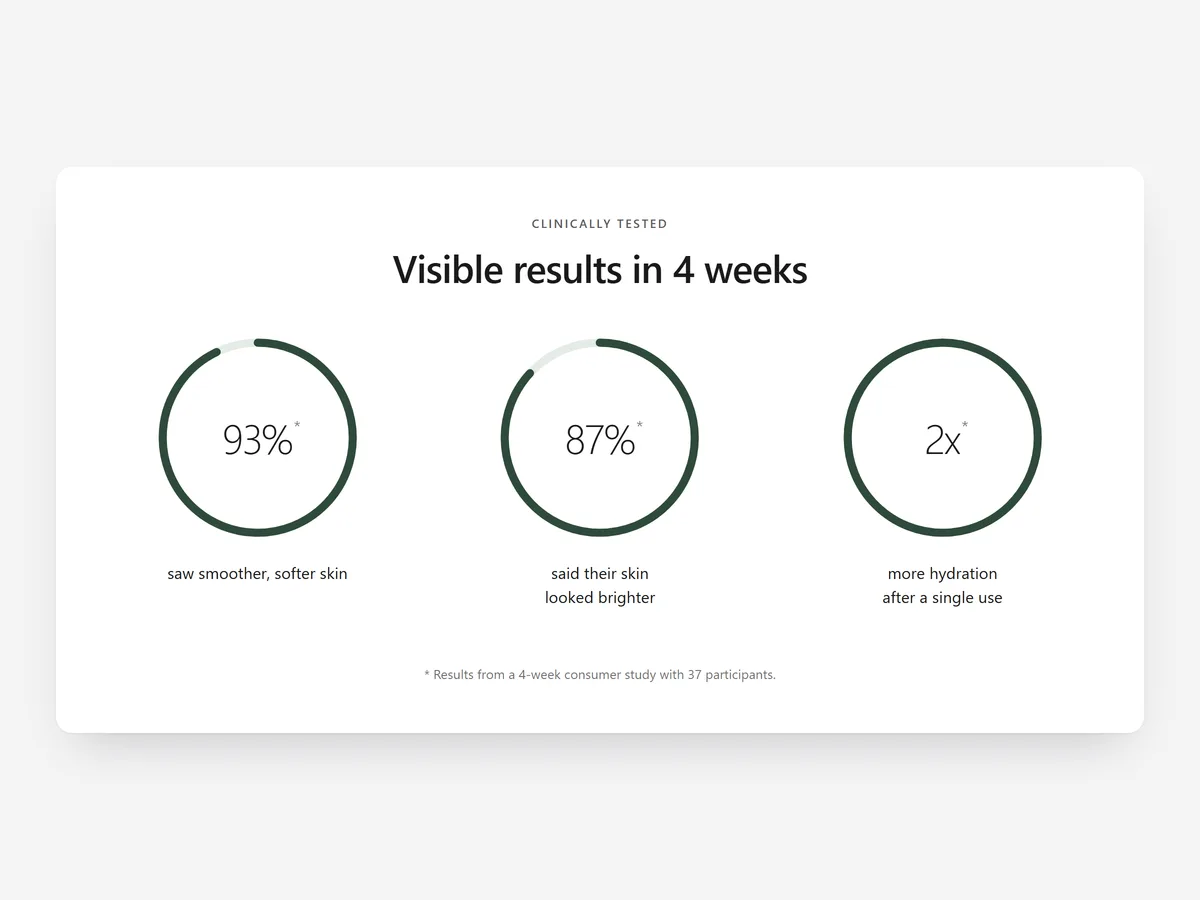
A measured result is one of the strongest arguments a product page can make, but only if shoppers believe it. A number without a source reads like marketing; the same number with a footnote naming the study reads like evidence.
Why it matters
Skincare, supplement and sustainability brands often have real data: a consumer test, a lab study, the amount of plastic saved. It usually ends up buried in a paragraph or turned into a bold claim with no explanation, which careful shoppers distrust.
Results & Stats gives each number a visual and a footnote. It complements the Product Reviews section: reviews show what individual buyers felt, while this section shows what was measured. Only use numbers you can document.
What the section does
The section presents a small set of results in a clear visual form. It fits product pages, the home page and impact or about pages.
- 01Show results as rings, bars, big numbers, or an image beside the stats, depending on the kind of figure.
- 02Numbers count up once when the section scrolls into view and then stay still, so they draw attention without looping.
- 03Every number links to a study footnote, so shoppers can see who measured it and how.
- 04The content is readable by search engines and screen readers, not locked inside an image.
Where to place it and what to write
On product pages, place it after the description and before the reviews, so the measured result comes first and personal opinions follow. On impact pages, put it near the top as a summary.
- 01Show three or four results; more turns proof into noise.
- 02Write each label as the outcome: "felt smoother skin after four weeks".
- 03Name the test size, duration and who ran it in the footnote.
- 04Use rings for shares of a group and big numbers for totals.
Set it up in three steps
After saving, scroll to the section on a phone and confirm the count-up runs once and the footnote links work. Labels use your theme's font by default. Speed is unaffected, because the block renders plain HTML and CSS.
- 01Open Results & Stats in Section Store, enter numbers, labels and footnotes, pick a layout, then check the preview on desktop, tablet and mobile.
- 02Click Theme blocks, then Add to theme; the theme editor opens with the block already placed.
- 03Place the block above your reviews and save.
Conclusion
Results & Stats turns documented data into proof shoppers can check. The Results & Stats section is a one-time purchase of $12.99 in Section Store, or part of the Enterprise Plan.
Key takeaways
- 01A result with a study footnote is evidence; without one it is just a claim.
- 02Choose the visual that matches the figure: rings, bars or big numbers.
- 03Keep it to a few documented results placed before the reviews.
Explore more




