
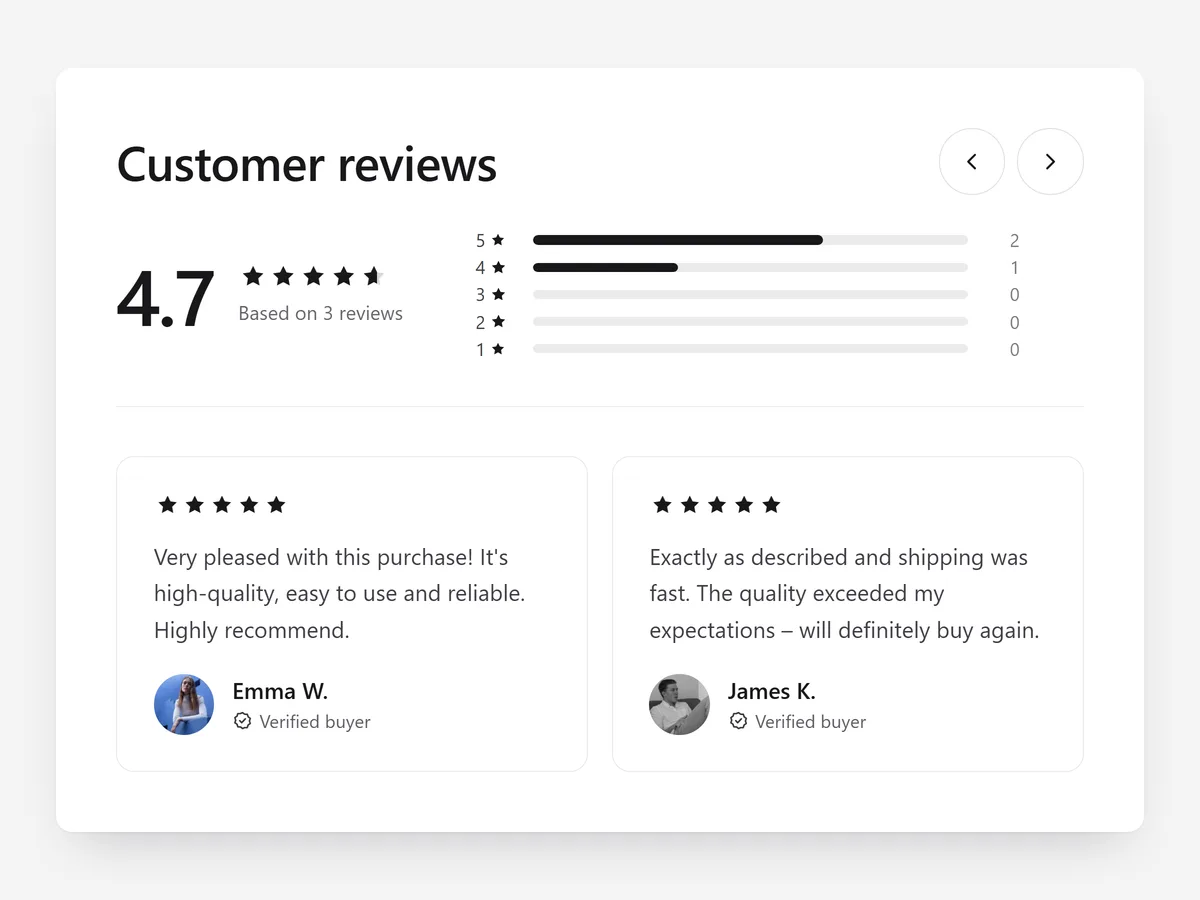
Before shoppers read a single review, they look for the average rating and how many people left one. A product page without visible reviews makes people open a new tab and search for the product elsewhere, and many never come back.
Why it matters
Most stores collect reviews but show them as an unstyled list at the very bottom of the product page. Shoppers meet their doubts long before they meet the proof.
Product Reviews is the written sibling of Customer Stories. Pick it for many text reviews with a summarised verdict; pick Customer Stories for a few strong video clips. Both work on the same page.
What the section does
The section combines a rating summary with your customer reviews. It belongs on product pages and also works on the home page.
- 01The average rating sits next to rating bars, so shoppers see at once how opinions are spread.
- 02Reviews appear as a carousel, a masonry grid or a list, matched to the space on the page.
- 03A verified badge marks reviews from real buyers, and Read more keeps long reviews compact.
- 04Optional review rich snippets let search engines read the rating.
Where to place it and what to write
On product pages, put the section directly below the description or product tabs, where shoppers look for confirmation. On the home page, use the carousel between collections.
- 01Use a plain headline such as "What buyers say"; the rating bars already carry the message.
- 02Choose the masonry grid for many short reviews and the list for fewer, longer ones.
- 03Leave critical reviews visible; a page with only perfect scores looks curated.
- 04Turn on rich snippets only for reviews that belong to the product on the page.
Set it up in three steps
After saving, open a product on your phone and confirm the rating bars stay readable and the carousel swipes cleanly. Headings use your theme's font by default. Speed is unaffected, because the block renders plain HTML and CSS.
- 01Open Product Reviews in Section Store, pick a layout and style preset, and check the result in the live preview on desktop, tablet and mobile.
- 02Click Theme blocks, then Add to theme; the theme editor opens with the block already placed.
- 03Move the block under the product description and save.
Conclusion
Product Reviews puts the verdict of earlier buyers where the buying decision happens. The Product Reviews section is a one-time purchase of $14.99 in Section Store, or part of the Enterprise Plan.
Key takeaways
- 01The average rating with rating bars answers the shopper's first question before they read any text.
- 02Choose carousel, masonry grid or list based on how many reviews you have and how long they are.
- 03Place reviews right after the product facts, not at the bottom of the page.
Explore more




