A shopper who cannot picture using a product at home tends to leave it in the cart. Serums, grinders and plant kits all raise the same question: is this complicated?
Why it matters
Most product pages explain what a product is, not how to use it. That gap causes hesitation before the sale and support emails after it.
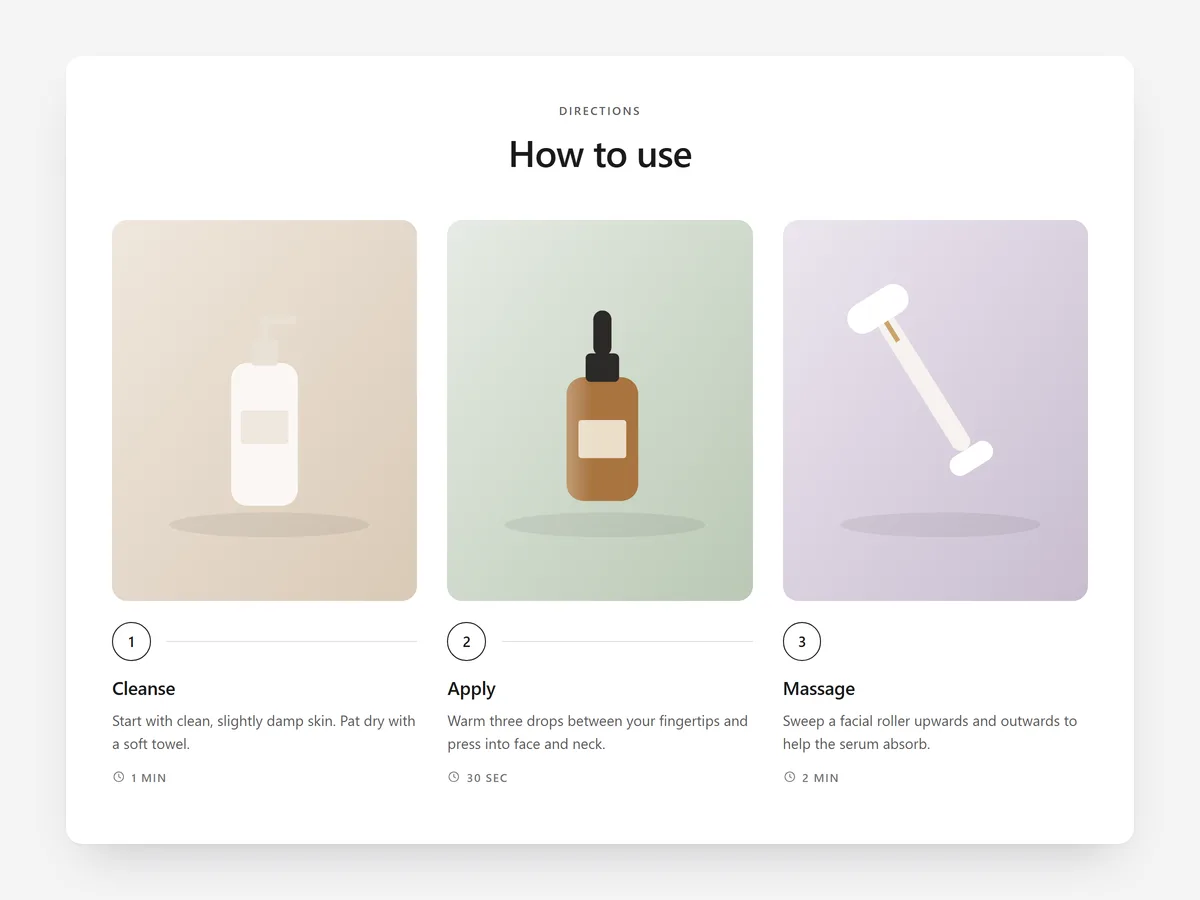
A wall of description text does not fix this. Numbered steps with a picture each let a shopper scan the routine and decide it is manageable.
What the section does
How to Use turns your instructions into numbered steps with images or video. It fits the product page below the buy box, and works on content pages for longer routines or onboarding.
- 01Choose plain steps, a timeline, a carousel or AM / PM routine tabs for morning and evening use.
- 02Each step can carry an image or a muted video that plays only when it scrolls into view, so motion shows the technique without slowing the page.
- 03Steps can show a duration and one highlighted pro tip, which helps when timing matters, such as leaving a mask on or letting coffee bloom.
- 04The carousel is swipeable on phones and works with the keyboard, so every shopper can move through the steps.
Where to place it and what to write
On the product page, place it after the description and before reviews. Use AM / PM tabs for skincare and the timeline for anything that runs over days, such as a sourdough starter.
- 01Keep it to three to five steps; if you need more, the product needs its own content page.
- 02Start every step with a verb: 'Apply', 'Grind', 'Rinse'.
- 03Use one pro tip only, for the mistake customers actually make.
- 04Shoot images from the user's point of view, not packshots.
Set it up in three steps
After saving, swipe through the carousel in the mobile preview and confirm headings use your theme font. Page speed is not affected, because the block renders plain HTML and CSS.
- 01Open How to Use in Section Store, pick a layout and style preset, then add steps, media and durations in the visual builder.
- 02Click Theme blocks → Add to theme; the theme editor opens with the block already placed on the template.
- 03Move the block to the right spot on the page and save.
Conclusion
A routine shoppers can follow at a glance removes a reason to hesitate and cuts after-sale questions. The How to Use section is a one-time purchase of $9.99 in Section Store, or part of the Enterprise Plan.
Key takeaways
- 01Numbered, visual steps answer the 'is this complicated?' question before purchase.
- 02Pick the format by routine type: tabs for AM / PM, timeline for multi-day processes.
- 03Three to five verb-led steps with one real pro tip work better than full instructions.
Explore more