
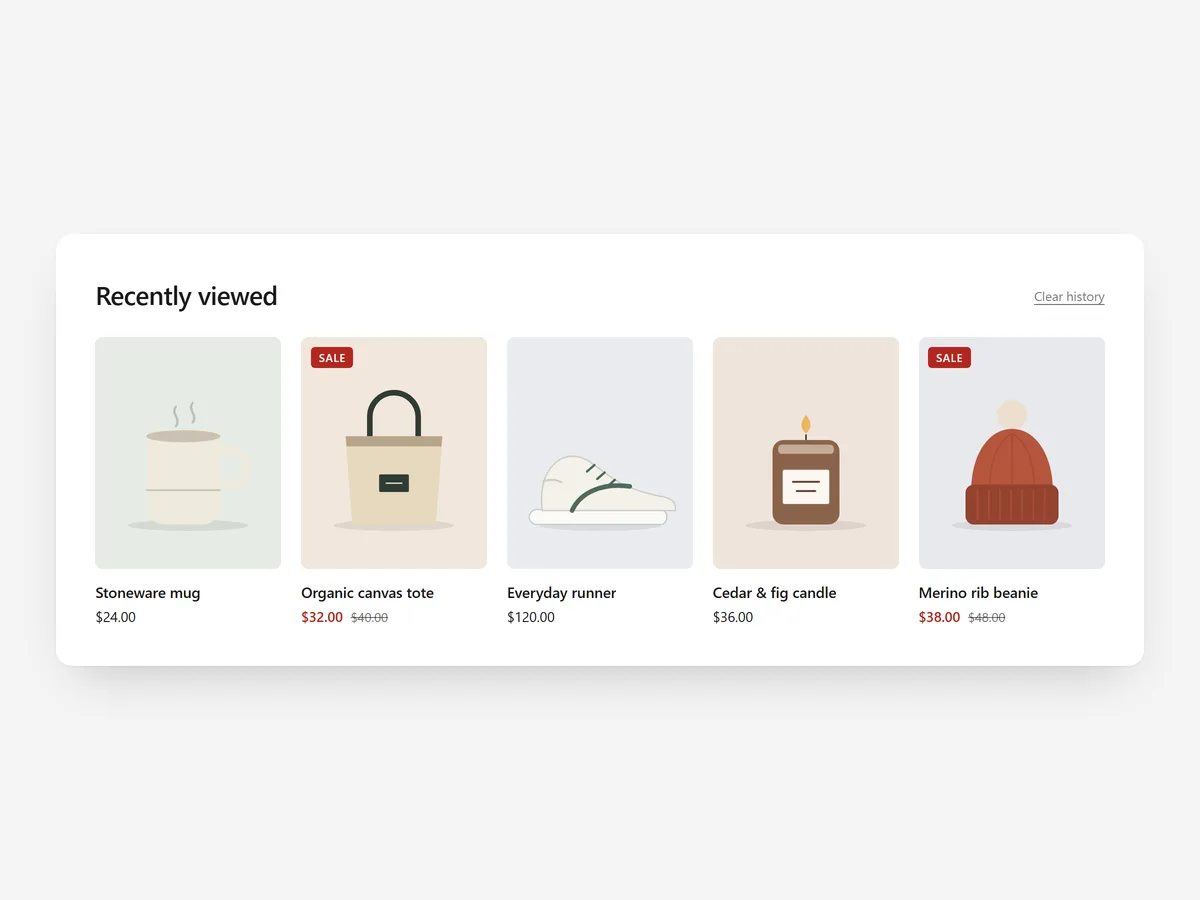
Shoppers compare. They open four product pages, go back to the collection, get distracted and later cannot find the one they liked. A row of the products they already viewed saves them the search and keeps a half-made decision alive.
Why it matters
Browser history lists page titles, not products, and nobody uses it to compare jackets. A shopper who lost track of a product often gives up instead of searching again.
Recently Viewed shows those products with images wherever you place it. Unlike a wishlist, the shopper does nothing: the list builds itself. Pair it with the Search & 404 Rescue section, which also shows recently viewed products on dead ends.
What the section does
Recently Viewed collects the products a visitor opens and displays them again. It fits product pages, the home page, collection pages and the cart page.
- 01It remembers the last 20 products a shopper viewed, so the list stays relevant instead of growing endlessly.
- 02The history is stored only in the shopper's browser, so no personal data is sent anywhere.
- 03Products appear as a carousel, a grid or a compact row, depending on how much space the page has.
- 04A clear history button lets shoppers empty the list when they want to start over.
Where to place it and what to write
On product pages, place it near the bottom, below reviews. On the home page it sits above the footer for returning visitors; on the cart page the compact row recalls items they considered.
- 01Use a plain headline such as "You looked at" or "Still thinking about these?"; shoppers recognise the products, not the label.
- 02Use the compact row on the cart page so it does not compete with the checkout button.
- 03On product pages, choose the carousel so the list stays one row high.
Set it up in three steps
After saving, open three or four products, then visit the page with the block: they should appear in order of viewing. Text uses your theme's font by default. Speed is unaffected, because the block renders plain HTML and CSS.
- 01Open Recently Viewed in Section Store, choose carousel, grid or compact row, and check the live preview on desktop, tablet and mobile.
- 02Click Theme blocks, then Add to theme; the theme editor opens with the block already placed.
- 03Move it to the bottom of the template and save.
Conclusion
Recently Viewed turns lost browsing into a visible shortlist that brings comparing shoppers back to products they already liked. The Recently Viewed section is one of the 14 free sections in Section Store.
Key takeaways
- 01Shoppers compare across many pages, and this row brings back the products they lost track of.
- 02History stays in the browser, so there is no personal data to manage.
- 03Place it low on product pages and compact on the cart page so it supports, not distracts.




