
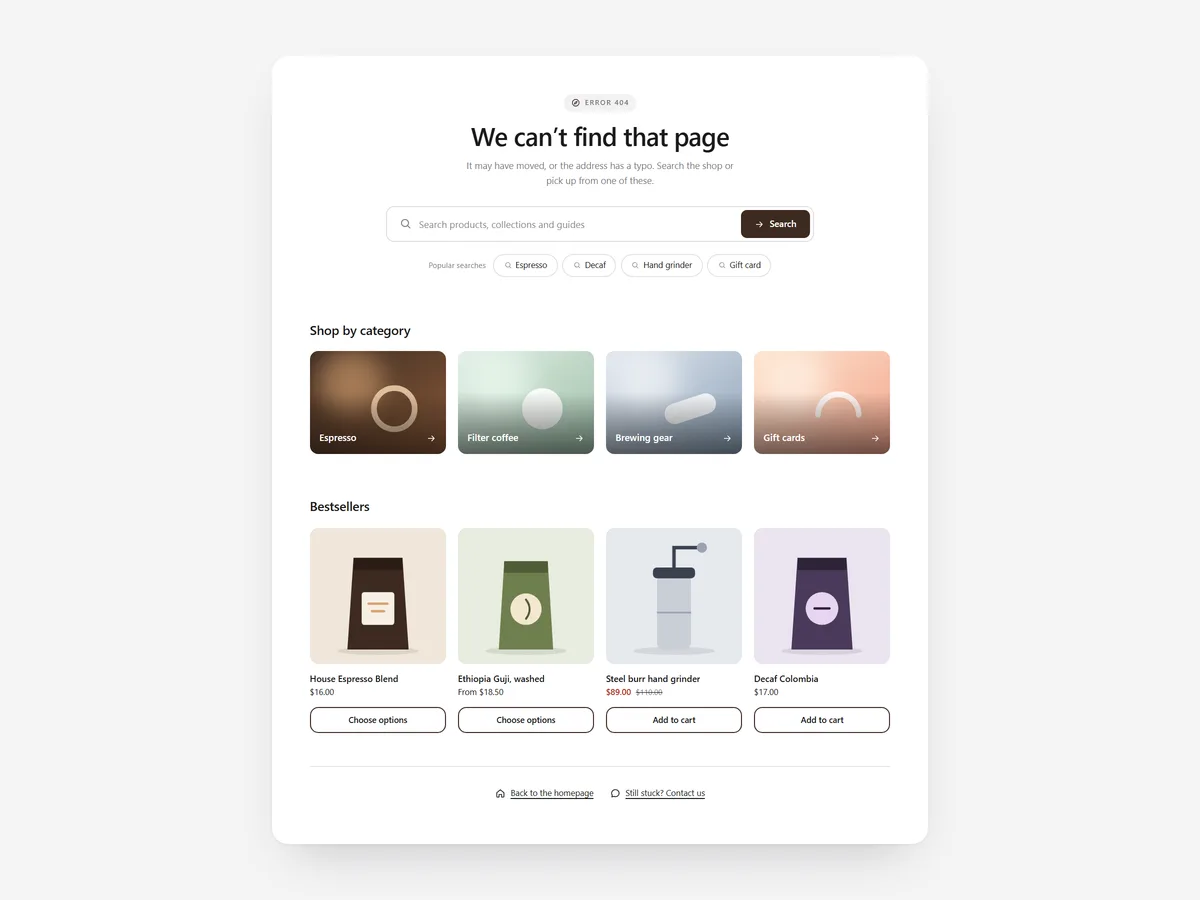
Every store has dead ends: an old product link in a newsletter, a typo in the search box, a page deleted after a migration. A plain "Page not found" tells the shopper the trip is over, and most of them leave.
Why it matters
Broken links and empty searches happen at the moment a shopper is actively looking for something. They have intent, but the store has nothing to show them, and the default theme page offers only a link back home.
Search & 404 Rescue fills those pages with ways forward. Search Hero helps shoppers start their search; this section catches them when a search or link fails. It also shows the products a shopper viewed recently, much like the Recently Viewed section does elsewhere.
What the section does
The section appears only on dead ends and fills them with search, suggestions and products.
- 01It shows only on 404 pages and on searches without results, so it never appears where it is not needed.
- 02Predictive search with "Did you mean" catches typos and offers the likely term.
- 03Popular searches and collection tiles give shoppers a familiar place to restart.
- 04Products follow a clear order: recently viewed items first, then bestsellers.
Where to place it and what to write
Add it to your 404 template and to the search results template. Because it only shows on dead ends, it stays out of the way on normal search results.
- 01Write a calm, short headline such as "That page has moved, but we can help", not an error code.
- 02Pick popular searches that cover your main categories.
- 03Choose four to six collection tiles your bestsellers live in.
- 04Avoid jokes that blame the shopper for the typo.
Set it up in three steps
After saving, visit a made-up URL and search for nonsense on your phone to see both cases. Text uses your theme's font by default. Speed is unaffected, because the block renders plain HTML and CSS.
- 01Open Search & 404 Rescue in Section Store, write the headline, choose popular searches and collections, and check the live preview on desktop, tablet and mobile.
- 02Click Theme blocks, then Add to theme; the theme editor opens with the block already placed.
- 03Repeat for the search template and save.
Conclusion
Search & 404 Rescue turns the pages where shoppers usually leave into a fresh start. The Search & 404 Rescue section is one of the 14 free sections in Section Store.
Key takeaways
- 01404 pages and empty searches reach shoppers who are actively looking for something.
- 02The section shows only on dead ends, so it never clutters normal pages.
- 03Add it to both the 404 and search templates.
Explore more




