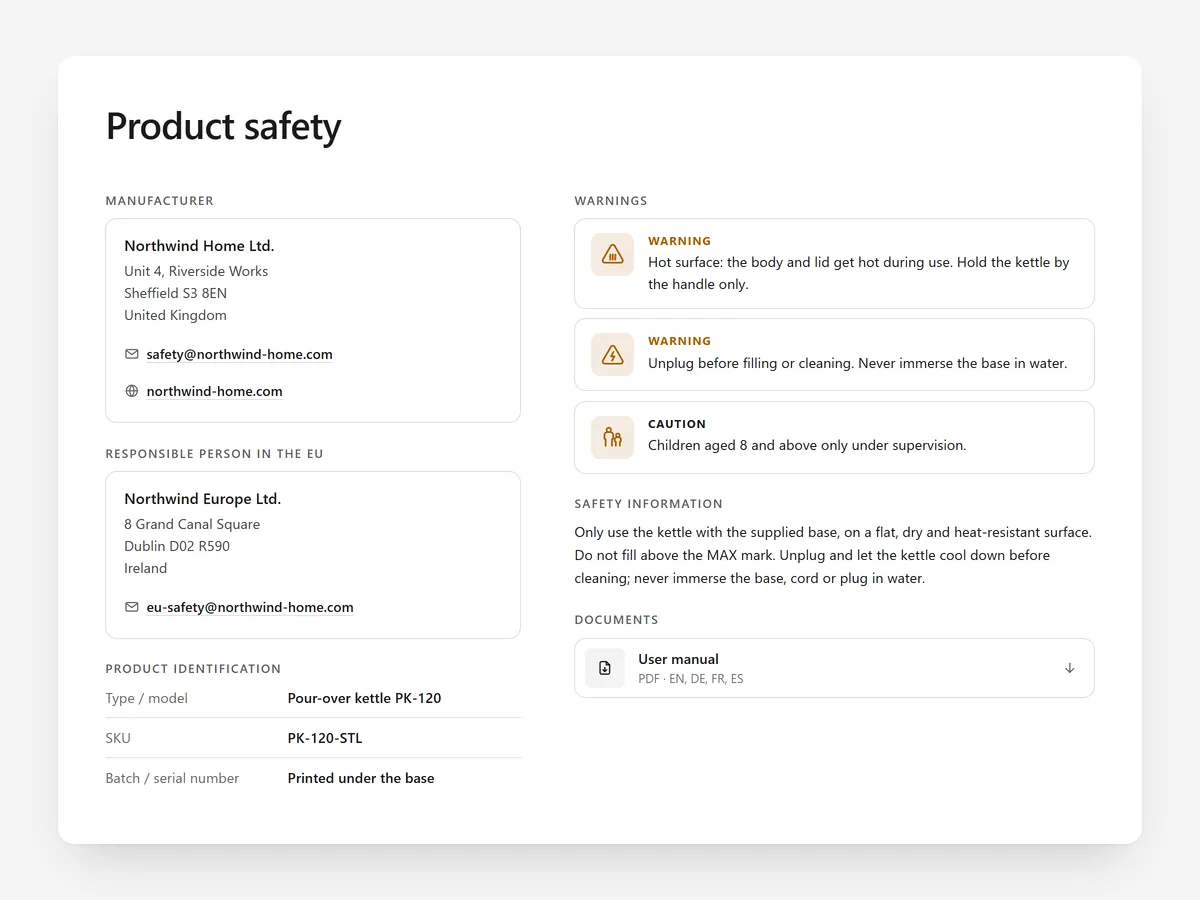
The EU General Product Safety Regulation asks online sellers to show who makes a product, who is responsible for it in the EU and which warnings apply. Most themes have no place for this, so it ends up lost in the description.
Why it matters
Squeezing manufacturer details, identifiers and warnings into the description clutters your sales copy and makes the facts hard to find when a customer or authority looks for them.
The details also change by brand and by variant. A shop with several brands or variants with different barcodes ends up editing many descriptions by hand, and one missed product is enough to cause trouble.
What the section does
Product Safety (GPSR) gives this information its own block on the product page, apart from your sales copy, for any store selling into the EU.
- 01Manufacturer and EU responsible person are shown with their details on every product.
- 02The SKU and GTIN of the selected variant update live, so the identifier always matches the item viewed.
- 03Warnings appear with pictograms, and manuals and certificates can be offered as documents.
- 04Show it as a collapsible row, two columns or tabs, with sets per brand covering all of that maker's products.
Where to place it and what to write
Place the section below the product description or beside other detail tabs. The collapsible row stays out of the way yet easy to find; two columns make warnings more visible on technical products.
- 01Use a clear heading such as "Product safety".
- 02Enter full postal and electronic contact details for manufacturer and responsible person.
- 03Write warnings as short sentences in the shopper's language, each with its pictogram.
- 04Create one set per brand first, then attach products.
Set it up in three steps
Afterwards, switch variants and confirm SKU and GTIN change, open every document link and check the mobile preview and theme font. Speed is unaffected, because the block renders plain HTML and CSS. The section presents what you enter; completeness is up to you.
- 01Open Product Safety (GPSR) in Section Store and create a set per brand in the visual builder.
- 02Click Theme blocks, then Add to theme; the theme editor opens the product template with the block placed.
- 03Choose the layout, position the block and save.
Conclusion
Product Safety (GPSR) keeps manufacturer details, identifiers and warnings consistent on every product page. The Product Safety (GPSR) section is a one-time purchase of $12.99 in Section Store, or part of the Enterprise Plan.
Key takeaways
- 01Keep safety information out of the sales copy, in its own block.
- 02Let SKU and GTIN follow the selected variant automatically.
- 03Set details up once per brand to cover all its products.
Explore more