
With clothing and textiles, the questions that stop a purchase are concrete: is it real wool, will it shrink, where was it made? A shopper who cannot touch the fabric relies on what the page says about it.
Why it matters
Composition often hides in a single line like '80 cotton 20 elastane' at the bottom of a description, and care instructions only appear on the label after delivery. That is too late for a shopper deciding between a hand-wash jumper and a machine-washable one.
For brands that make things carefully, this is also a missed story. Where the yarn comes from and who sews the garment are reasons to pay more, but only if they are on the page in a form people actually read.
What the section does
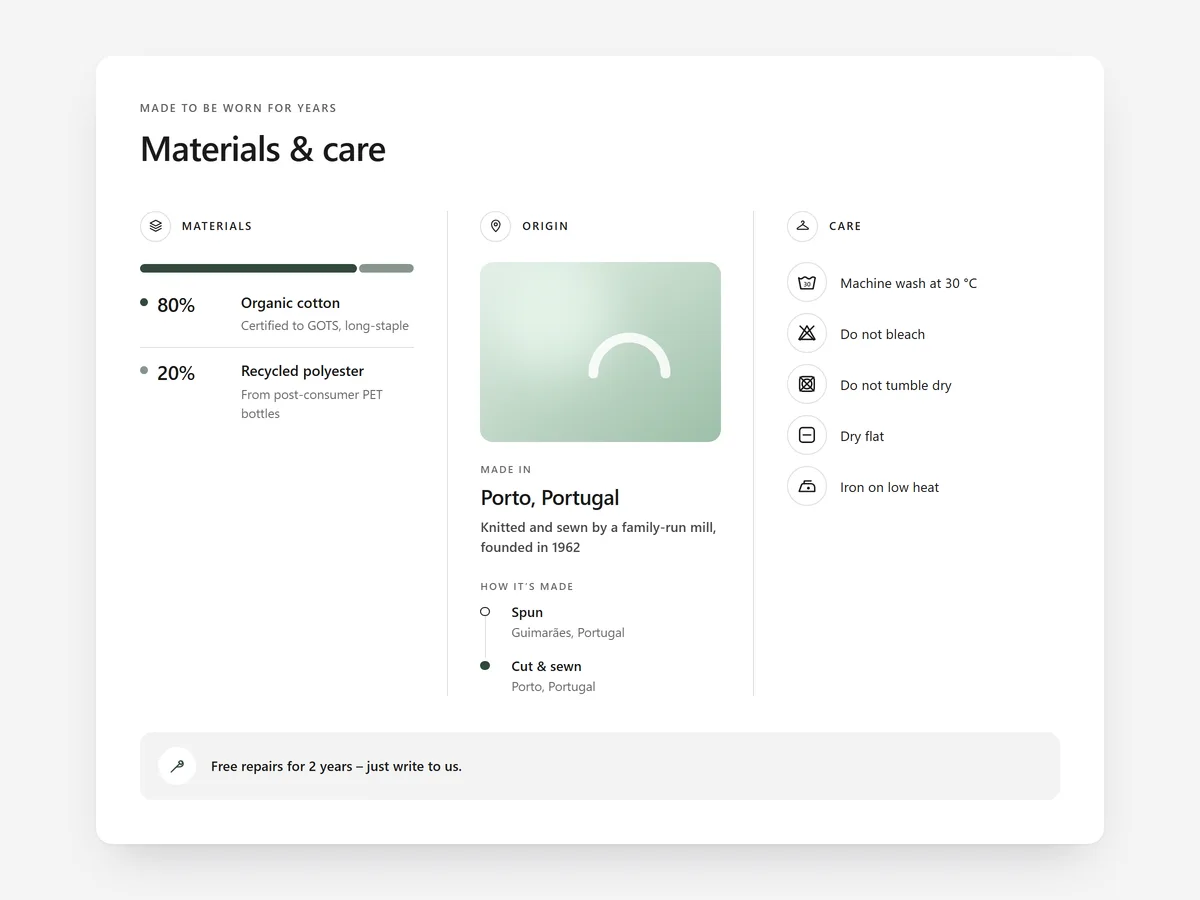
Materials & Care brings composition, origin and care together in one block on the product page.
- 01A composition bar shows the share of each fibre with short notes, so blends are clear at a glance.
- 02A 'made in' area names the country, the maker and how the product is made, step by step.
- 03Care instructions use 22 care icons, each always shown with a text label so nobody has to decode symbols.
- 04You can show it as panels, tabs or collapsible rows, and content sets let each product show its own materials.
Where to place it and what to write
Place it on the product page close to the size information, because fabric and fit are decided together. Use collapsible rows if the page is already long, and panels when material is your main selling point.
- 01List fibres in order of share and add a note only where it helps, e.g. 'recycled'.
- 02Name the maker or region instead of just a country.
- 03Pick only the care icons that apply; fewer is clearer.
- 04Write one line on how to make the product last longer.
Set it up in three steps
After saving, check two or three products to confirm each shows its own content set. Look at the mobile preview, especially the composition bar, and confirm the theme font is used. Speed is unaffected because the block renders plain HTML and CSS.
- 01Open Materials & Care in Section Store, enter composition, origin and care icons and set up content sets in the visual builder.
- 02Click Theme blocks → Add to theme; the theme editor opens with the block placed.
- 03Position it near the size information and save.
Conclusion
Clear materials and care details answer the questions a shopper would otherwise ask by touching the fabric. The Materials & Care section is a one-time purchase of $12.99 in Section Store, or part of the Enterprise Plan.
Key takeaways
- 01Composition, origin and care belong together and close to the size information.
- 02Care icons always come with text labels, so no one has to decode symbols.
- 03Content sets let each product show its own materials from one section.
Explore more




