
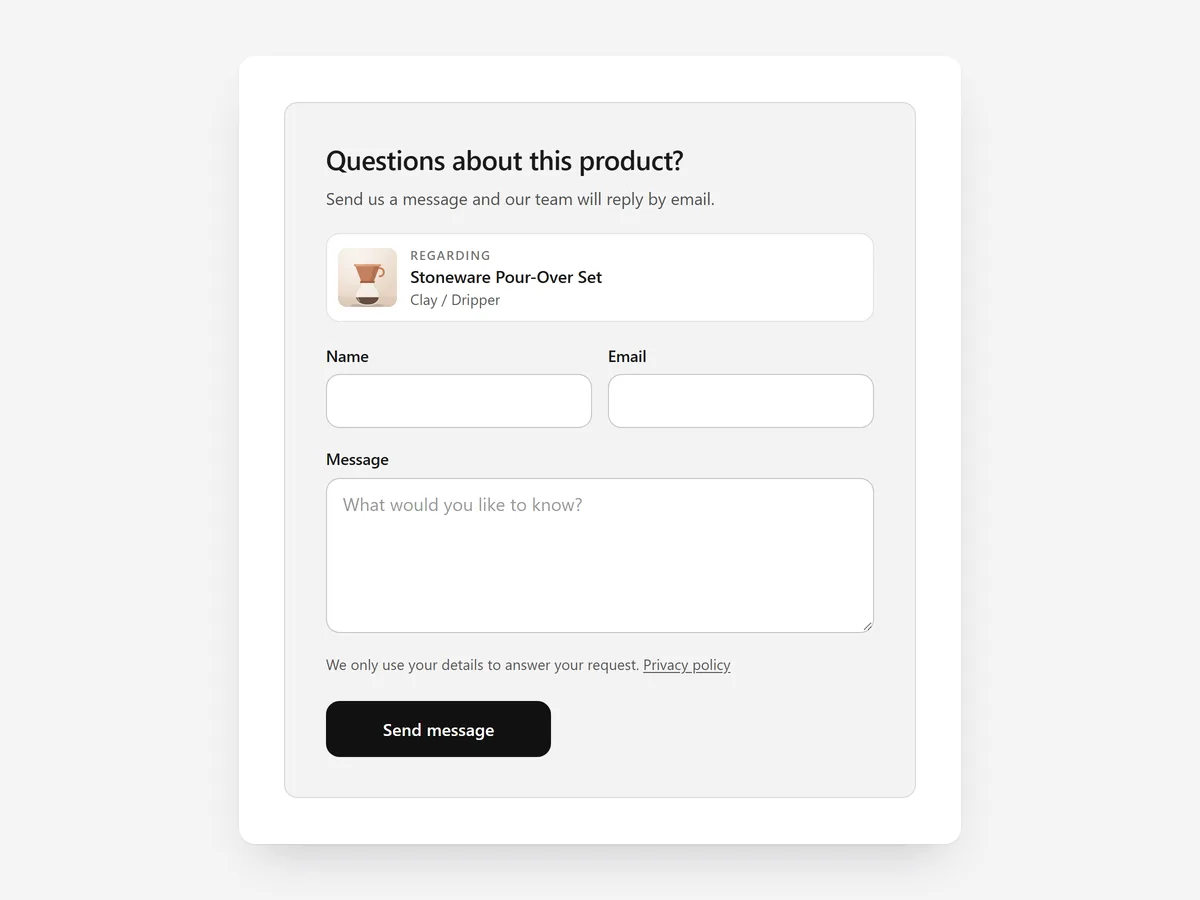
Some products raise a question before anyone buys: does it fit my machine, can I get 50 for an event, is it available in oak? If asking means hunting for the contact page and describing the product again, many shoppers simply do not ask.
Why it matters
Questions on a product page are buying signals. The shopper is interested enough to ask, and a fast, specific answer often closes the sale. A generic contact page loses that context: you receive "is this available in blue?" without knowing which product is meant.
Product Inquiry keeps the question attached to the product. Pick it over the Form Builder section when the question is about one specific item; use Form Builder for standalone requests such as wholesale applications.
What the section does
The section adds an inquiry or quote request to product pages, next to or below the buy box.
- 01A button opens the form as a popup or drawer, or the form sits inline on the page, depending on how often you expect questions.
- 02You define your own fields, from quantity to dropdowns, so quote requests arrive complete.
- 03The product, variant and a link are attached automatically, so you know exactly what the question is about.
- 04Requests go through Shopify's own contact form, with no extra app or mail service.
Where to place it and what to write
Place the button under the add-to-cart button on products that often raise questions, such as made-to-order, bulk or technical items. Use the inline form on products sold only on request.
- 01Label the button with the real use: "Ask about this product" or "Request a bulk quote".
- 02Keep the form to three or four fields; add a quantity field for quotes.
- 03Tell shoppers when they will hear back, and keep that promise.
Set it up in three steps
After saving, send a test inquiry from the mobile preview and check that product, variant and link arrive in your store inbox. Confirm the theme font is used. Speed is unaffected because the block renders plain HTML and CSS.
- 01Open Product Inquiry in Section Store, choose popup, drawer or inline, set the fields and pick a preset in the visual builder.
- 02Click Theme blocks → Add to theme; the theme editor opens with the block already placed.
- 03Move it under the buy button and save.
Conclusion
Questions asked on the product page arrive with context and are easier to turn into orders. The Product Inquiry section is a one-time purchase of $12.99 in Section Store, or part of the Enterprise Plan.
Key takeaways
- 01Every inquiry carries the product, variant and link.
- 02Use it on products that raise questions, not on every page.
- 03Requests use Shopify's own contact form, no extra app.
Explore more




