
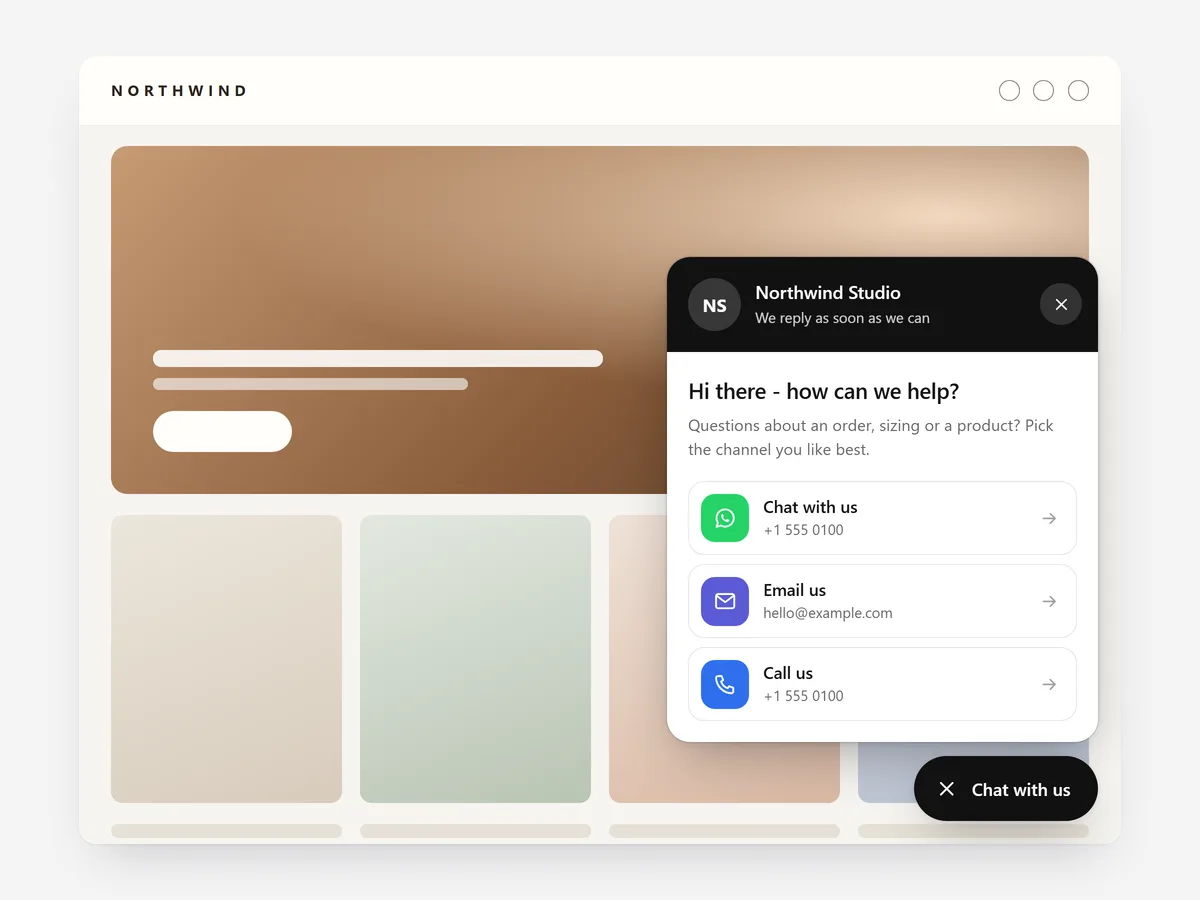
Some purchases need one quick answer: does this fit, will it arrive by Friday, is it compatible with my model? If the only way to ask is a contact page with a form, many shoppers close the tab instead.
Why it matters
Contact links usually live in the footer, far from the product a shopper is looking at, and a form with no reply time feels like a message into the void, especially for made-to-order items.
A floating button keeps your channels one tap away on every page. The Contact Page section is the full page with all your details; Floating Contact is the always-visible shortcut, and many stores use both.
What the section does
Floating Contact adds a button that stays on screen while shoppers browse product, collection, cart and content pages.
- 01Shoppers can reach you through WhatsApp, phone, email, SMS, Messenger, Instagram or Telegram, whichever you offer.
- 02You choose a button with a contact card, a speed dial of channels or a contact bar along the screen edge.
- 03Opening hours show whether you are online right now, with an offline note so nobody waits for an instant reply.
- 04The prefilled message names the product the shopper is viewing, and the button does no tracking.
Where to place it and what to write
Add it once so it appears across the store, and check it does not cover the add-to-cart button or a sticky cart bar on mobile.
- 01Offer two or three channels you actually answer quickly; seven icons look busy and invite messages you will miss.
- 02Write the card text as an invitation, for example "Questions about sizing? Ask us on WhatsApp".
- 03Set realistic opening hours and an offline note that says when you will reply.
- 04Keep the prefilled message short so shoppers can add their own question.
Set it up in three steps
After saving, tap every channel on your own phone to confirm the right app opens with the product named in the message. Check the button outside your opening hours to see the offline note. Speed stays the same because the block renders plain HTML and CSS.
- 01Open Floating Contact in Section Store, add your channels and opening hours and choose card, speed dial or bar in the visual builder.
- 02Click Theme blocks, then Add to theme; the theme editor opens with the block already placed.
- 03Confirm its position and save.
Conclusion
Floating Contact keeps a real person within reach on every page, which is often what closes a considered purchase. The Floating Contact section is one of the 14 free sections in Section Store.
Key takeaways
- 01An always-visible contact button catches questions that would otherwise end in a closed tab.
- 02Opening hours and an offline note set honest expectations for reply times.
- 03Offer only the channels you answer quickly, and keep the button clear of the add-to-cart area.
Explore more




