
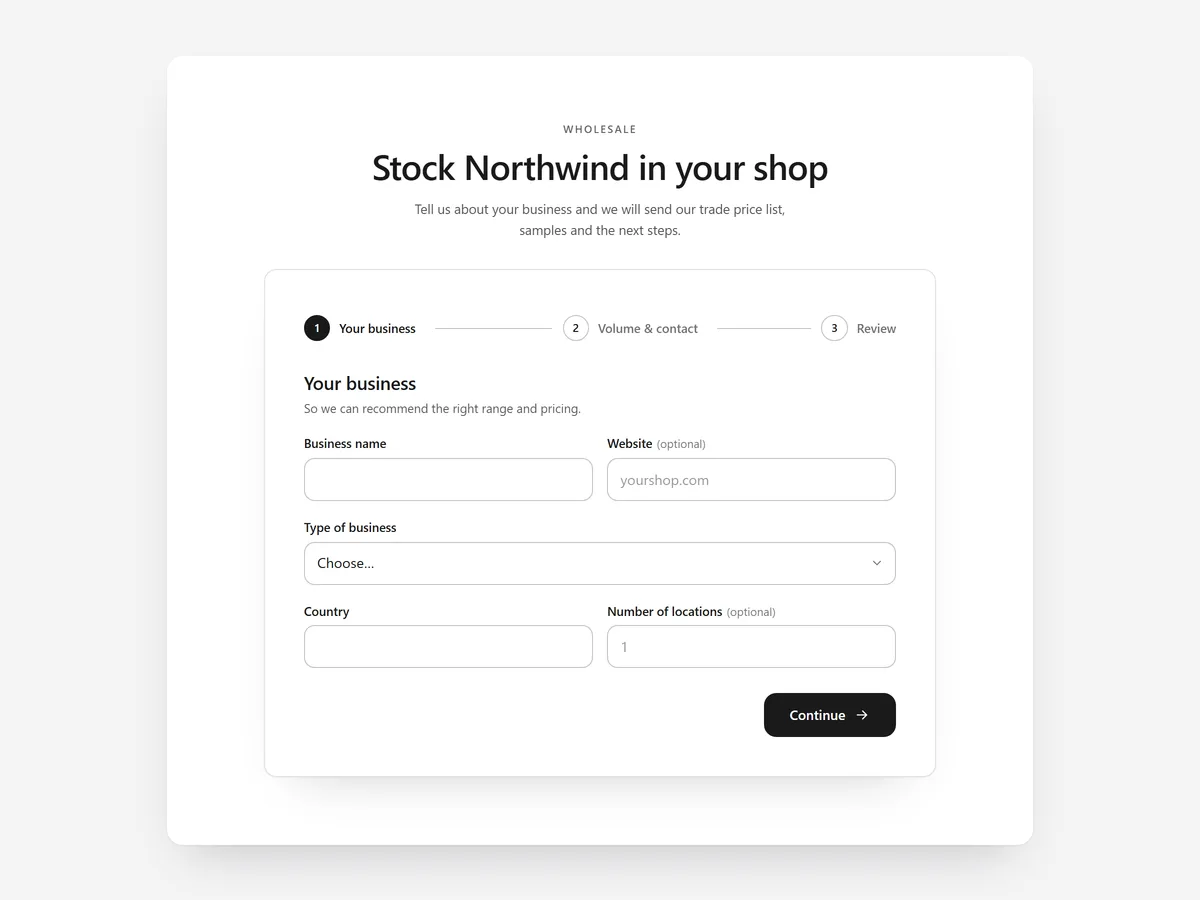
Some sales never start at the add-to-cart button: a café wants wholesale terms, a couple wants a custom engraving, a studio wants to book a fitting. If the only way to ask is a plain contact form, people send half the details or give up.
Why it matters
A generic contact form brings messages like "please send prices" with no quantity, no date and no company name. You then chase the missing details by email, and some leads go quiet in between.
Long forms have the opposite problem: twenty fields on one screen look like paperwork. Steps and fields that only appear when relevant keep it short for each visitor.
What the section does
Form Builder turns a page into a structured request form. It fits content pages such as Wholesale, Bookings or Custom Orders, and the home page of stores that sell mainly through enquiries.
- 01Text, choice, date, number and link fields let you ask for exactly what you need, from a delivery date to a link to a reference image.
- 02Conditional fields and a multi-step flow with a review screen keep each path short and let visitors check answers before sending.
- 03A side panel shows benefits and contact details next to the form, so people see why to apply and who will answer.
- 04Submissions reach your store inbox through Shopify with spam protection, so there is no separate mail service to set up.
Where to place it and what to write
Give the form its own page, linked from the footer. On a wholesale page, put it under a short paragraph on who qualifies; on a booking page, put it first.
- 01Name the outcome in the headline: "Apply for a wholesale account" beats "Contact us".
- 02Use the side panel for two or three concrete benefits and a response time you can keep.
- 03Hide follow-up questions behind conditions and use choice fields where answers repeat, so requests are easy to sort.
Set it up in three steps
After saving, send a test submission and confirm it lands in the store inbox. Walk through each conditional path in the mobile preview. Speed is unaffected because the block renders plain HTML and CSS.
- 01Open Form Builder in Section Store, add fields, steps and conditions, and start from a style preset in the visual builder.
- 02Click Theme blocks → Add to theme; the theme editor opens with the block already placed.
- 03Adjust its position and save the theme.
Conclusion
A good form asks the right questions once and saves you the back-and-forth. The Form Builder section is a one-time purchase of $19.99 in Section Store, or part of the Enterprise Plan.
Key takeaways
- 01Structured fields turn vague enquiries into requests you can answer in one reply.
- 02Conditional fields and steps keep long forms short for each visitor.
- 03Submissions arrive in your store inbox via Shopify, spam-protected.
Explore more




