
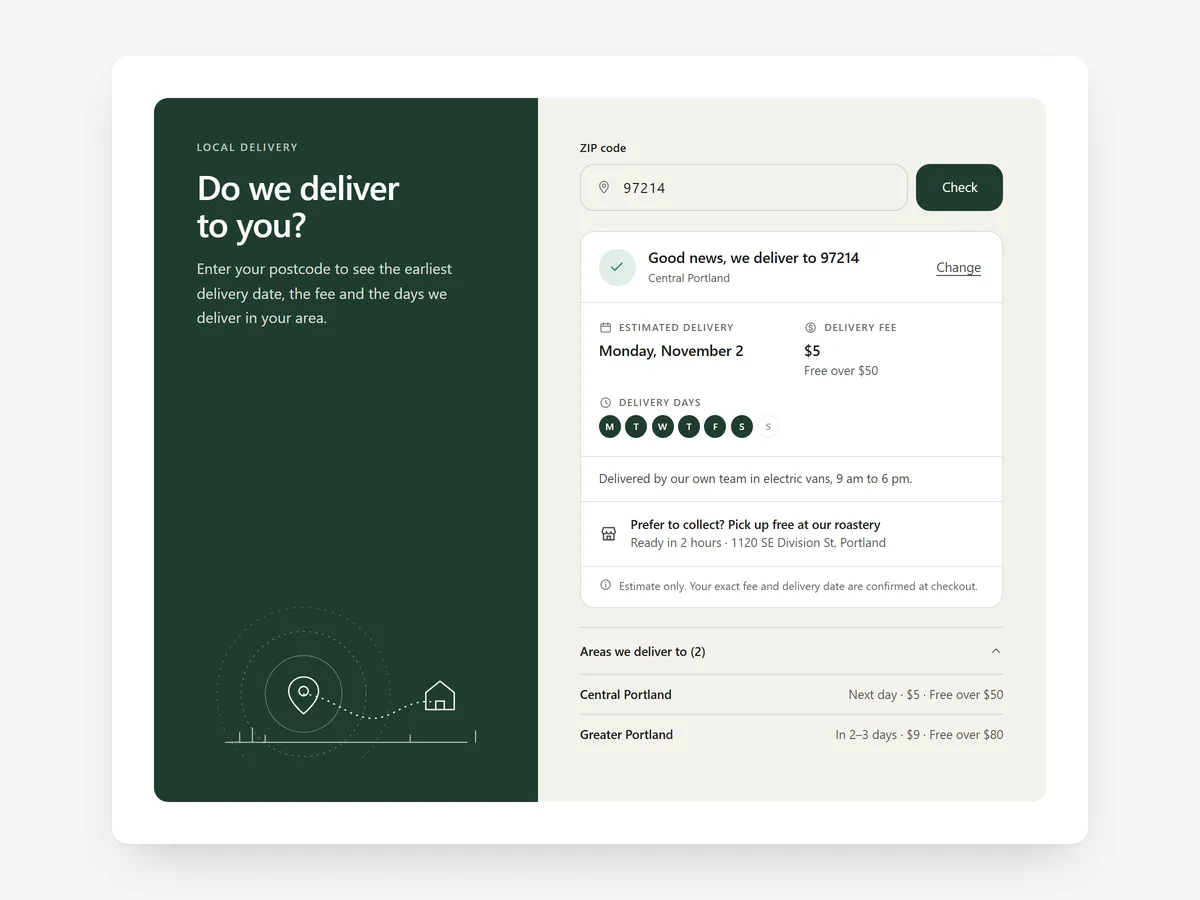
Local delivery businesses lose shoppers at the very first question: do you even deliver to me? If the answer only appears at checkout, people fill a cart, find out they are outside the zone and leave annoyed.
Why it matters
Grocery boxes, bakeries, furniture stores with their own vans and florists all deliver to limited areas, often with different fees and days per zone. A static text listing towns is hard to read and easy to get wrong.
The Delivery Date Picker lets shoppers choose a day in the cart; this section comes earlier and answers whether, when and for how much. Use the Shipping & Returns Table instead if you ship nationwide by carrier rather than delivering by zone.
What the section does
Delivery Area Checker lets shoppers enter their postcode and see an instant answer. It fits the home page, the product page and the cart.
- 01You define delivery zones by exact code, prefix, range or district, matching how your area is actually organised.
- 02Shoppers see an estimated delivery date that respects your real cut-off time.
- 03The result shows the fee, the free-delivery threshold and any minimum order, so there are no surprises later.
- 04You can show the checker inline, as a card or as a banner, depending on the page.
Where to place it and what to write
Put a banner high on the home page so new visitors check first. On product pages, place it inline under the add-to-cart button. In the cart, a card reminds shoppers of the fee and threshold.
- 01Headline the question shoppers have: 'Do we deliver to you?'
- 02Write a friendly out-of-area message with the pickup alternative.
- 03Keep fees and thresholds identical to your checkout settings.
- 04Name your delivery days in the result.
Set it up in three steps
After saving, test a postcode inside and one outside your area on your phone. Check that the date respects the cut-off and the theme font is used. Speed is unaffected because the block renders plain HTML and CSS.
- 01Open Delivery Area Checker in Section Store, define zones, cut-off, fees and the layout in the visual builder.
- 02Click Theme blocks → Add to theme to open the theme editor with the block placed.
- 03Place it on the right template and save.
Conclusion
Answering the delivery question first saves shoppers a wasted cart and you a lost customer. The Delivery Area Checker section is a one-time purchase of $12.99 in Section Store, or part of the Enterprise Plan.
Key takeaways
- 01Answer 'do you deliver here?' before the shopper fills a cart.
- 02Zones by code, prefix, range or district match how local delivery really works.
- 03Keep fees and thresholds identical to checkout.
Explore more




