
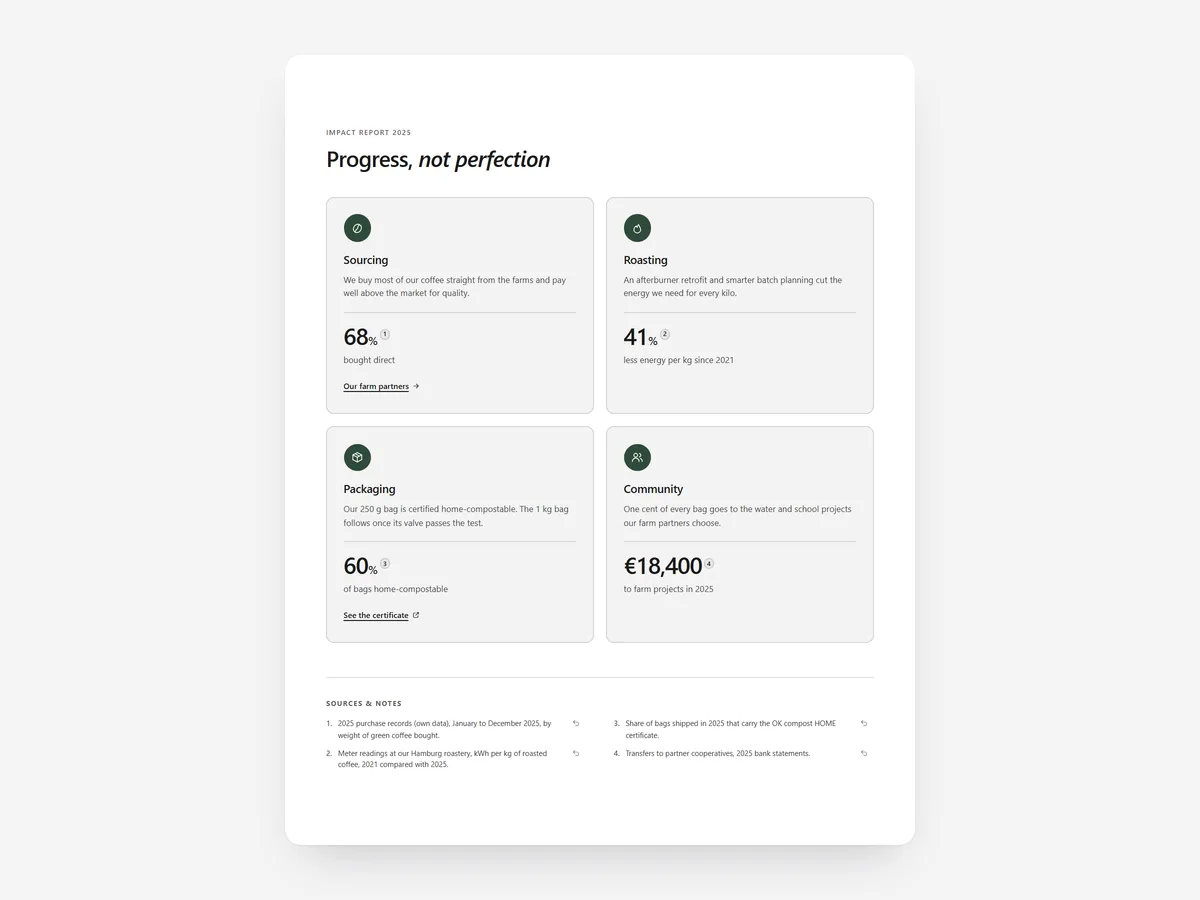
Shoppers have learned to distrust words like 'eco' and 'green' because they are used so loosely. What they trust is a figure with a source, a certificate they can check and a goal with visible progress.
Why it matters
Many stores have a sustainability page full of leaves and vague promises. That no longer convinces shoppers, and in the EU it is becoming a legal risk: Directive 2024/825 targets generic environmental claims that cannot be substantiated.
Brands that do real work lose out when it looks the same as everyone else's slogans. The difference is proof. A certification number, a linked report and an honest goal timeline separate a credible brand from greenwashing.
What the section does
Sustainability & Impact presents your impact with visible sources and verifiable certifications. It fits a dedicated impact page, the About page and, in a compact form, the product page.
- 01You choose an impact report, themed pillars or a goal timeline that shows where you are and where you are heading.
- 02Every number carries a numbered, visible source, so shoppers see where it comes from.
- 03Certifications show the certificate number, its scope and a verify link to the issuing body.
- 04The builder warns you when wording looks like a vague green claim under EU 2024/825.
Where to place it and what to write
Give the full report its own page linked from the footer. On product pages, show only the certifications that apply to that product, with their verify links.
- 01Use only figures you can source; leave out estimates you cannot back up.
- 02State the scope: which products a certificate covers.
- 03Show goals with dates and honest progress, including what is not done yet.
- 04Replace 'eco-friendly' with what you actually did.
Set it up in three steps
After saving, click every verify link and source on your phone to confirm they work. Check the theme font is used. Speed is unaffected because the block renders plain HTML and CSS.
- 01Open Sustainability & Impact in Section Store, choose a layout and enter figures, sources, certifications and goals in the visual builder.
- 02Click Theme blocks → Add to theme; the theme editor opens with the block placed.
- 03Position it on your impact or product page and save.
Conclusion
Sourced figures and checkable certificates turn sustainability from a slogan into proof. The Sustainability & Impact section is a one-time purchase of $14.99 in Section Store, or part of the Enterprise Plan.
Key takeaways
- 01Every impact figure should show its source.
- 02Certificates need a number, scope and a verify link.
- 03The builder flags vague green claims under EU 2024/825.
Explore more




