
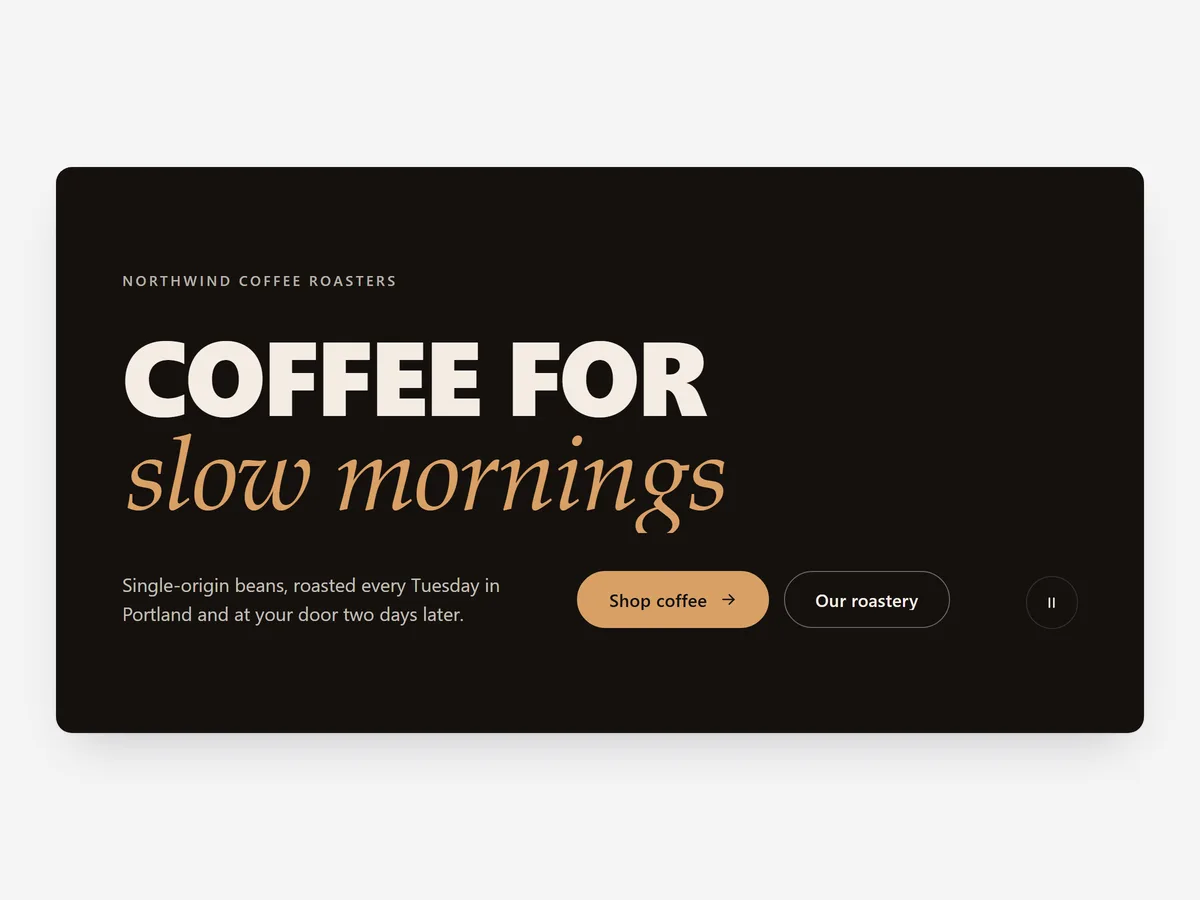
Not every brand has a hero photo that says more than a sentence. If your promise fits in a few words, setting those words huge and giving them a little motion can be more memorable than another lifestyle image. The shopper reads the message before they even look for a picture.
Why it matters
Image heroes look alike across many stores: a model, a product, a button. A visitor who has seen three of them that day scrolls straight past. Large type with movement breaks that pattern and makes the first screen about what you stand for.
It also helps when you sell many things to many people. Rotating words let one headline speak to several audiences, such as "Socks for hiking, office, running", without building separate slides for each.
What the section does
Statement Hero belongs at the top of the home page or a campaign landing page.
- 01Words in the headline can rotate with three different animations, so one line speaks to several audiences or uses.
- 02Video or an image can play inside the letters, joining your type and your imagery in one element.
- 03An image trail follows the pointer, which works well for brands with a large, playful product range.
- 04One pause button stops all motion at once for shoppers who prefer a still page.
Where to place it and what to write
Place it as the first section on the home page, followed by a section with real products so the statement leads somewhere. Pick it over Hero Slideshow when you have one message, not several campaigns.
- 01Keep the fixed part of the headline short and the rotating words to three to five options.
- 02Make the rotating words concrete nouns or uses, not adjectives.
- 03For video inside letters, use a heavy, wide typeface so the footage is visible.
- 04Add one clear button below the statement so the hero has a next step.
Set it up in three steps
After saving, check the mobile preview to make sure the oversized type does not break awkwardly across lines, and decide whether to keep your theme font or a heavier one. Speed is unaffected because the block renders plain HTML and CSS.
- 01Open Statement Hero in Section Store, write your headline and choose an effect in the visual builder.
- 02Click Theme blocks, then Add to theme, and the theme editor opens with the block already placed.
- 03Move it to the top of the page and save.
Conclusion
Statement Hero suits brands whose words are stronger than their stock photos. The Statement Hero section is a one-time purchase of $14.99 in Section Store, or part of the Enterprise Plan.
Key takeaways
- 01Oversized type with motion makes the first screen about your message, not a generic photo.
- 02Rotating words let one headline address several audiences or uses.
- 03Use one effect at a time and always follow the hero with real products.
Explore more




