
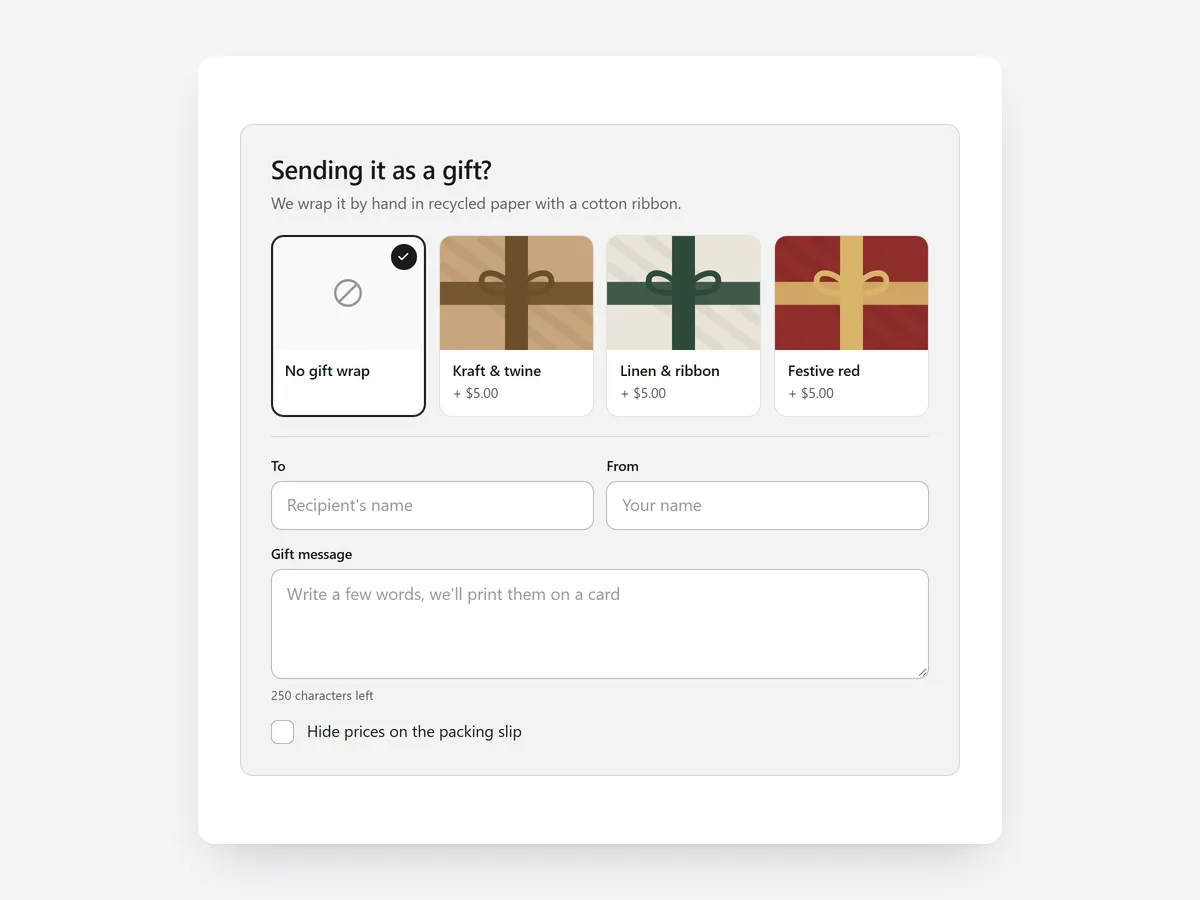
A shopper buying a present has one extra worry: will it arrive looking like a gift? If wrapping and a card message are not offered, many will order elsewhere or ship to themselves first.
Why it matters
Gift wrap is often handled through order notes, where the wrap is not charged properly, the message gets lost and packing staff guess.
With wrap as a real product and the message saved to the order, fulfilment gets clear instructions. To help shoppers find the present, use the Gift Guide section; to sell gift cards, the Gift Card Promo section.
What the section does
Gift Wrap & Message adds a gifting step on the product or cart page that writes everything into the order.
- 01You can show a switch card, tiles for each wrap style or one minimal line, depending on how prominent gifting should be.
- 02Wrap styles come from your wrap product's variants with live prices, so wrapping is charged like any item.
- 03Shoppers fill in To, From and a message, with a character counter that matches the size of your card.
- 04Choices are saved to the order and restored after a page reload, so nothing is lost mid-purchase.
Where to place it and what to write
On the cart page, place it below the line items, where the gift decision usually happens. On product pages typically bought as gifts, put the minimal line under the add-to-cart button.
- 01Show what the wrap looks like: tiles with a real photo of each style beat a text description.
- 02Set the character limit to what fits on your physical card, and say so.
- 03Mention the packing-slip option clearly, so shoppers know the price will not be visible to the recipient.
- 04Show the wrap price next to the option, not only in the cart total.
Set it up in three steps
After saving, place a test order with wrap and a message and check both appear on the order in your admin. Reload the cart halfway to confirm the choices stay. Speed is unaffected because the block renders plain HTML and CSS.
- 01Create a wrap product with one variant per style, then open Gift Wrap & Message in Section Store, link the product and pick a layout.
- 02Click Theme blocks, then Add to theme; the theme editor opens with the block already placed.
- 03Position it in the cart or under the buy button and save.
Conclusion
Gift Wrap & Message makes your store the easy choice for presents and gives your packing team clear instructions. The Gift Wrap & Message section is a one-time purchase of $14.99 in Section Store, or part of the Enterprise Plan.
Key takeaways
- 01Wrap is a real product with live prices, not a note in the order comments.
- 02To, From and message are saved to the order and survive a reload.
- 03Show real wrap photos and a character limit that fits your card.
Explore more




