
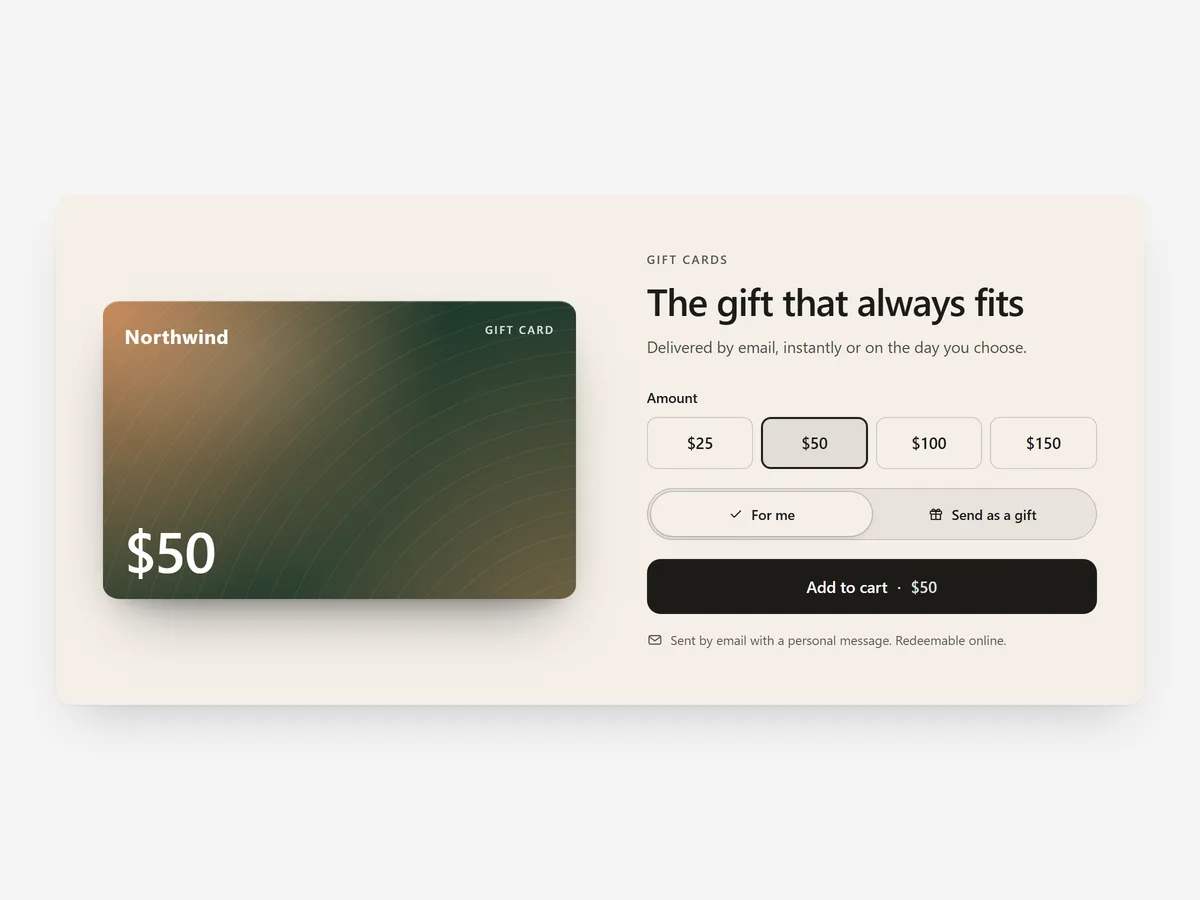
Gift cards rescue the shopper who wants to give something but cannot decide what. Most stores hide them on a plain product page nobody visits, so the late buyer who needed one today leaves without buying anything.
Why it matters
Shopify's default gift card page is bare and rarely linked from anywhere a gift buyer passes. Before holidays, the people most likely to buy one are browsing the home page or a gift collection, not searching for "Gift Card".
Gift Card Promo brings the card to them. It suits last-minute and undecided buyers; for shoppers who have chosen a product and want it wrapped, the Gift Wrap & Message section fits better.
What the section does
The section shows your gift card as an attractive card with a form next to it. It fits the home page, gift collections, the cart page and content pages before holidays.
- 01Choose a card with a form beside it, a banner, or a minimal version for tighter spaces.
- 02Amounts are pulled live from your gift card product, so prices always match what you sell.
- 03Shoppers enter the recipient's email, a personal message and the date the card should arrive.
- 04Style the card with a gradient, your own image or a brand card that matches your packaging.
Where to place it and what to write
In the weeks before major holidays, place the full card and form on the home page. Year-round, use the banner at the end of a gift guide or collection, and the minimal version on the cart page.
- 01Make the headline about the recipient: "Let them choose".
- 02Mention instant email delivery, since it is the main reason late buyers pick a gift card.
- 03Offer a few clear amounts instead of many close ones.
- 04Use a card visual that looks like your brand, not a generic illustration.
Set it up in three steps
After saving, add a card to the cart with a test recipient and date, and check the form fields are easy to complete on a phone. Text uses your theme's font by default. Speed is unaffected, because the block renders plain HTML and CSS.
- 01Open Gift Card Promo in Section Store, pick a layout and card style, then check the preview on desktop, tablet and mobile.
- 02Click Theme blocks, then Add to theme; the theme editor opens with the block already placed.
- 03Position it and save.
Conclusion
Gift Card Promo puts gift cards in front of the shoppers who need them, with delivery handled by email. The Gift Card Promo section is a one-time purchase of $14.99 in Section Store, or part of the Enterprise Plan.
Key takeaways
- 01Show gift cards where gift buyers browse, not only on their own product page.
- 02Recipient email, message and delivery date make the card a ready gift.
- 03Use Gift Card Promo for undecided buyers and Gift Wrap & Message for chosen products.




