
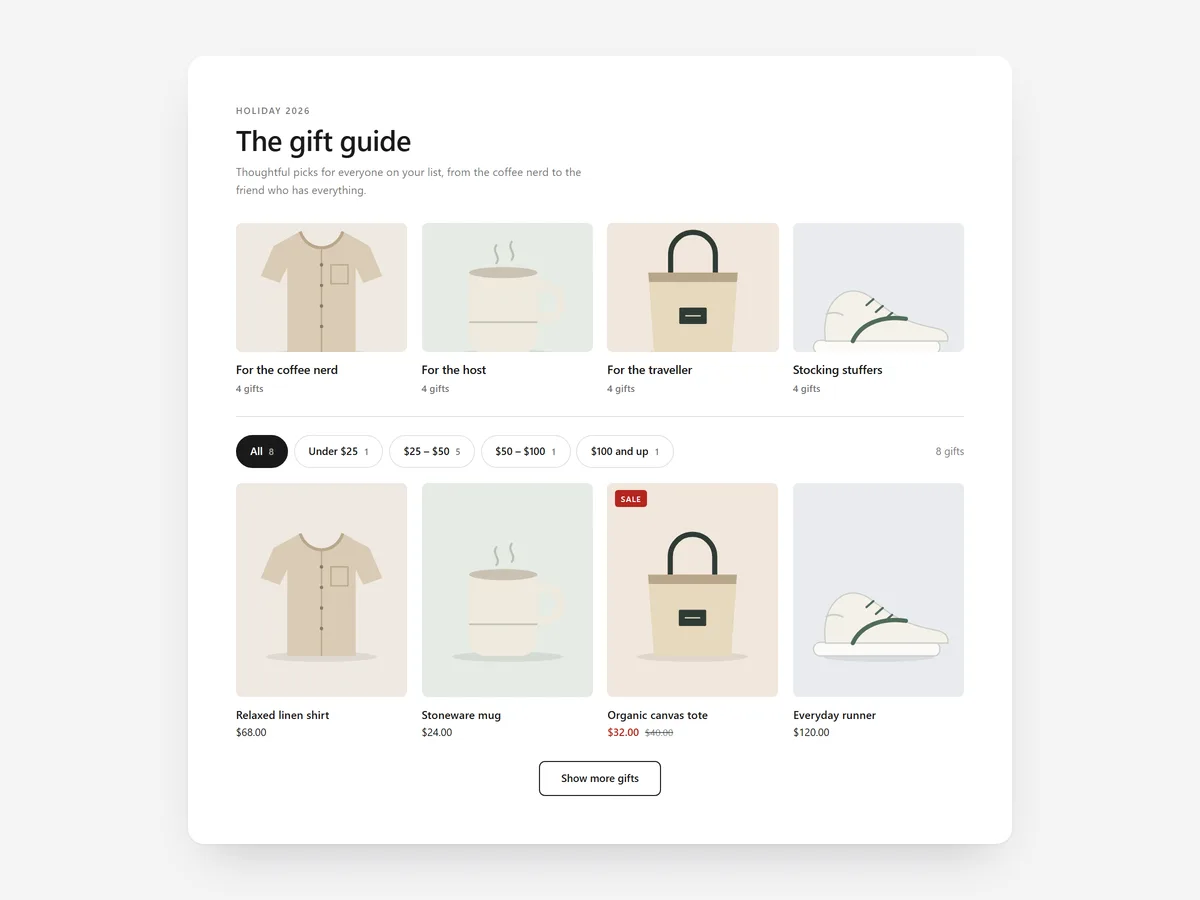
Buying for someone else is harder than buying for yourself. The shopper does not know the sizes, the taste or the right budget, and a full catalogue makes it worse. A guide that starts with "who is it for?" turns that uncertainty into a short list.
Why it matters
In gift season, many visitors arrive with a person and a budget in mind, not a product. If the store only offers its normal collections, they browse, feel unsure and leave.
Gift Guide answers their real questions first: for whom, and for how much. It handles choosing the product; pair it with Gift Wrap & Message for wrapping and messages at the cart, and with Gift Card Promo for shoppers who still cannot decide.
What the section does
Gift Guide filters live products by recipient and price band. It suits a dedicated gift page, the home page during a campaign, and seasonal collection pages.
- 01Recipient cards, price bands or an editorial layout let you frame the guide the way your audience thinks.
- 02Live counts show how many products match each filter, so shoppers never click into an empty result.
- 03Quick add and shareable selections let shoppers buy straight away or send a filtered list to a partner.
- 04Products are pulled live from up to three collections, so stock and prices stay current.
Where to place it and what to write
Build a gift page with the guide as its main section and link it from your announcement bar. During the campaign, it can also sit under the home page hero.
- 01Name recipients the way shoppers say them: "For her", "For the cook", "For kids".
- 02Use three or four price bands with round limits that match your range.
- 03Write a headline that removes pressure, such as "Gifts they will actually use".
- 04Feed it collections built for gifting, not your full catalogue.
Set it up in three steps
After saving, tap through every filter on your phone and open a shared link to confirm it loads. Text uses your theme's font by default, and speed is unaffected because the block renders plain HTML and CSS.
- 01Open Gift Guide in Section Store, pick up to three collections, define recipients and price bands, and check the live preview on desktop, tablet and mobile.
- 02Click Theme blocks, then Add to theme; the theme editor opens with the block already placed.
- 03Position it on your gift page and save.
Conclusion
Gift Guide gives gift buyers a short, fitting list instead of a full catalogue. The Gift Guide section is a one-time purchase of $14.99 in Section Store, or part of the Enterprise Plan.
Key takeaways
- 01Gift buyers think in recipients and budgets, so the guide filters by both.
- 02Live counts and products from your collections keep every filter useful and current.
- 03Shareable selections let shoppers agree on a gift before buying.
Explore more




