
Shoppers open the contact page when something is unclear, and what they find there often decides whether they buy. A bare form with no hours and no phone number makes a small shop look unreachable.
Why it matters
Most theme contact pages are a single form. The shopper has to guess whether you reply in an hour or a week and whether a phone line exists, so some of them buy elsewhere.
The second problem lands on you: the same questions about shipping, returns and order status arrive by email again and again, burying the messages that need a person.
What the section does
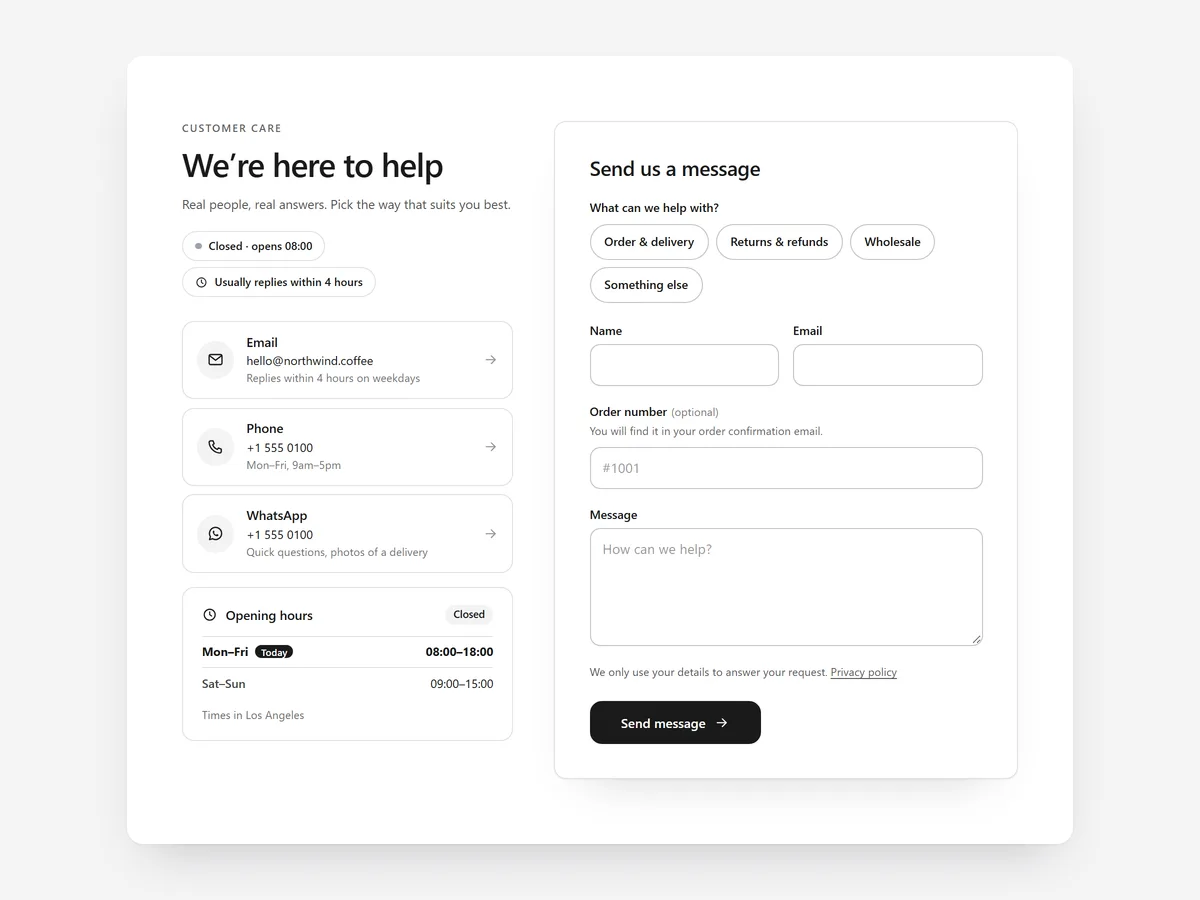
The Contact Page section turns a bare form into a complete contact page. It is built for the contact page template; the hours and map also suit an About page.
- 01Email, phone, WhatsApp and other channels appear as cards, so shoppers choose the way they prefer.
- 02Opening hours show a live open-now status, telling a caller at once whether someone will pick up.
- 03Help topics with quick answers come before the form, so simple questions are solved without an email.
- 04The map loads only on click, which keeps the page privacy-friendly, and business details are laid out for search engines.
Where to place it and what to write
Put the section at the top of the contact page so channels and hours are seen first. Link to the page from the footer and from order emails.
- 01Use a plain headline such as "How can we help?" plus one line on when you usually reply.
- 02Show only channels you actually staff.
- 03Write four to six help topics from your most frequent questions, each answered in two sentences.
Set it up in three steps
Afterwards, check the mobile preview: cards should stack cleanly and the phone card should be easy to tap. Confirm the theme font is used and test the status outside your hours. Speed is unaffected, because the block renders plain HTML and CSS.
- 01Open Contact Page in Section Store and add channels, hours, topics and address in the visual builder, starting from a style preset.
- 02Click Theme blocks, then Add to theme; the theme editor opens with the block already placed.
- 03Position the block on your contact page template and save.
Conclusion
A contact page that shows every channel and answers easy questions first makes your shop look reachable and keeps the inbox manageable. The Contact Page section is a one-time purchase of $14.99 in Section Store, or part of the Enterprise Plan.
Key takeaways
- 01Show every staffed channel as a card and say when you reply.
- 02Answer frequent questions in help topics before the form.
- 03Keep opening hours and business details accurate.




