
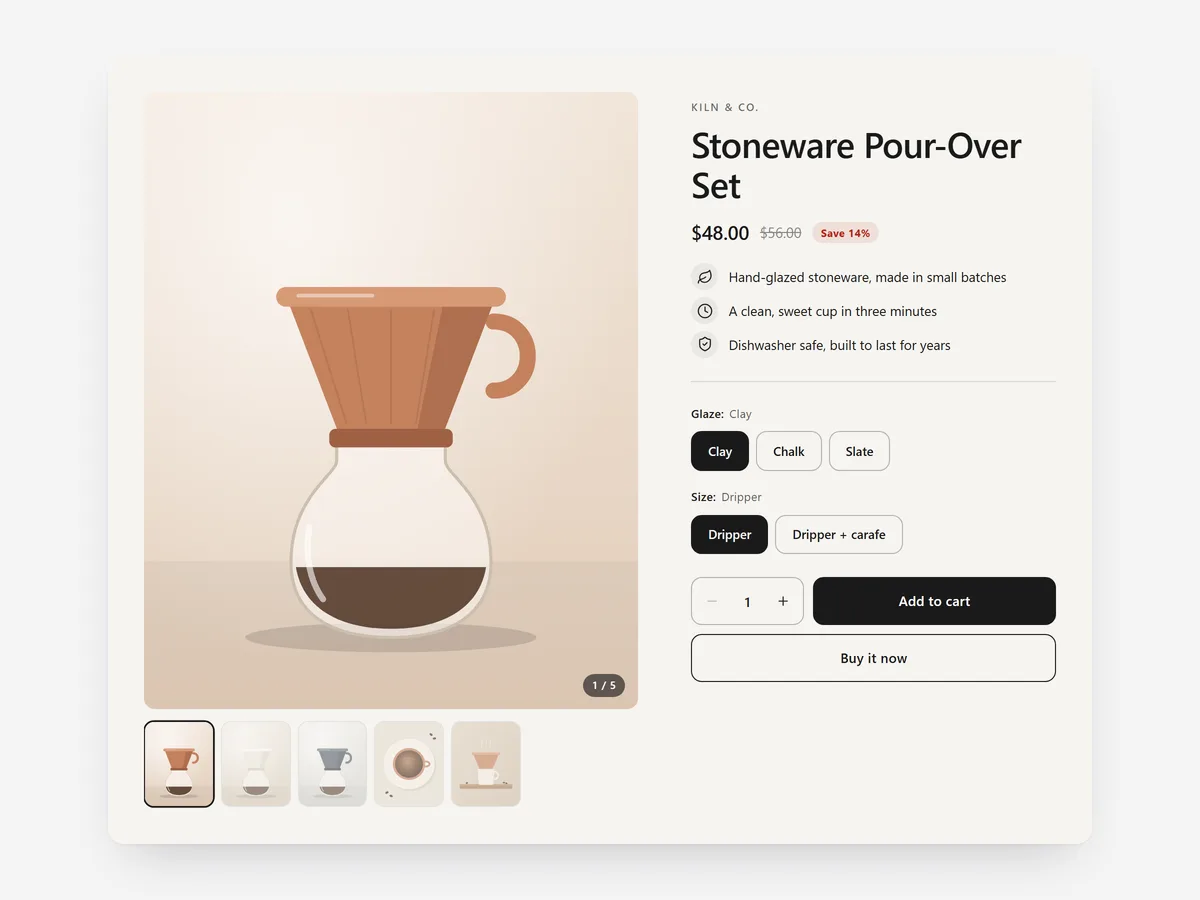
When one product carries your store, every click between the home page and its buy box costs you. A shopper convinced by a landing page or campaign should be able to buy right there.
Why it matters
Home pages and landing pages usually link to products rather than sell them. A visitor from an ad reads the story, clicks through, waits for the product page and has to orient again. Some do not make that second step.
Putting a full buy box on the page removes the detour. It matters most for single-product brands, launches and seasonal hero items, where you already know which product the visitor came for.
What the section does
Featured Product places a complete buy box for one product anywhere: the home page, landing and campaign content pages, or a collection page.
- 01Split, hero or minimal layouts let it act as the main block of a landing page or a quieter feature further down.
- 02A gallery with thumbnails or a grid shows the product from every angle without leaving the page.
- 03Variant options appear as buttons, swatches or dropdowns, whichever suits the product.
- 04Add to cart and buy it now buttons let shoppers either keep browsing or go straight to checkout.
Where to place it and what to write
On the home page of a single-product brand, place it right after the hero. On campaign pages, put it after the story so readers reach it once convinced. On collection pages, use it to spotlight the bestseller above the grid.
- 01Use the hero layout for launches and the minimal layout further down a page.
- 02Pick swatches for colours and buttons for sizes; dropdowns only for long option lists.
- 03Keep the copy beside the buy box to one or two lines; the story belongs above it.
Set it up in three steps
After saving, switch variants and use both buttons in the mobile preview to confirm the price updates and checkout opens. Check the theme font is used. Speed is unaffected because the block renders plain HTML and CSS.
- 01Open Featured Product in Section Store, choose the product, layout, gallery style and option display in the visual builder.
- 02Click Theme blocks → Add to theme; the theme editor opens with the block already placed.
- 03Position it on the page and save.
Conclusion
A full buy box on the page shoppers already read removes the step where many drop off. The Featured Product section is a one-time purchase of $19.99 in Section Store, or part of the Enterprise Plan.
Key takeaways
- 01Sell a hero product directly on the home, landing or collection page.
- 02Choose the layout and option style that fit the product.
- 03Strong gallery photos matter most once the buy box is on the page.




