
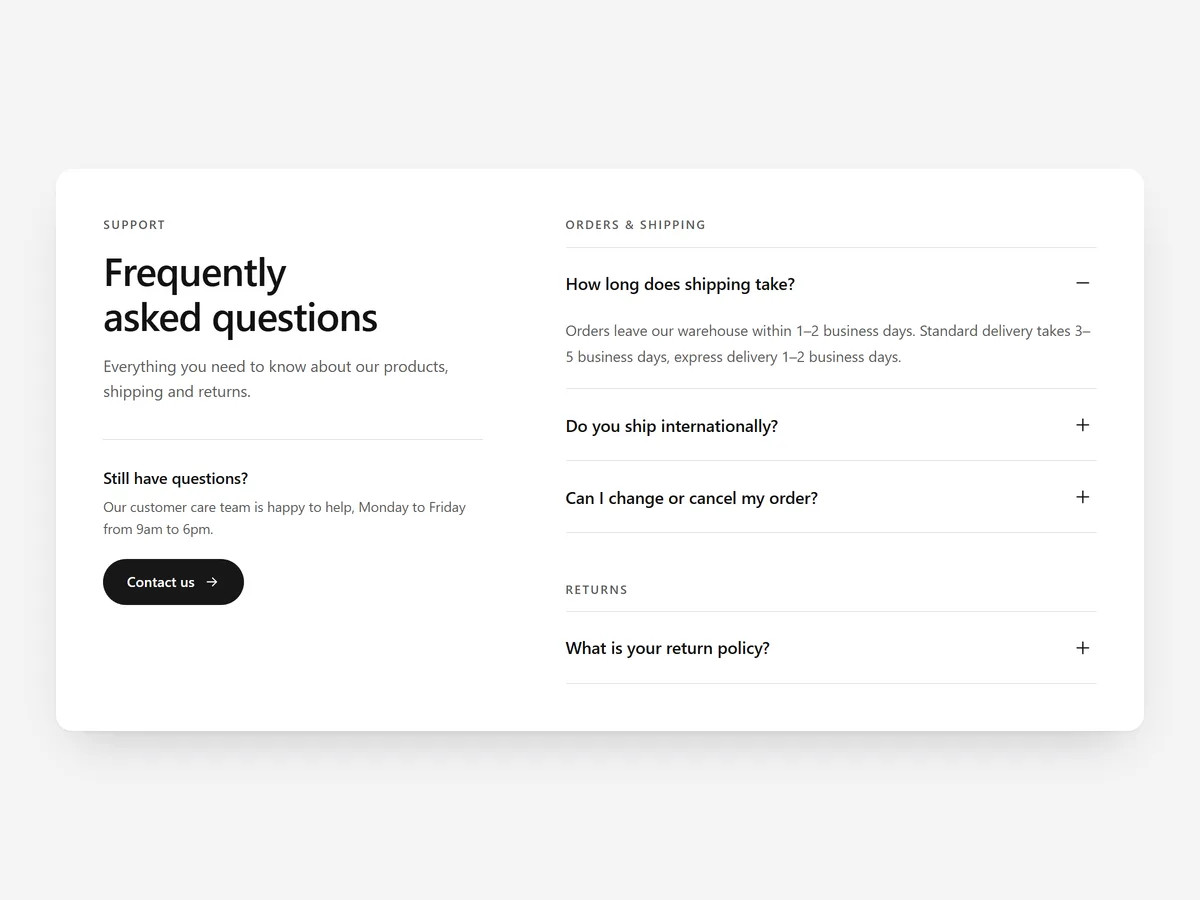
Every unanswered question is a reason to leave the store or to send an email. A good FAQ answers the common ones where shoppers look and shows them how to reach you for the rest.
Why it matters
Many stores have no FAQ, or one long page of text with no structure. Shoppers looking for the returns window have to read everything, and many give up.
There is a search side too. Questions shoppers type into Google, like "does this brand ship to Austria", can be answered by your FAQ, but only if search engines can recognise it as questions and answers.
What the section does
The FAQ section organises questions by category in accordions. It fits a dedicated FAQ page, product pages and the home page. For a full contact page with channels and hours, pair it with the Contact Page section.
- 01Use a two-column layout for longer lists or a stacked layout for a few questions.
- 02A smooth accordion animation keeps answers hidden until needed, so the page stays short.
- 03FAQPage schema marks up the questions for Google, so they can appear as rich results.
- 04A contact prompt with a button at the end catches anyone whose question was not answered.
Where to place it and what to write
On a dedicated FAQ page, group questions into categories such as shipping, returns and products. On product pages, show three to five product-specific questions below the description. On the home page, keep it to the top few.
- 01Phrase questions the way shoppers ask them: "How long does delivery take?".
- 02Answer in the first sentence, then add detail.
- 03Base the list on real customer emails, not on what you want to say.
Set it up in three steps
Afterwards, open a few questions in the mobile preview and confirm the theme font. Test the page with Google's Rich Results Test to see the schema. Speed is unaffected, because the block renders plain HTML and CSS.
- 01Open FAQ in Section Store, add categories and questions and pick a layout in the visual builder.
- 02Click Theme blocks, then Add to theme; the theme editor opens with the block already placed.
- 03Position it and save.
Conclusion
A structured FAQ answers shoppers where they look and makes those answers readable for search engines. The FAQ section is a one-time purchase of $19 in Section Store, or part of the Enterprise Plan.
Key takeaways
- 01Group real customer questions into clear categories.
- 02Answer in the first sentence of each reply.
- 03FAQPage schema helps Google show your answers as rich results.




