
Events and drops only work if people remember them on the day. A date buried in a social caption is forgotten by the next morning; a date saved in a calendar is not.
Why it matters
Brands that run workshops, pop-ups or limited releases announce them across posts and newsletters, yet shoppers landing on the store find nothing, or an event that is already over. That makes the brand look inactive.
Drops add another problem: interest peaks before the release. If a shopper cannot save the date or sign up for an alert while excited, they often miss the launch.
What the section does
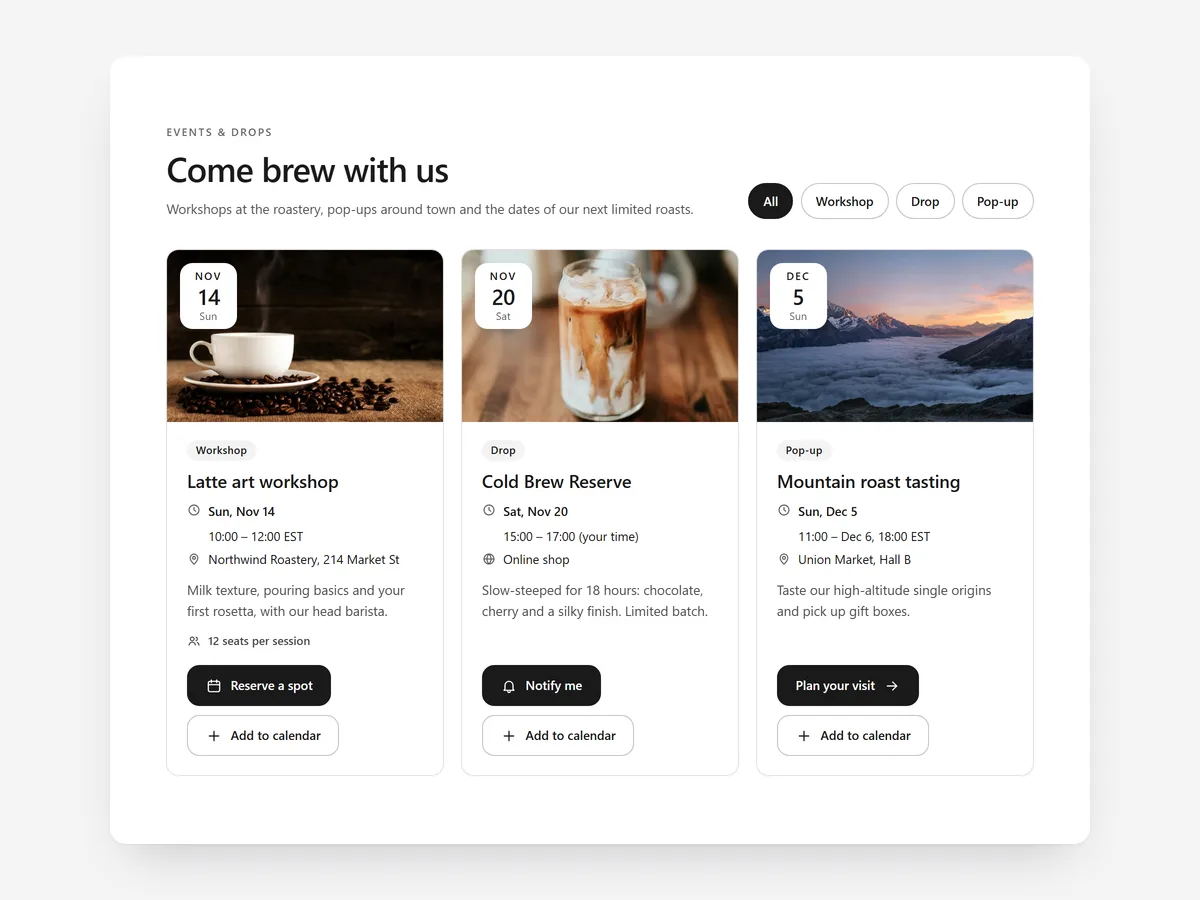
Events & Drops lists upcoming dates with the right action for each. It suits the home page, a dedicated events page and collection pages for limited releases.
- 01Events show as a list, image cards or a month calendar, so the layout matches how many dates you run.
- 02Past events hide automatically and times are time-zone correct, so the page never advertises something that is over.
- 03Shoppers can add any event to Google Calendar or download an .ics file.
- 04Each entry can carry an RSVP, tickets, a drop alert or a countdown, depending on the kind of date.
Where to place it and what to write
On the home page, use cards for the next two or three dates below the hero. Use the month calendar on a dedicated events page with several dates a month, and the countdown with a drop alert on a release collection.
- 01Title each event by what happens: "Natural dye workshop in Hamburg" beats "Colour Club".
- 02Put place, time and price or "free" in the first line.
- 03Give each event one action; RSVP and ticket buttons side by side confuse people.
Set it up in three steps
Afterwards, check the mobile preview, where a calendar is harder to read than cards, and test add-to-calendar on a phone. The section uses your theme font, and speed is unaffected because it renders plain HTML and CSS.
- 01Open Events & Drops in Section Store, enter your dates and choose list, cards or calendar in the visual builder.
- 02Click Theme blocks, then Add to theme; the theme editor opens with the block already placed.
- 03Move it to the right template and save.
Conclusion
Events & Drops gives every workshop, pop-up and release one home on your store and a way to remember it. The Events & Drops section is a one-time purchase of $14.99 in Section Store, or part of the Enterprise Plan.
Key takeaways
- 01Keep every upcoming date on your store, not only on social media.
- 02Let shoppers save the date or request a drop alert while interest is high.
- 03Use cards for a few events and the calendar for many.




