
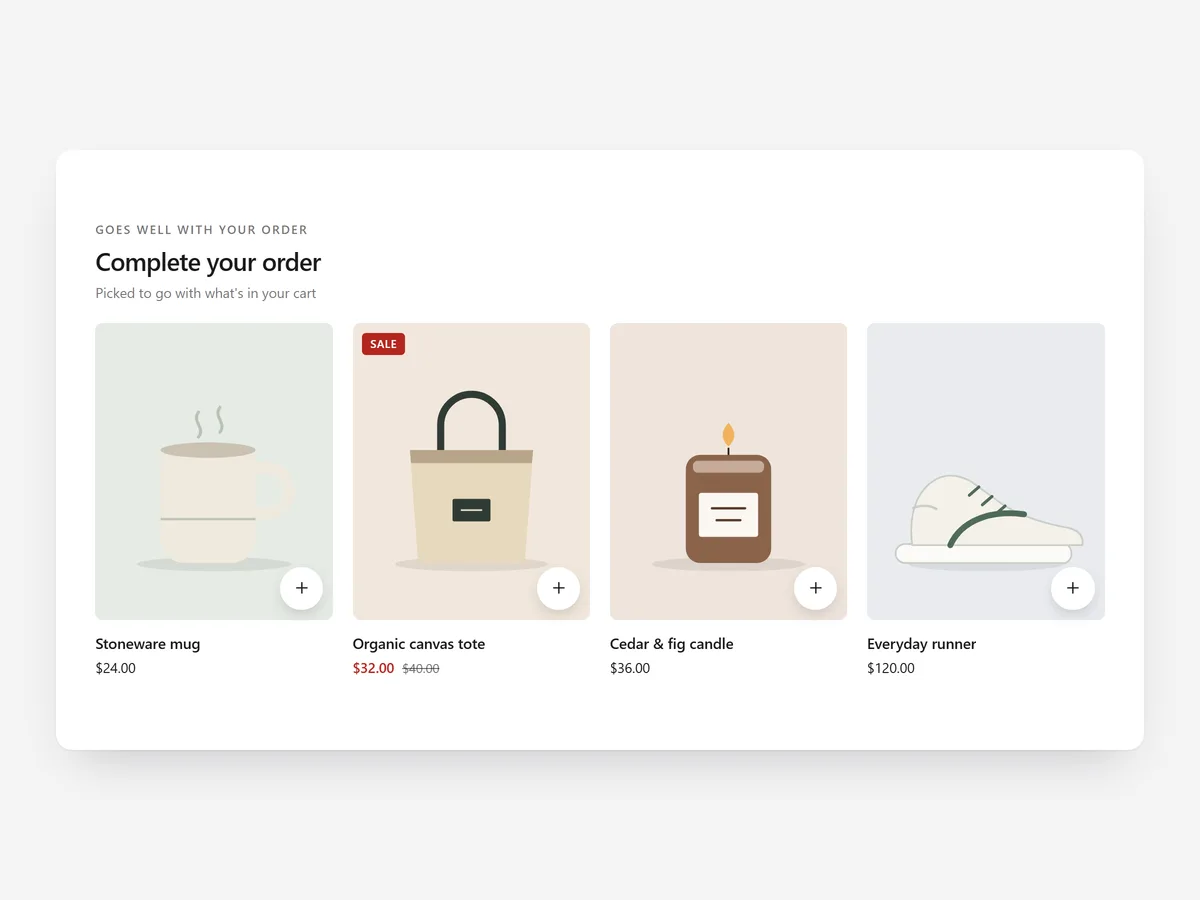
The cart is where shoppers check what they have and what they forgot. Batteries, refills, a matching case: if the add-on is not in front of them now, they notice its absence after delivery.
Why it matters
Many carts are a dead end: a list of items and a checkout button. Shoppers who would happily add a cleaning kit or a second pair have to leave the cart, search and come back, and few do.
The product page has its own place for this. The Complementary Products section suggests pairings while the shopper is still deciding; Cart Upsell works after the decision, based on everything in the cart.
What the section does
Cart Upsell shows a few relevant products on the cart page and adds them without sending the shopper anywhere else.
- 01You can show a card row, a compact list or a single offer, depending on how much space the cart has.
- 02Picks come from Shopify's recommendations for the items in the cart, with fallback products when there are none.
- 03Quick add includes a variant picker, so shoppers choose size or colour and add without a page reload.
- 04The section follows every cart change the theme makes, so suggestions stay accurate as items are added or removed.
Where to place it and what to write
On the cart page, place it below the line items and above the order summary, where shoppers review before paying. Never put it between the total and the checkout button.
- 01Use a helpful headline such as "Often added with this" instead of "You may also like".
- 02Show three or four products; a single offer works best when one add-on clearly belongs with everything.
- 03Set fallbacks to low-priced, broadly useful items such as care products or gift cards.
- 04Avoid suggesting products that are more expensive than the main item in the cart.
Set it up in three steps
After saving, add and remove items in the cart and check the suggestions update without a reload. Test the variant picker on mobile. Speed is unaffected because the block renders plain HTML and CSS.
- 01Open Cart Upsell in Section Store, choose row, list or single offer, set the fallback products and write the headline.
- 02Click Theme blocks, then Add to theme; the theme editor opens with the block on the cart template.
- 03Place it below the cart items and save.
Conclusion
Cart Upsell puts the forgotten add-on in front of the shopper while there is still time to add it. The Cart Upsell section is a one-time purchase of $19.99 in Section Store, or part of the Enterprise Plan.
Key takeaways
- 01Suggestions are based on what is in the cart, with fallbacks for new products.
- 02Quick add with a variant picker keeps shoppers in the cart.
- 03Use Complementary Products on the product page and Cart Upsell after the decision.
Explore more




