
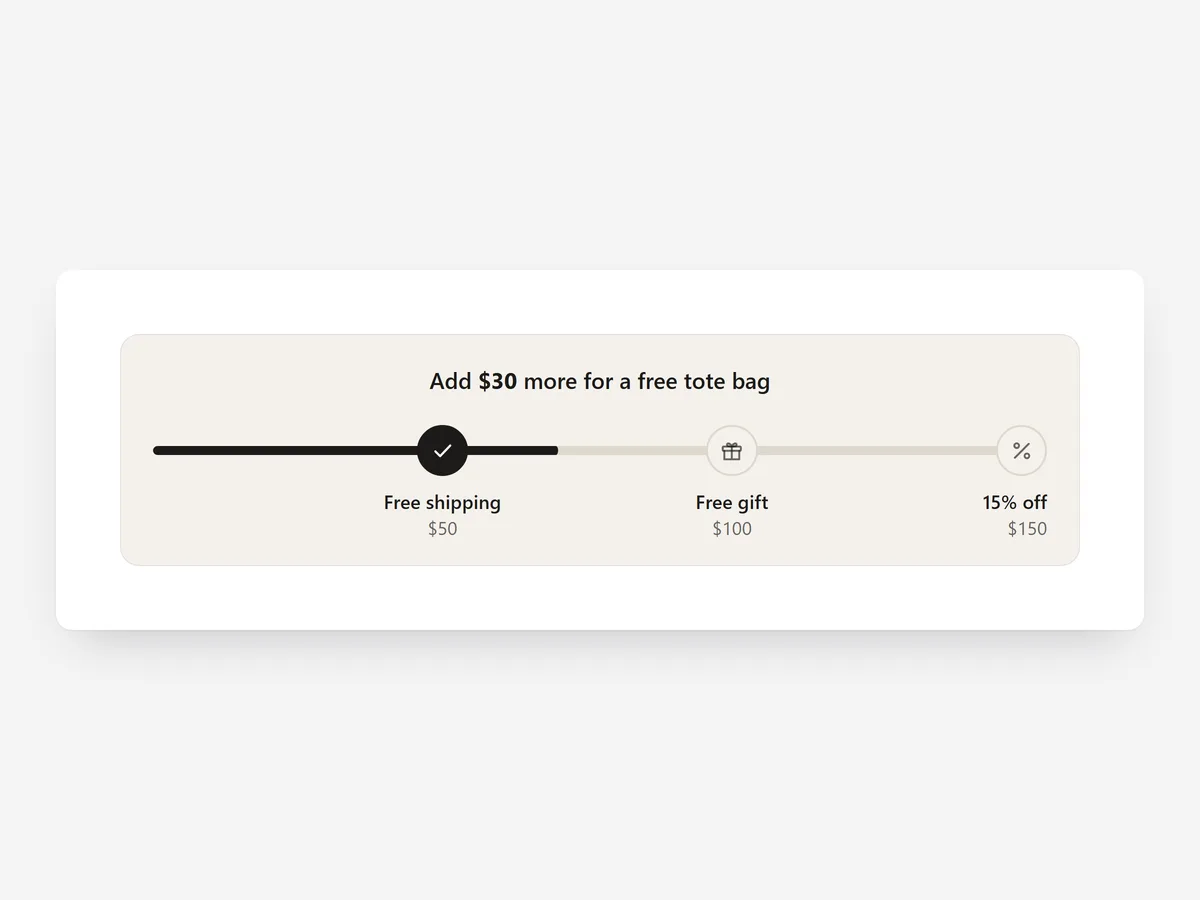
A free shipping threshold only works if shoppers know it exists and how close they are. When shipping costs first appear at checkout, many shoppers leave instead of going back to add one more item.
Why it matters
Most stores mention the threshold once in an announcement bar and leave the maths to the shopper. Nobody calculates the gap, so the offer that should lift order value just sits there.
A progress bar does the maths live: it shows exactly how much is missing and confirms when the goal is reached. To suggest the product that closes the gap, combine it with the Cart Upsell section.
What the section does
Free Shipping Bar tracks the cart total against one or more goals and updates as the cart changes. It fits the header area site-wide, product pages and the cart page.
- 01Choose a slim header bar, an inline card near the buy button, or multi-goal steps for free shipping plus up to two more rewards.
- 02The bar updates live with every cart change, so adding or removing an item shows the new gap immediately.
- 03Amounts are set exactly per currency, so shoppers buying through Shopify Markets see a round, local threshold.
- 04Separate messages for an empty cart, progress and the unlocked state keep the wording right at every stage.
Where to place it and what to write
Use the header bar site-wide, the inline card under the add-to-cart button, and multi-goal steps on the cart page.
- 01Lead with the gap ("You're 12 away from free shipping"), not the threshold.
- 02Keep the unlocked message short and positive, then get out of the way.
- 03Set the threshold slightly above your typical order, not far beyond it.
- 04Limit yourself to goals shoppers understand at a glance, such as shipping and a free gift.
Set it up in three steps
After saving, add and remove a product and watch the bar update. Check each Markets currency and that the bar fits one line on a phone. Text uses your theme's font by default, and speed is unaffected because the block renders plain HTML and CSS.
- 01Open Free Shipping Bar in Section Store, set the layout, goals and messages, then check the preview on desktop, tablet and mobile.
- 02Click Theme blocks, then Add to theme; the theme editor opens with the block already placed.
- 03Place the block where you want it and save.
Conclusion
Free Shipping Bar makes your threshold visible and turns it into a goal shoppers can reach. The Free Shipping Bar section is a one-time purchase of $14.99 in Section Store, or part of the Enterprise Plan.
Key takeaways
- 01A live progress bar shows shoppers the exact gap instead of leaving the maths to them.
- 02Set round amounts per currency for every Markets region you sell to.
- 03Write distinct messages for the empty, progress and unlocked states.
Explore more




