
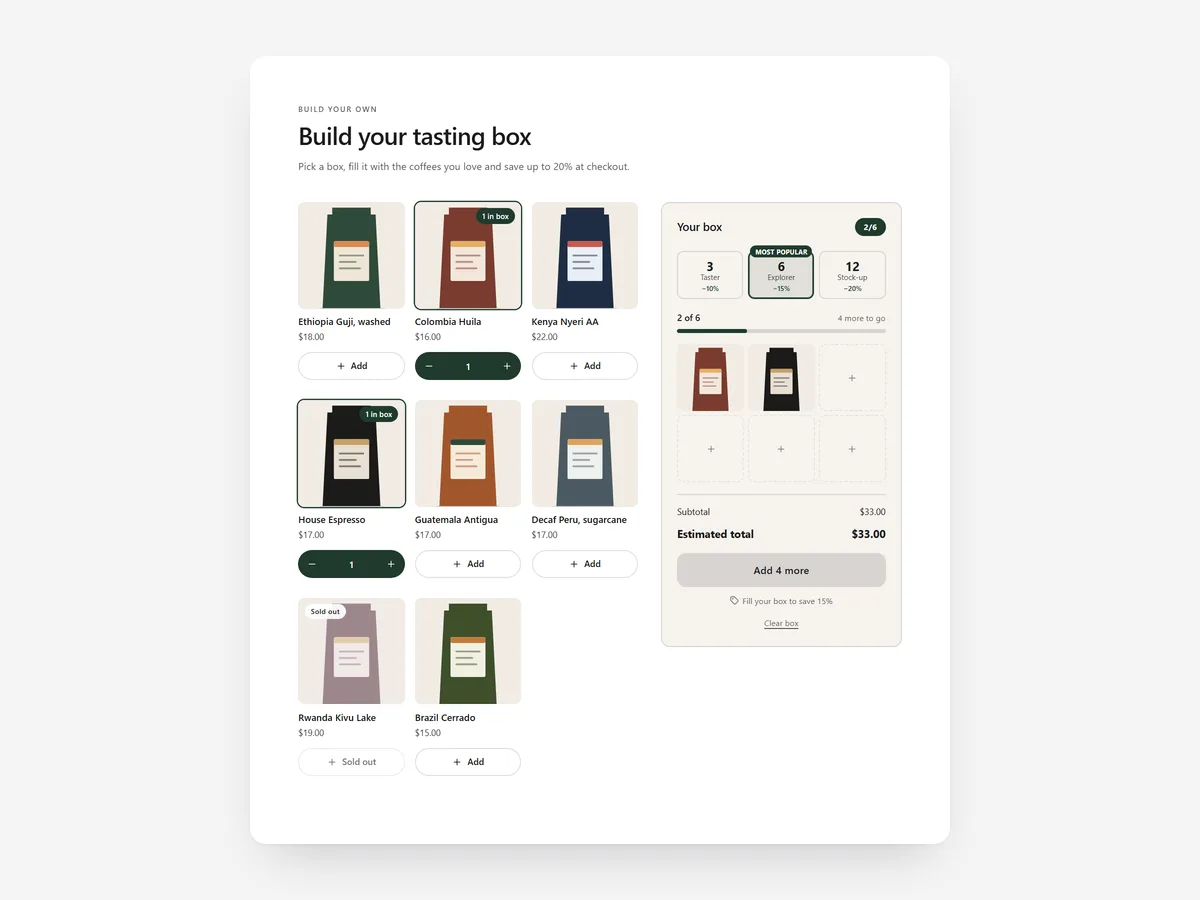
Some shoppers know exactly what they like and resent a fixed bundle that includes the flavour they never eat. Letting them build the box themselves keeps the bundle saving and gives them control.
Why it matters
Fixed bundles are easy to sell but rigid: one unwanted item in the set and the shopper buys single products instead. Mix-and-match offers usually need a separate app, and shoppers cannot see whether the saving actually applies.
This is the flexible sibling of the Bundle section. Use Bundle when you have a curated set that works as a single offer; use Build Your Box when shoppers should choose the contents themselves, such as snack boxes, sock packs or sample sets.
What the section does
Build Your Box creates a guided picking experience from your collections, best placed on a landing page or the home page.
- 01Shoppers pick from a grid with a tray, go through steps, or fill visible box slots, whichever fits your product.
- 02Box sizes are tied to your real Shopify discounts, so the saving shown is the saving at checkout.
- 03Variants, sold-out items and live prices are handled, so shoppers never fill a box with unavailable products.
- 04One click adds the whole box to the cart.
Where to place it and what to write
Give it its own page linked from the main menu and the home page hero. On a collection page it works as the top section when the collection is sold mainly as a box.
- 01State the deal in the headline, such as "Pick 6, save on every item", using the discount you actually set.
- 02Offer two or three box sizes; more sizes slow the decision.
- 03Use box slots for small fixed counts and the grid with tray for larger collections.
- 04Keep the source collection tidy, without items that do not belong in a box.
Set it up in three steps
After saving, fill a box on your phone, add it to the cart and confirm the discount applies at checkout. Try a sold-out variant to see it is blocked. Speed is unaffected because the block renders plain HTML and CSS.
- 01Open Build Your Box in Section Store, choose the collections, box sizes and layout in the visual builder.
- 02Click Theme blocks, then Add to theme; the theme editor opens with the block on your chosen page.
- 03Check its position and save.
Conclusion
Build Your Box keeps the bundle saving while letting shoppers choose what goes inside. The Build Your Box section is a one-time purchase of $24.99 in Section Store, or part of the Enterprise Plan.
Key takeaways
- 01Shoppers choose the contents, and box sizes use your real Shopify discounts.
- 02Sold-out items and variants are handled before anything reaches the cart.
- 03Use the Bundle section for fixed sets and Build Your Box for mix and match.




