Shoppers at multi-brand stores often know the brand before they know the product. If they cannot see quickly whether you carry it, they assume you do not and look elsewhere.
Why it matters
Many multi-brand stores list brands in a long dropdown or not at all. Shoppers must guess spellings in the search box or scroll a menu that cuts off at the screen edge. Smaller brands, which often bring loyal fans, become invisible.
Brand Directory gives every brand a place on one page. Search Hero searches everything; this section is for shoppers who think in brand names. Each entry links to that brand's products, which pair well with a Collection Header on the brand collection.
What the section does
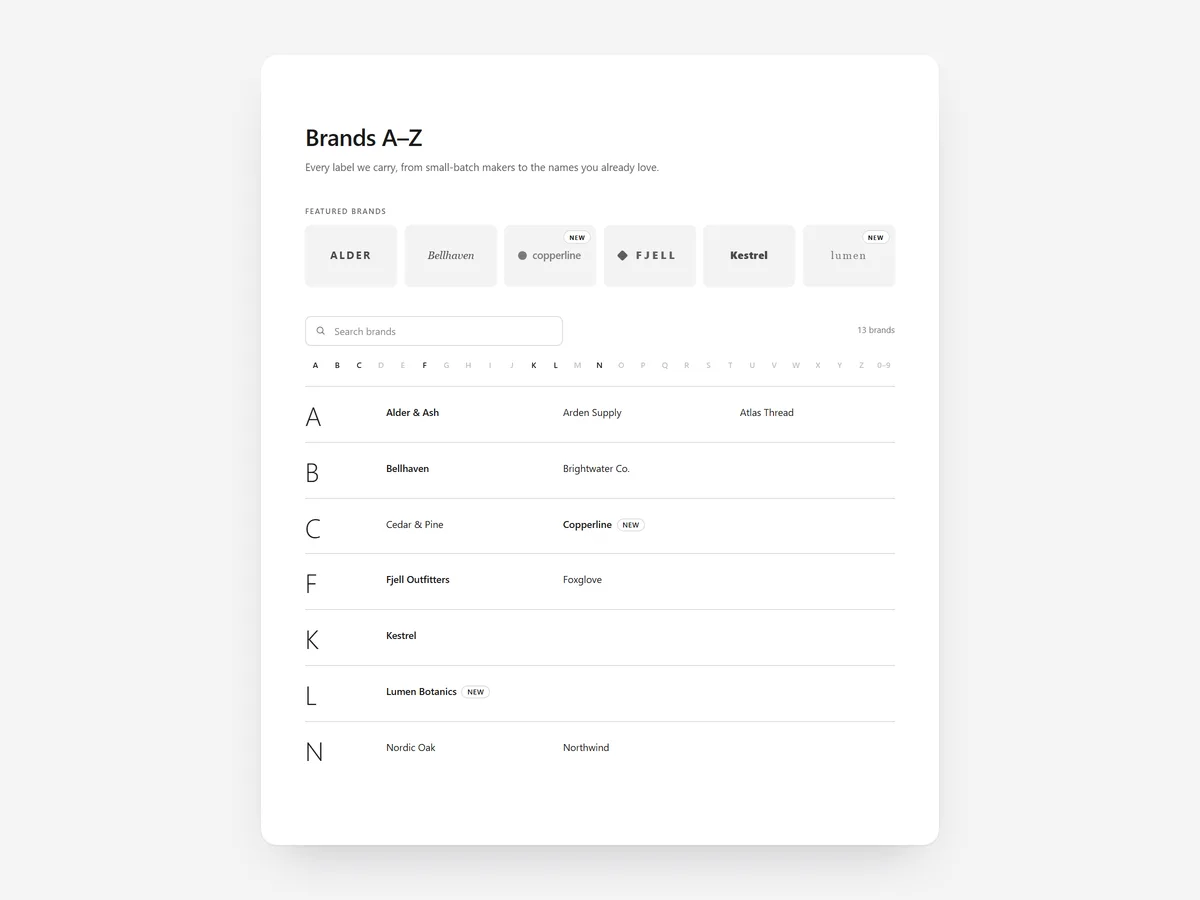
Brand Directory builds a brand index on a dedicated page and links each brand to its products.
- 01Brands can appear as an A to Z index, a logo grid or a compact list.
- 02You can use your own list or every vendor of your products, so the index can build itself.
- 03Instant search ignores accents, so typing a brand without special characters still finds it.
- 04A sticky letter bar jumps through the alphabet, and product counts show how much each brand offers.
Where to place it and what to write
Create a Brands page, add the section, and link it from the main menu and the footer. On the home page, a logo grid of featured brands can link to the full page.
- 01Use a plain headline: "All brands" or "Shop by brand".
- 02Feature brand logos for the names shoppers search most.
- 03Use the vendor list only if vendor names are clean and consistent.
- 04Keep logos in the same format so the grid looks even.
Set it up in three steps
After saving, try the search and letter bar on your phone and type a brand without its accent. Text uses your theme's font by default. Speed is unaffected, because the block renders plain HTML and CSS.
- 01Open Brand Directory in Section Store, choose your list or all vendors, pick a layout and check the live preview on desktop, tablet and mobile.
- 02Click Theme blocks, then Add to theme; the theme editor opens with the block already placed on your Brands page.
- 03Save and link the page in your menu.
Conclusion
Brand Directory shows brand-loyal shoppers in seconds that you carry what they want. The Brand Directory section is a one-time purchase of $12.99 in Section Store, or part of the Enterprise Plan.
Key takeaways
- 01Multi-brand shoppers often search by brand, so a full index answers them fast.
- 02The index can build itself from your product vendors.
- 03Clean vendor names matter, or brands appear twice.
Explore more