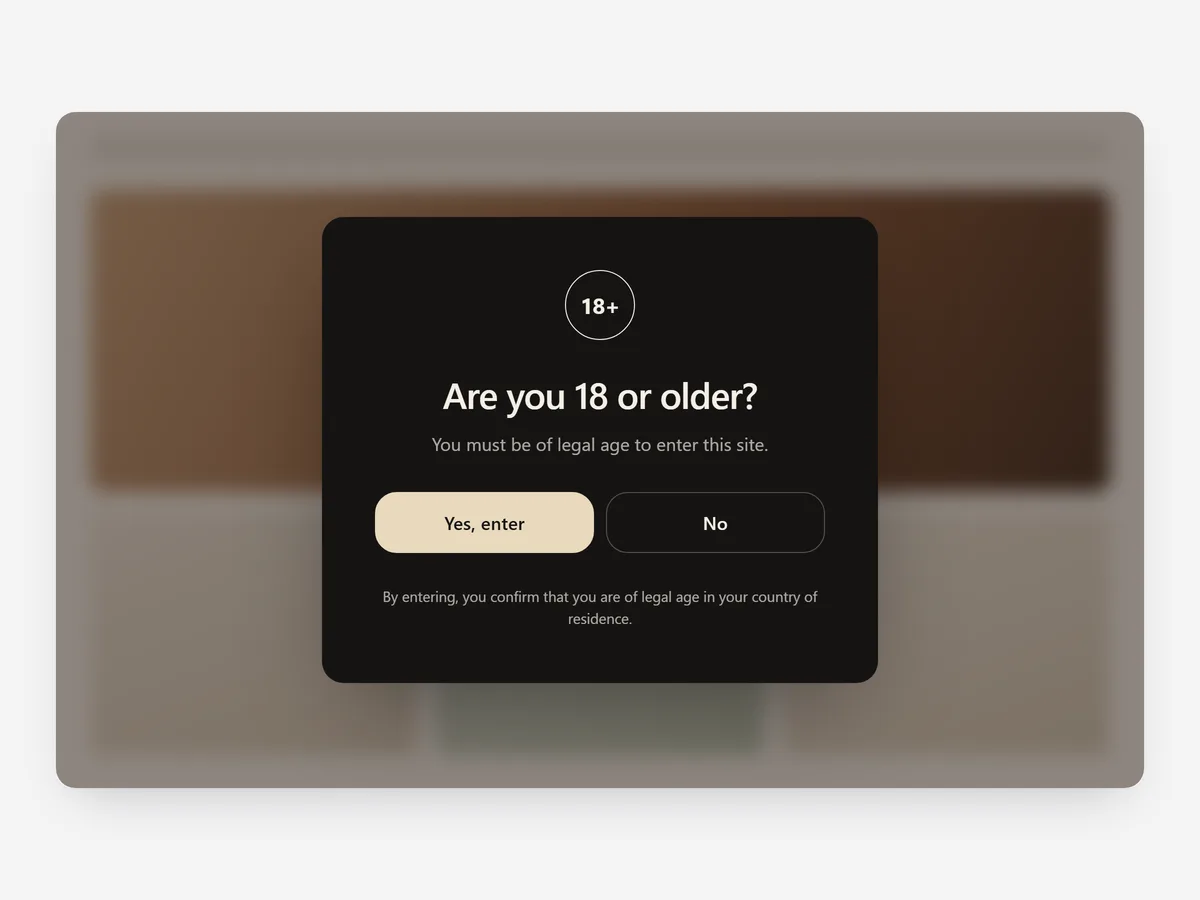
If you sell alcohol, CBD or vape products, an age check is the first thing a visitor sees. Done well, it takes one tap and makes the store look responsible rather than shady.
Why it matters
Age-restricted shops have two problems at once. They need to ask every visitor to confirm their age, and they cannot let that question break the shopping experience or hide the store from search engines.
Many age checks ask again on every visit or stop crawlers from reading the page. The first annoys regulars; the second can hurt how the store appears in search.
What the section does
Age Gate adds a site-wide age confirmation and remembers the answer for as long as you choose. You add it once, and it covers home, collection, product and content pages.
- 01You pick the look: a card, a full brand screen with your imagery, or a bottom sheet that feels natural on phones.
- 02Visitors confirm with a simple Yes / No, or by entering their date of birth when a stricter check fits your market.
- 03The dialog is accessible for keyboard and screen-reader users, and crawlers are not blocked, so search engines can still read your store.
- 04Visitors who are under age see a message or are redirected to a page you choose.
Where to place it and what to write
Add it once for the whole store. Use the full brand screen when the first impression matters, such as for a craft spirits label, and the bottom sheet if most traffic comes from phones.
- 01Ask one clear question: 'Are you 18 or older?' with the legal age for your market.
- 02Label the buttons with full answers, not just 'Enter'.
- 03Write a polite under-age message and point to a neutral page.
- 04Choose a remember period so regulars are not asked on every visit.
Set it up in three steps
After saving, open the store in a private window on your phone, try both answers and confirm the answer is remembered on a second visit and the theme font is used. Speed is unaffected because the block renders plain HTML and CSS.
- 01Open Age Gate in Section Store, choose the layout, check type and remember period in the visual builder.
- 02Click Theme blocks → Add to theme to open the theme editor with the block placed.
- 03Save the theme so the gate applies store-wide.
Conclusion
A clean, one-tap age check keeps your store compliant without making it feel hostile. The Age Gate section is one of the 14 free sections in Section Store.
Key takeaways
- 01An age check should take one tap and remember the answer.
- 02Crawlers are not blocked, so the gate does not hide your store from search.
- 03Choose Yes / No or date of birth depending on how strict your market is.
Explore more