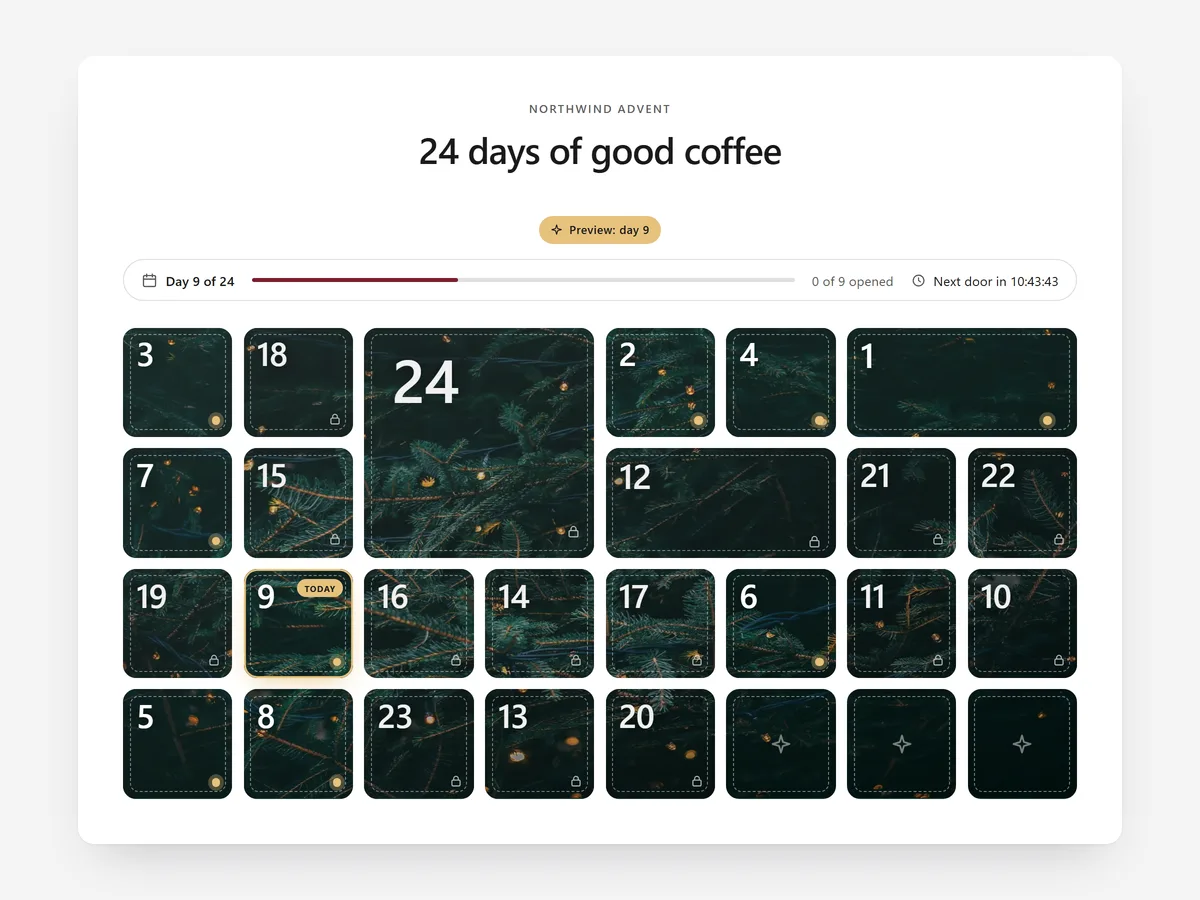
December is crowded with discounts, and a single big sale gets lost among everyone else's. A calendar with one door a day gives shoppers a small reason to come back each morning, and each visit is a chance to see products they missed.
Why it matters
Many stores build advent calendars by hand: a page edited every night, codes posted on social media, doors that open early in other time zones or reveal tomorrow's offer by accident. It is a lot of work, and mistakes are public.
This section automates the daily reveal. Not every door needs a discount; stories, recipes and pictures keep the calendar interesting without eroding margins. For a single sale deadline instead of a daily rhythm, use the Countdown section.
What the section does
Advent Calendar handles doors, dates and content in one block. It is built for a dedicated landing page and also fits the home page during the season.
- 01Doors unlock by date in your shop's time zone, so no one can open tomorrow's door early.
- 02Each door can hold an offer code with a copy button, a product, a short story or a picture.
- 03Show a door grid over one large picture, a day strip or a simple list.
- 04Opened doors are remembered for each visitor, and code validity is shown honestly.
Where to place it and what to write
Give the calendar its own page and link it from the home page and your emails. During the season, a day strip on the home page reminds visitors that a new door is open.
- 01Mix content: offers on some days, stories or behind-the-scenes on others.
- 02State each code's validity plainly, such as "valid today only".
- 03Save the strongest offers for weekends and the last days.
- 04Prepare all doors before the first one opens.
Set it up in three steps
After saving, check on a phone that locked doors look clearly locked and today's door opens with one tap. Text uses your theme's font by default. Speed is unaffected, because the block renders plain HTML and CSS.
- 01Open Advent Calendar in Section Store, fill each door, choose a layout and check the live preview on desktop, tablet and mobile.
- 02Click Theme blocks, then Add to theme; the theme editor opens with the block already placed.
- 03Place it on your calendar page and save.
Conclusion
Advent Calendar turns December into a daily habit for your shoppers without nightly page edits. The Advent Calendar section is a one-time purchase of $14.99 in Section Store, or part of the Enterprise Plan.
Key takeaways
- 01Doors unlock by your shop's time zone, so the calendar runs itself.
- 02Mix offers with stories and pictures to keep it interesting and protect margins.
- 03Give the calendar its own page and point emails and the home page to it.
Explore more