
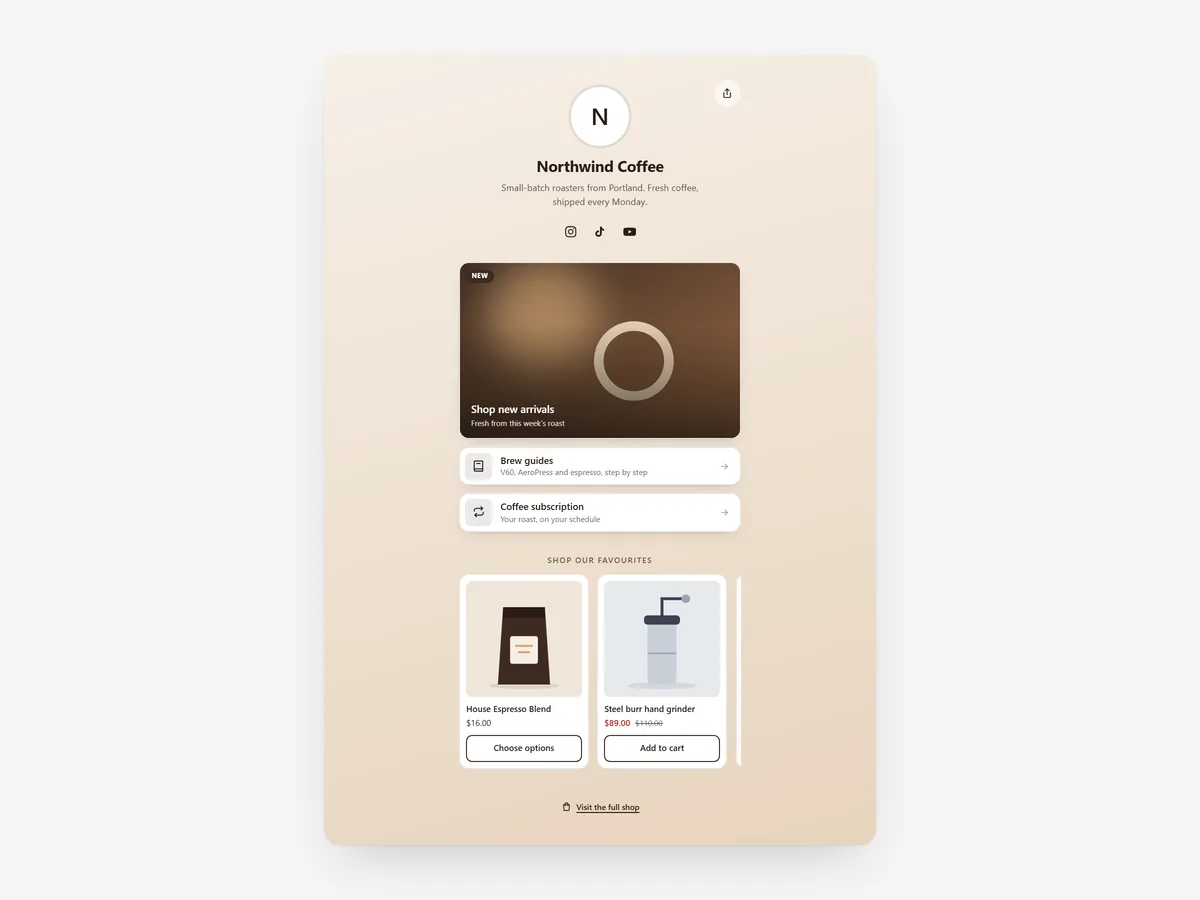
The link in an Instagram or TikTok profile is often the only clickable path from social media to your shop. An outside link page adds a stop on someone else's domain first.
Why it matters
Shoppers who tap a profile link want the product from the last post, the shop, or the latest offer. A third-party link page makes them choose on a page that looks nothing like your store.
Link in Bio builds that page inside your own shop. Visitors stay on your domain, can add products to the cart directly, and every platform gets its own tracking tags. For showing your feed in the store itself, use the Social Feed Grid section instead.
What the section does
Link in Bio turns a content page in your store into a profile landing page for social traffic.
- 01Links appear as buttons, picture cards or a mix of both, depending on how visual you want the page.
- 02Featured products come with add to cart, so a shopper can buy the item from the post without searching.
- 03UTM tags are added per platform, and a share button lets visitors pass the page on.
- 04Focus mode hides the theme header so the page feels like a profile, not a cluttered store page.
Where to place it and what to write
Create a new page, for example /pages/links, add the section there and put that URL in each profile.
- 01Put the product from your newest post at the top, and update it when you post.
- 02Limit the page to five or six buttons; long link lists get skimmed and ignored.
- 03Write button labels as actions: "Shop the new drop", "Get the free guide".
- 04Use the same profile picture as on your social accounts.
Set it up in three steps
After saving, open the link from your phone's Instagram or TikTok app and check that buttons work in the in-app browser. Text uses your theme's font by default. Speed is unaffected, because the block renders plain HTML and CSS.
- 01Open Link in Bio in Section Store, add your profile, buttons and featured products, and check the live preview on mobile and desktop.
- 02Click Theme blocks, then Add to theme; the theme editor opens with the block already placed on your links page.
- 03Turn on focus mode if wanted and save.
Conclusion
Link in Bio keeps social visitors on your own domain, with products one tap away and clean tracking per platform. The Link in Bio section is a one-time purchase of $12.99 in Section Store, or part of the Enterprise Plan.
Key takeaways
- 01A link page on your own domain keeps social traffic in your store.
- 02Featured products with add to cart shorten the way from post to purchase.
- 03Per-platform UTM tags show which channel actually sends shoppers.
Explore more




