
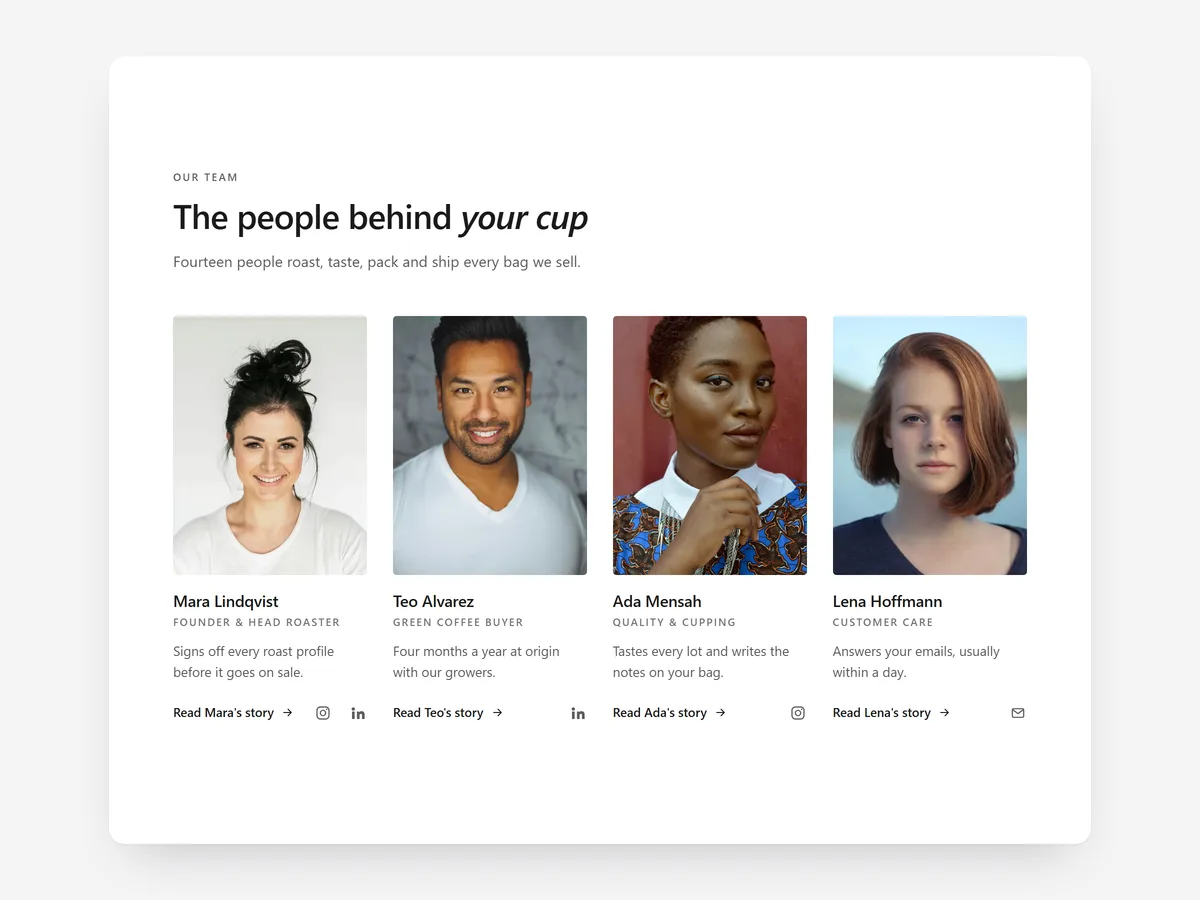
Shoppers buying from a small brand want to know who is on the other side. A page with real faces and names answers the quiet question behind many hesitations: will a person actually help me if something goes wrong?
Why it matters
Most about pages are a block of text and a stock photo of an office. They say "we are passionate" without showing anyone, which makes an independent brand look like any anonymous reseller.
Meet the Team shows the people. It pairs well with the Brand Timeline section: the timeline tells how the brand grew, this section shows who runs it today. Choose the founder letter when one person is the face of the brand, and the grid when the team is.
What the section does
The section introduces your team as portraits or as a personal letter. It fits about pages, the home page for founder-led brands and careers pages.
- 01Pick a portrait grid, a large-portrait carousel or a founder letter, depending on how many people you want to feature.
- 02Each person opens a bio drawer with a fun fact and social links, and it works with touch, mouse and keyboard.
- 03On hover, a second photo and colour appear, which adds personality without extra space.
- 04The founder letter ends with a signature that draws itself, with a row of the team below it.
Where to place it and what to write
On the about page, place it after the brand story. On the home page of a founder-led brand, a short founder letter below the bestsellers works well. On a careers page, use the grid near the top.
- 01Use consistent, natural portraits with the same background and framing.
- 02Write bios in the first person and keep them to two or three sentences.
- 03Make the fun fact genuinely specific, not "loves coffee".
- 04Keep the founder letter under a hundred and fifty words.
Set it up in three steps
After saving, tap a portrait on your phone to open a bio drawer and confirm it closes easily. The text uses your theme's font by default. Speed is unaffected, because the block renders plain HTML and CSS.
- 01Open Meet the Team in Section Store, add people, photos and bios or the letter, then check the preview on desktop, tablet and mobile.
- 02Click Theme blocks, then Add to theme; the theme editor opens with the block already placed.
- 03Move it under your brand story and save.
Conclusion
Meet the Team turns an anonymous storefront into a brand run by people shoppers can see. The Meet the Team section is a one-time purchase of $12.99 in Section Store, or part of the Enterprise Plan.
Key takeaways
- 01Real faces and names reassure shoppers that people stand behind the brand.
- 02Choose the founder letter for founder-led brands and the grid for team-led ones.
- 03Consistent portraits and short first-person bios make the section credible.
Explore more




