
Green Claims Checker
www.brandupfactory.com/apps/green-claims-checkerFind and fix risky green claims.
Since 27 September 2026, Directive (EU) 2024/825 bans generic environmental claims such as eco-friendly, climate neutral or sustainable unless they are specified or proven, along with offset-based climate claims and self-made sustainability labels. These phrases sit in product descriptions, collections, pages and blog posts, often by the thousand.
Green Claims Checker scans those texts in 10 languages against 55 rules, explains every risky phrase with the rule behind it and suggests new wording that is saved back to Shopify in one click, with revision history and undo. Evidence stays next to each claim, and monitoring catches new texts. The app is in production and has been submitted to the Shopify App Store. It is not legal advice: it points out risky wording, and the assessment of a claim stays with the merchant.
Shopify App
·EU 2024/825Coming soon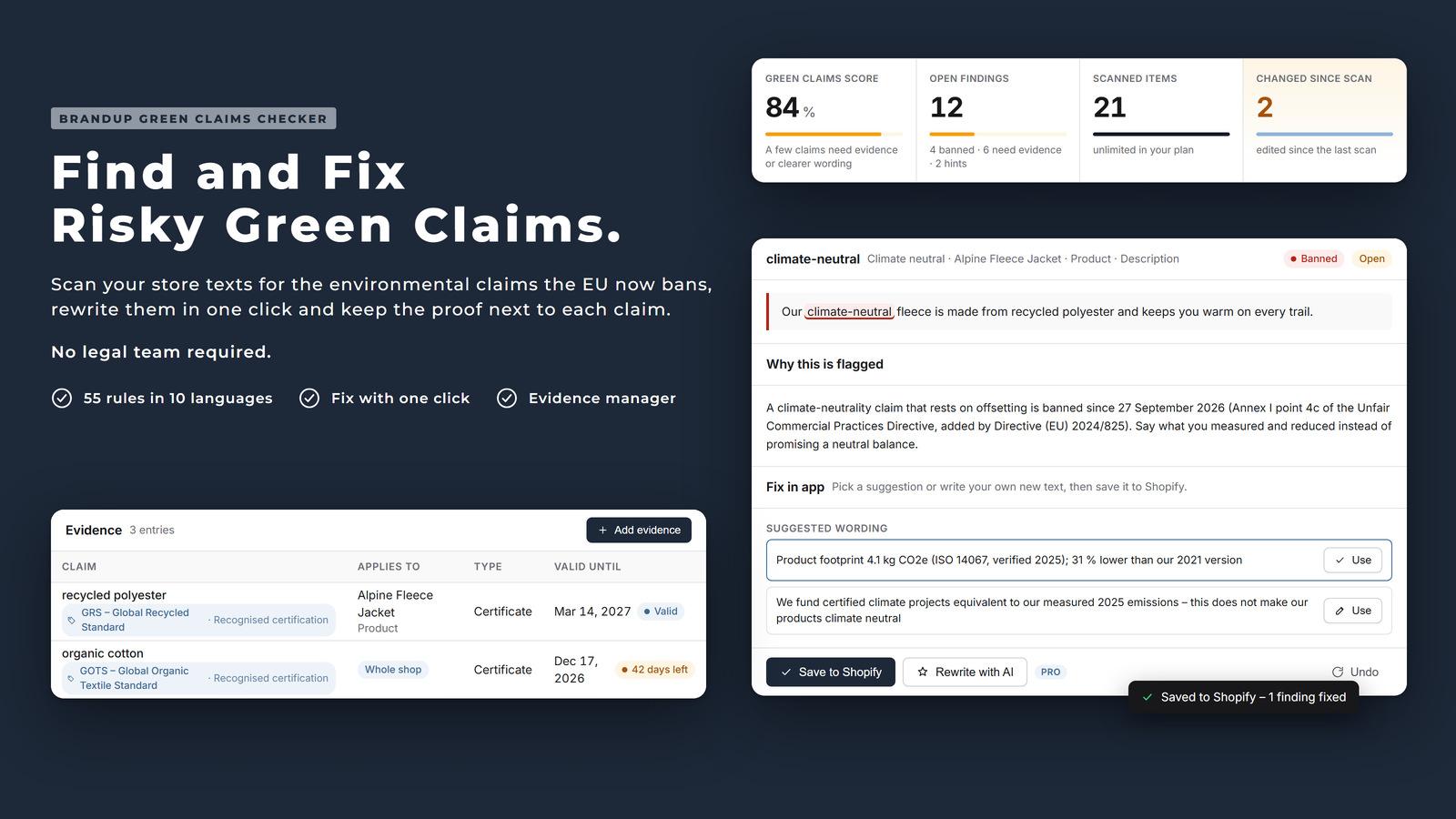
The Challenge
The rules already apply
Directive (EU) 2024/825 has applied in every EU member state since 27 September 2026 and adds generic environmental claims to the list of practices banned in all circumstances.
Claims are everywhere
Risky phrases sit in titles, descriptions, SEO fields, tags and blog posts, across a whole catalogue and in several languages.
Finding is not fixing
A list of risky words does not help on its own. Merchants need to know why a phrase is a problem and what they can write instead.
Proof gets lost
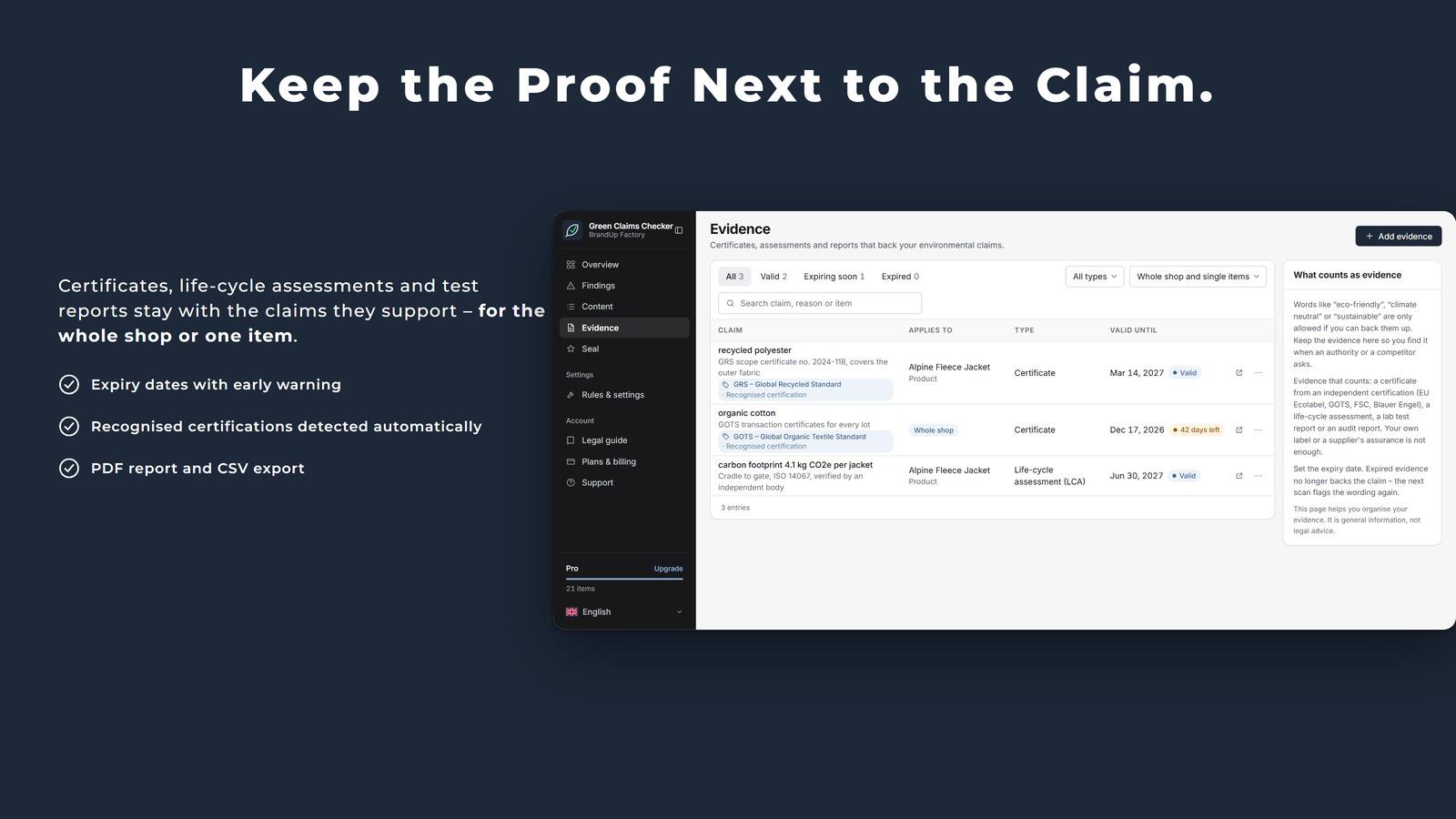
Some claims are allowed with evidence, but certificates and test reports live in folders, far from the claim, and they expire.
Our Solution
Scan in 10 languages
Products, collections, pages and blog posts: titles, descriptions, SEO fields, tags and summaries, in English, German, French, Spanish, Italian, Dutch, Portuguese, Polish, Swedish and Danish.
Fix it in the app
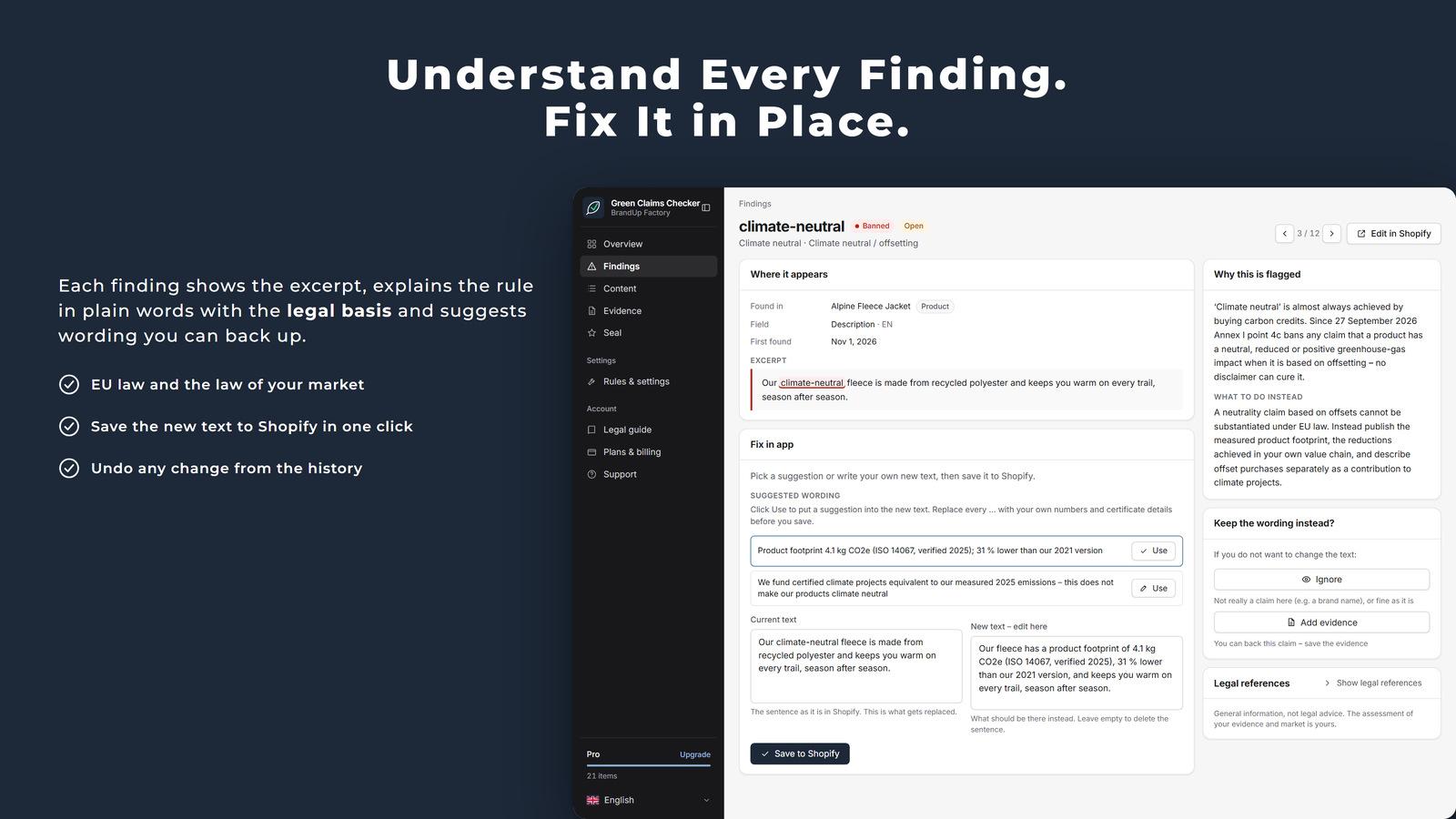
Each finding shows the excerpt, the rule and suggested wording. Saving writes the new text to Shopify, never on its own, with revision history and undo.
Evidence next to the claim
Certificates, life-cycle assessments and test reports per claim, for one item or the whole shop, with expiry dates. 39 recognised certification schemes are detected.
Monitoring and more
Changed texts are re-scanned automatically, with a daily scan and weekly digest. Pro adds AI rewrites re-checked by the rule engine and a PDF audit report; Premium adds a storefront seal with a public verification page.
Inside the product
Key Features
Find, fix and prove
Planned pricing
Prices apply once the app is live in the Shopify App Store.
Free
- 50 content items
- Manual scans, fix in app
- Findings and evidence manager
Starter
- 500 content items
- Automatic monitoring and daily scan
- Weekly digest and CSV export
Pro
- Unlimited content items
- AI assessment and rewrites (300/month)
- PDF audit report and custom rules
Premium
- Green Claims Seal for the storefront
- 1,000 AI assessments per month
How it works
From the first scan to clean store texts.
Scan the store
Install the app and run the first scan. The overview shows the green claims score and every open finding, sorted into banned, needs evidence and hint.
Fix or back up each finding
Open a finding, read why it is flagged, then save a suggested or your own wording to Shopify. If the claim is true, add the evidence instead.
Stay clean
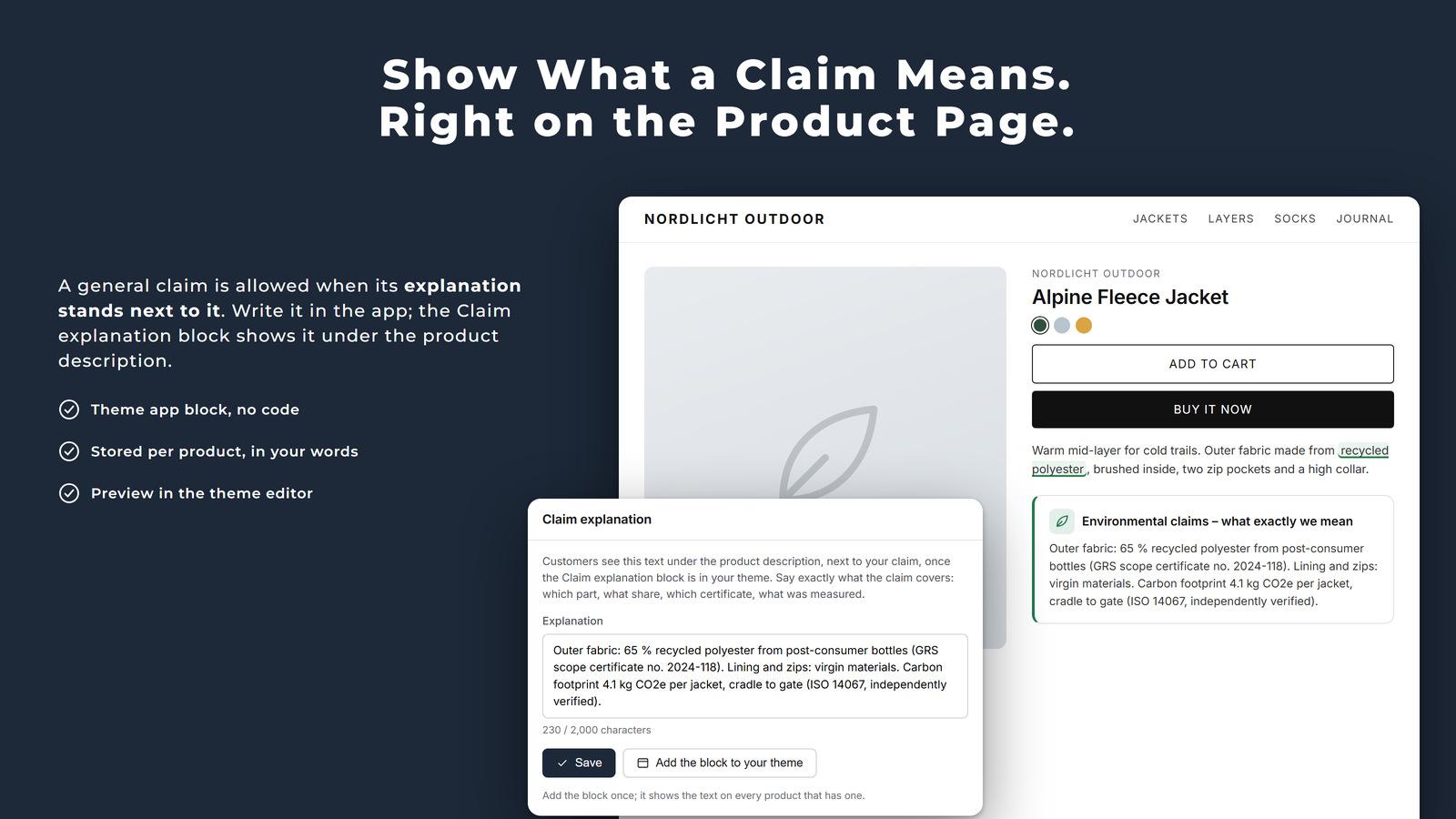
Monitoring catches changed texts. The Claim explanation block shows customers what a claim means, right on the product page.
Technology Stack
Built on Shopify's current app platform
Check your store texts before someone else does.
Green Claims Checker is coming to the Shopify App Store. Write to us if you want early access.